
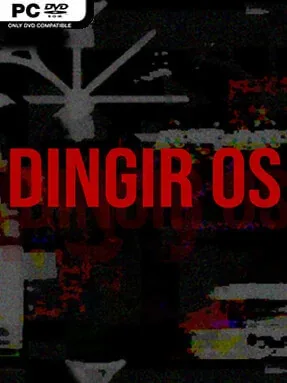
Game Overview
An abandoned desktop becomes the entire stage for a compact piece of digital horror, presenting a supposedly recovered operating system once used by a secretive netstalker collective. Dingir OS frames its fiction through corrupted utilities, unsettling archives, personal journals, audio fragments, and strange artifacts that suggest years of obsessive research into forbidden corners of the network. The mood is paranoid and deliberately claustrophobic: every window feels like a clue, a prank, or something the player was never meant to open.
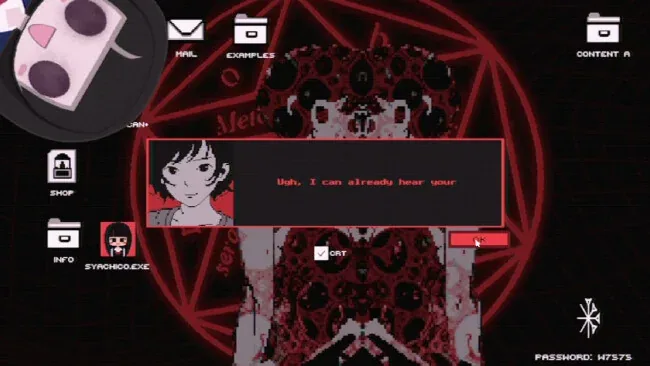
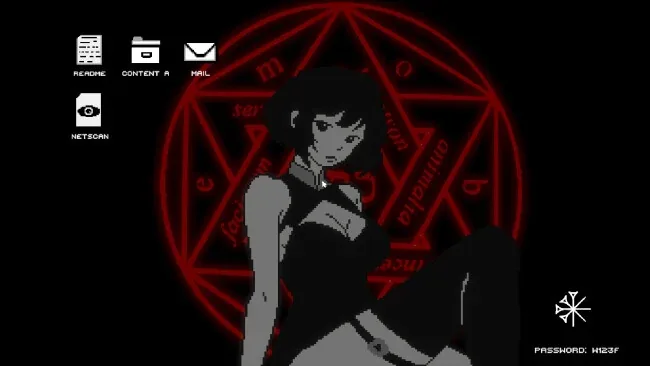
Players navigate a point-and-click computer interface, selecting programs, browsing files, and piecing together the history of NOOSPHERE through its scattered digital remains. Progress comes from curiosity rather than combat, with small minigames and interactive applications breaking up the reading, listening, and investigation. Much of the tension comes from deciding which folders, recordings, and cryptic tools deserve attention, as the software gradually reveals more about its former users and their discoveries. Its short format keeps the experience focused, making it well suited to a single unsettling evening rather than a long campaign.
The strongest idea here is the commitment to the fake operating-system format; instead of merely showing players a haunted computer, it asks them to operate one and interpret its debris. Multimedia storytelling gives the world a tactile, archival quality, while the netstalker theme evokes internet folklore, conspiracy culture, and the unnerving sensation of digging too deeply through forgotten data. Fans of desktop-based horror such as Hypnospace Outlaw’s simulated-computer design or the investigative unease of Stories Untold should appreciate its format, though Dingir OS leans more toward atmosphere and lore than demanding puzzles. It is a good fit for horror players who enjoy reading between the lines, examining every file, and letting ambiguity do much of the frightening work.
Screenshots
Installation
- Select the <strong>Download</strong> button at the top of this page to open UploadHaven.
- On UploadHaven, wait for any countdown, then select <strong>Free Download</strong>. Optional: UploadHaven Pro for faster downloads.
- When complete, extract the archive to a <strong>Dingir OS</strong> folder using 7-Zip.
- Open the extracted folder and start the game normally.
- For errors, check <strong>Setup Guide & Troubleshooting</strong> below. Keep your security software enabled.
System Requirements
- OS: Windows 11
- Processor: Intel Core i5-11400H
- Memory: 8 GB RAM
- Graphics: NVIDIA GeForce 1050
- Storage: 1 GB available space
Setup Guide & Troubleshooting
Is Dingir OS (v1.2) completely free?
Yes. The download is listed as free, and the archive is 840.28 MB. You can grab it from the download button on this page and extract it with 7-Zip before launching.
How do I install Dingir OS (v1.2)?
Click the download button to open UploadHaven, wait out any countdown, and select Free Download. Once the archive finishes, extract it to a Dingir OS folder with 7-Zip and start the game from the extracted folder.
What are the system requirements for Dingir OS?
The listed requirements are Windows 11, an Intel Core i5-11400H processor, 8 GB of RAM, an NVIDIA GeForce 1050 graphics card, and 1 GB of available storage space.
How long does Dingir OS take to finish?
The game is deliberately short and compact, built around a single unsettling evening of exploration rather than a long campaign. Expect to spend your time reading files, listening to audio fragments, and piecing together the NOOSPHERE history.
Does Dingir OS have combat or difficult puzzles?
No. Progress comes from curiosity, not combat. There are small minigames and interactive applications, but the game leans toward atmosphere and lore rather than demanding puzzles, so you spend most of your time investigating the desktop.