
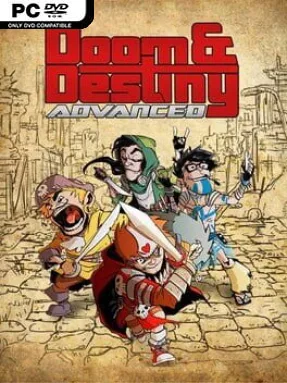
Game Overview
A self-aware fantasy RPG built around four spectacularly unqualified nerd heroes, Doom & Destiny Advanced turns universe-saving into a parade of sarcastic dialogue, ridiculous monsters, and deliberately overblown quests. Its world blends swords-and-sorcery staples with modern jokes, pop-culture humor, and a villainous businessman whose schemes spiral far beyond ordinary corporate greed. The tone stays gleefully silly, but the adventure still delivers a surprisingly substantial campaign with kingdoms, dungeons, strange dimensions, and plenty of optional detours. Newcomers can jump in without prior knowledge, while returning players catch more references to the wider Doom & Destiny universe.
Combat runs on classic turn-based RPG rules, with party composition, equipment, skills, elemental weaknesses, and status effects determining whether a tough encounter becomes manageable or disastrous. Players recruit and channel a large roster of heroic spirits, creating different tactical combinations as they collect weapons, armor, costumes, and abilities from battles and exploration. The main story lasts roughly 30 hours, but wandering across its enormous map reveals hidden areas, secrets, side content, and hundreds of enemy types to fight. Beyond the solo campaign, asynchronous online arena battles let players build defensive teams and test their strategies against other players’ setups, earning perks and climbing the rankings.
What separates it from many retro-inspired RPGs is its willingness to combine a genuinely large adventure with nonstop parody rather than treating comedy as an occasional aside. The pixel-art presentation deliberately recalls 16-bit console role-playing games, yet the systems offer enough gear management and build experimentation to reward players who enjoy optimizing a party. Exploration feels especially worthwhile because the world hides more than just extra loot; secret discoveries often feed into the game’s jokes, progression, or collectible chase. Fans of EarthBound’s offbeat humor, old-school Final Fantasy combat, and sprawling indie RPGs should feel at home, while veterans looking for a dense, funny quest with optional online competition get the most from it.
Installation
- Click the green button below to be redirected to UploadHaven.
- Wait 15 seconds, then hit “Free Download.” (Free downloads may be slower — upgrade to UploadHaven Pro for faster speeds.)
- Once downloaded, right-click the .zip file and choose “Extract to Doom & Destiny Advanced.” (You’ll need 7-Zip for this.)
- Open the extracted folder and run the game as administrator.
- Enjoy! 🎮 If you see missing DLL errors, check the <strong>_Redist</strong> folder inside and install what’s needed.
System Requirements
- OS: Mac OS 10.7+
- Processor: 2.3 GHz Intel Core 2 Duo or better
- Memory: 1000 MB RAM
- Graphics: OpenGL 3.2 compatible GPU with at least 256MB of VRAM
- Network: Broadband Internet connection
- Storage: 300 MB available space
- Additional Notes: Gamepad not supported on MacOSX
Setup Guide & Troubleshooting
How do I fix missing DLL errors for Doom & Destiny Advanced (v2.8.7.3)?
After extracting Doom & Destiny Advanced (v2.8.7.3), navigate to the _Redist or _CommonRedist folder inside the game directory and install DirectX, Vcredist, and any other dependencies included.
What should I do if the downloaded file is corrupted?
The full archive is 208.85 MB — make sure your download completed fully before extracting. Use 7-Zip to extract the files. If you still see a "file corrupted" error, re-download and try again.
Why should I run the game as administrator?
Right-click the game executable and select "Run as Administrator" to avoid save file issues and permission errors. This is especially important on the first launch.
How do I update my GPU drivers for this game?
Doom & Destiny Advanced (v2.8.7.3) requires a OpenGL 3.2 compatible GPU with at least 256MB of VRAM or equivalent. Update your NVIDIA or AMD drivers to the latest version for the best performance.
The game won't launch — what should I try?
Try running in compatibility mode, install the latest DirectX runtime, or install the All-in-One VC Redist Package.
My antivirus is blocking the game — is it safe?
Antivirus false positives are common with pre-installed games. Temporarily pause your antivirus during extraction to prevent it from quarantining game files. You can re-enable it after the extraction completes.