
Game Overview
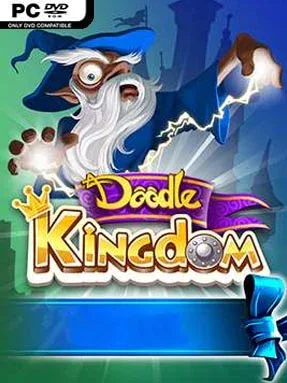
Medieval fantasy gets the Doodle treatment in a light, accessible puzzle adventure built around castles, knights, dragons, and dark magic. Rather than asking you to manage an empire through spreadsheets or tactical maps, Doodle Kingdom turns world-building into a series of playful combination puzzles. The mood stays colorful and family-friendly even when necromancers begin corrupting the countryside, making it a breezy fantasy diversion rather than a grim strategy epic. Its appeal comes from the constant satisfaction of turning a few simple discoveries into an increasingly elaborate realm.
Players combine elements and ideas to unlock new creations, gradually assembling the people, structures, creatures, and magical forces that define their kingdom. Different story paths let you restore a castle and guide a royal family toward prosperity or embrace a necromancer’s destructive campaign, giving the otherwise straightforward puzzle format some welcome variety. Dragon breeding adds another collectible layer, with four types of dragons to raise as your fantasy ecosystem expands. A separate runner-style combat mode changes the pace by putting an armed knight against monster swarms and bosses, asking for quick reactions instead of careful experimentation.
Doodle Kingdom stands out because it repackages the familiar element-combination formula of Doodle God and Doodle Devil around a more focused fantasy theme. The pleasure lies less in difficult logic puzzles than in testing imaginative pairings and seeing what medieval invention, monster, or magical concept appears next. Its compact activities and forgiving tone make it well suited to younger players, casual puzzle fans, and anyone wanting short sessions without heavy commitment. Veterans of the Doodle series will recognize the core loop immediately, while newcomers get one of the more approachable entries thanks to its clear setting, dragon collecting, and action-focused knight mode.
Installation
- Click the green button below to be redirected to UploadHaven.
- Wait 15 seconds, then hit “Free Download.” (Free downloads may be slower — upgrade to UploadHaven Pro for faster speeds.)
- Once downloaded, right-click the .zip file and choose “Extract to Doodle Kingdom.” (You’ll need 7-Zip for this.)
- Open the extracted folder and run the game as administrator.
- Enjoy! 🎮 If you see missing DLL errors, check the <strong>_Redist</strong> folder inside and install what’s needed.
System Requirements
- OS: Windows 7 or higher
- Processor: AMD Atholon 64 X2 Dual-Core 4000+ or better / Intel Core 2 Duo Processor 2.0GHz or better
- Memory: 2048 MB RAM
- Graphics: ATI X1800 or better / nVidia 7800 or better / Intel 4100 or better. 512MB Video RAM
- DirectX: Version 11
- Storage: 1024 MB available space
Setup Guide & Troubleshooting
How do I fix missing DLL errors for Doodle Kingdom (v2023.08.31)?
After extracting Doodle Kingdom (v2023.08.31), navigate to the _Redist or _CommonRedist folder inside the game directory and install DirectX, Vcredist, and any other dependencies included.
What should I do if the downloaded file is corrupted?
The full archive is 125.77 MB — make sure your download completed fully before extracting. Use 7-Zip to extract the files. If you still see a "file corrupted" error, re-download and try again.
Why should I run the game as administrator?
Right-click the game executable and select "Run as Administrator" to avoid save file issues and permission errors. This is especially important on the first launch.
How do I update my GPU drivers for this game?
Doodle Kingdom (v2023.08.31) requires a ATI X1800 or better / nVidia 7800 or better / Intel 4100 or better. 512MB Video RAM or equivalent. Update your NVIDIA or AMD drivers to the latest version for the best performance.
The game won't launch — what should I try?
This game requires Version 11. Try running in compatibility mode, install the latest DirectX runtime, or install the All-in-One VC Redist Package.
My antivirus is blocking the game — is it safe?
Antivirus false positives are common with pre-installed games. Temporarily pause your antivirus during extraction to prevent it from quarantining game files. You can re-enable it after the extraction completes.