
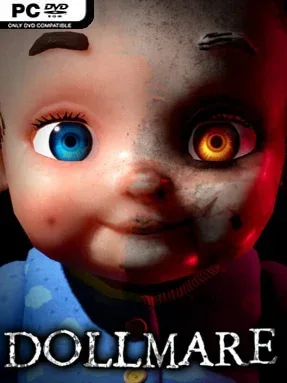
Game Overview
A night shift at a failing doll factory turns rent money into a slow, stomach-tightening nightmare. Dollmare is an indie psychological horror game built around the unnerving idea that something can be wrong without immediately attacking you: a toy’s eyes may sit incorrectly, its limbs may move when they should not, or a harmless-looking face may seem to follow you across the room. The atmosphere favors industrial gloom, lonely machinery, and the constant suspicion that the factory’s rules exist for a much darker reason than workplace safety. Rather than relying on loud shocks, it creates fear through silence, uncertainty, and the feeling of being observed.
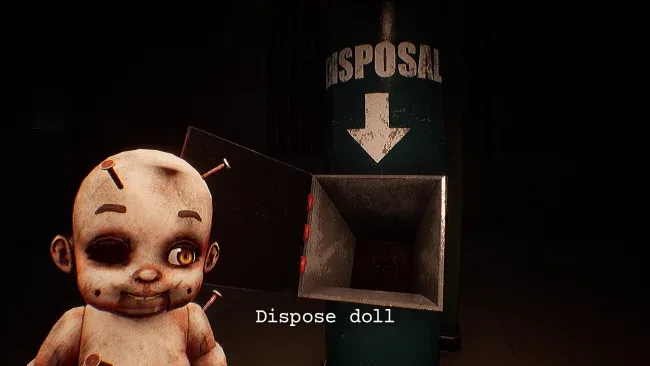
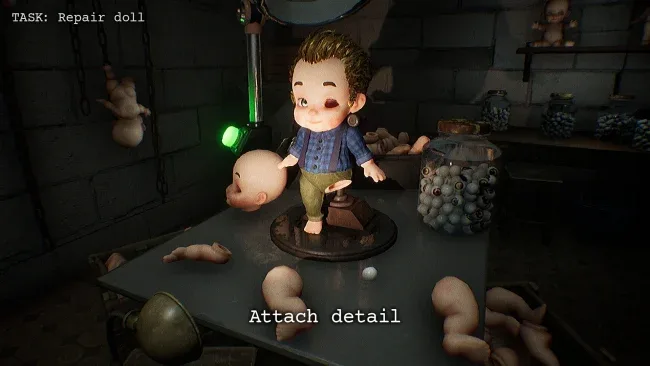
Your main task is inspecting dolls moving through the production line and deciding whether they are safe to pass along or need to be rejected. Careful observation matters, since anomalies range from obvious manufacturing defects to small behavioral changes that are easy to miss when fatigue and paranoia set in. Work also pulls you away from the conveyor belt to maintain equipment, investigate dim factory spaces, and carry out increasingly strange instructions. There is no combat, resource scavenging, or monster chase structure; tension comes from doing a mundane job correctly while realizing the workplace itself may be hostile. Procedural or variable events keep individual runs from unfolding in exactly the same way, so players cannot simply memorize every scare or scripted moment.
What makes Dollmare effective is its commitment to low-key dread. It turns a simple inspection loop into a test of focus, with every doll asking whether you have spotted a genuine threat or merely let the atmosphere get inside your head. The factory is less a playground for action than a claustrophobic mystery to piece together, rewarding curiosity without making reflexes the central skill. Fans of observation-driven horror such as The Exit 8, Papers, Please-style routine pressure, or analog-horror aesthetics should find plenty to like. It is especially well suited to horror newcomers who want sustained unease and eerie storytelling without being forced through relentless chase sequences.
Screenshots
Installation
- Select the <strong>Download</strong> button at the top of this page to open UploadHaven.
- On UploadHaven, wait for any countdown, then select <strong>Free Download</strong>. Optional: UploadHaven Pro for faster downloads.
- When complete, extract the archive to a <strong>Dollmare</strong> folder using 7-Zip.
- Open the extracted folder and start the game normally.
- For errors, check <strong>Setup Guide & Troubleshooting</strong> below. Keep your security software enabled.
System Requirements
- Requires a 64-bit processor and operating system
- OS: Windows 10 64bit
- Processor: Intel Core i5
- Memory: 8 GB RAM
- Graphics: NVIDIA GeForce GTX 970
- DirectX: Version 11
- Storage: 2 GB available space
Setup Guide & Troubleshooting
How do I fix missing DLL errors for Dollmare?
After extracting Dollmare, navigate to the _Redist or _CommonRedist folder inside the game directory and install DirectX, Vcredist, and any other dependencies included.
What should I do if the downloaded file is corrupted?
The full archive is 901.85 MB — make sure your download completed fully before extracting. Use 7-Zip to extract the files. If you still see a "file corrupted" error, re-download and try again.
Why should I run the game as administrator?
Right-click the game executable and select "Run as Administrator" to avoid save file issues and permission errors. This is especially important on the first launch.
How do I update my GPU drivers for this game?
Dollmare requires a NVIDIA GeForce GTX 970 or equivalent. Update your NVIDIA or AMD drivers to the latest version for the best performance.
The game won't launch — what should I try?
This game requires Version 11. Try running in compatibility mode, install the latest DirectX runtime, or install the All-in-One VC Redist Package.
My antivirus is blocking the game — is it safe?
Antivirus false positives are common with pre-installed games. Temporarily pause your antivirus during extraction to prevent it from quarantining game files. You can re-enable it after the extraction completes.