
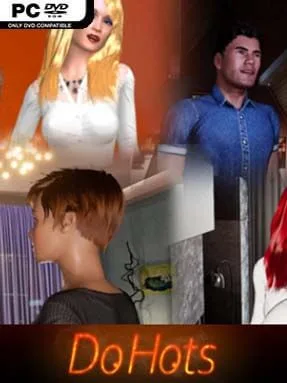
Game Overview
Built as a private, offline adult sandbox, the experience focuses on player-directed encounters rather than a campaign, quests, or relationship drama. Its tone is unapologetically mature, presenting a glossy virtual-dating setup where a customizable character meets a roster of AI-controlled partners in a handful of detailed indoor locations. There is no economy, grind, or donation system to interrupt the session; the appeal lies in immediately experimenting with scenes, character looks, and presentation. Players can approach it as a casual character viewer, an interactive simulation, or a straightforward adults-only toybox.
Interaction revolves around selecting partners, choosing a location, and directing animated scenarios through a large collection of base poses and variations. AI companions can suggest or trigger changes, but the player retains control over pacing, positioning, and the camera, with free movement available for finding preferred angles. Both male and female player characters are supported, and the wardrobe and appearance editor offers numerous outfits, accessories, tattoos, hairstyles, skin tones, and body options. Progression is essentially self-directed: instead of unlocking a deep skill tree or advancing a narrative, you build variety through different models, cosmetics, scene combinations, and camera setups.
What distinguishes DoHots is its emphasis on offline access and granular customization over the social, online-service structure associated with its developer’s earlier work. Several body archetypes give the cast more visual variety than a single-model simulator, while the modern 3D presentation aims for a polished, lifelike look rather than stylized anime aesthetics. The limited number of environments means it does not offer the breadth of a full dating sim, and anyone seeking story, romance writing, or conventional gameplay will find little to hold onto. It suits adults who want a configurable, visually focused virtual-intimacy simulator, especially those who prefer direct controls and an internet-free experience.
Installation
- Click the green button below to be redirected to UploadHaven.
- Wait 15 seconds, then hit “Free Download.” (Free downloads may be slower — upgrade to UploadHaven Pro for faster speeds.)
- Once downloaded, right-click the .zip file and choose “Extract to DoHots.” (You’ll need 7-Zip for this.)
- Open the extracted folder and run the game as administrator.
- Enjoy! 🎮 If you see missing DLL errors, check the <strong>_Redist</strong> folder inside and install what’s needed.
System Requirements
- Requires a 64-bit processor and operating system
- OS: Windows 7, 8 or 10 (64-bit)
- Processor: Intel i5-2300 or AMD FX-6300
- Memory: 4 GB RAM
- Graphics: NVIDIA GeForce GTX 560 or AMD Radeon HD 7850
- DirectX: Version 11
- Storage: 2 GB available space
- Sound Card: DirectX compatible
Setup Guide & Troubleshooting
How do I fix missing DLL errors for DoHots (Uncensored)?
After extracting DoHots (Uncensored), navigate to the _Redist or _CommonRedist folder inside the game directory and install DirectX, Vcredist, and any other dependencies included.
What should I do if the downloaded file is corrupted?
The full archive is 795.84 MB — make sure your download completed fully before extracting. Use 7-Zip to extract the files. If you still see a "file corrupted" error, re-download and try again.
Why should I run the game as administrator?
Right-click the game executable and select "Run as Administrator" to avoid save file issues and permission errors. This is especially important on the first launch.
How do I update my GPU drivers for this game?
DoHots (Uncensored) requires a NVIDIA GeForce GTX 560 or AMD Radeon HD 7850 or equivalent. Update your NVIDIA or AMD drivers to the latest version for the best performance.
The game won't launch — what should I try?
This game requires Version 11. Try running in compatibility mode, install the latest DirectX runtime, or install the All-in-One VC Redist Package.
My antivirus is blocking the game — is it safe?
Antivirus false positives are common with pre-installed games. Temporarily pause your antivirus during extraction to prevent it from quarantining game files. You can re-enable it after the extraction completes.