
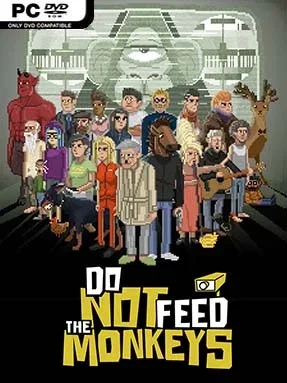
Game Overview
A grimly funny surveillance sim turns ordinary apartments, offices, and back rooms into stages for private disasters. As a new member of the Primate Observation Club, you spend your days watching “monkeys” through hidden cameras, logging details, and learning how strangers’ routines connect. The central rule is simple: never interfere. Naturally, the appeal lies in deciding exactly when to break it, whether that means saving someone from danger, exploiting a secret for cash, or ruining a life just to see what happens.
Each observation cage presents a small mystery built from conversations, objects, schedules, names, and online searches. Careful note-taking matters, because the right combination of clues unlocks opportunities to contact your subjects and push their stories in different directions. Meanwhile, your own life steadily becomes harder to manage: rent is due, hunger and exhaustion build, and keeping a job can clash with the hours needed to monitor every camera feed. The loop feels part detective adventure, part time-management survival game, with decisions producing darkly comic, uncomfortable, and occasionally surprisingly human consequences.
Its strongest feature is the way it makes passive observation feel tense rather than relaxing. Pixel-art scenes resemble a collection of miniature point-and-click stories, but the limited time and constant financial pressure force you to prioritize which lives deserve your attention. Moral choices rarely come with clean answers, and even benevolent interference can create chaos, giving repeat runs plenty of room for different outcomes. Fans of Papers, Please, Beholder, and other bleak bureaucratic satires will find a similarly sharp sense of humor here, while newcomers can enjoy it if they like reading clues, managing resources, and making messy choices rather than relying on reflex-heavy action.
Installation
- Click the green button below to be redirected to UploadHaven.
- Wait 15 seconds, then hit “Free Download.” (Free downloads may be slower — upgrade to UploadHaven Pro for faster speeds.)
- Once downloaded, right-click the .zip file and choose “Extract to Do Not Feed the Monkeys.” (You’ll need 7-Zip for this.)
- Open the extracted folder and run the game as administrator.
- Enjoy! 🎮 If you see missing DLL errors, check the <strong>_Redist</strong> folder inside and install what’s needed.
System Requirements
- OS: Windows 7 SP1
- Processor: 2 GHz Dual Core CPU
- Memory: 2 GB RAM
- Graphics: Nvidia GeForce 8600 GS, ATI Radeon HD 3470
- DirectX: Version 9.0c
- Storage: 1 GB available space
- Sound Card: DirectX 9.0c Compatible Sound Card with Latest Drivers
- Additional Notes: Using the Minimum Configuration, we strongly recommend to use minimal settings in order to not experience low frame rates.
Setup Guide & Troubleshooting
How do I fix missing DLL errors for Do Not Feed the Monkeys (v1.0.5)?
After extracting Do Not Feed the Monkeys (v1.0.5), navigate to the _Redist or _CommonRedist folder inside the game directory and install DirectX, Vcredist, and any other dependencies included.
What should I do if the downloaded file is corrupted?
The full archive is 311.85 MB — make sure your download completed fully before extracting. Use 7-Zip to extract the files. If you still see a "file corrupted" error, re-download and try again.
Why should I run the game as administrator?
Right-click the game executable and select "Run as Administrator" to avoid save file issues and permission errors. This is especially important on the first launch.
How do I update my GPU drivers for this game?
Do Not Feed the Monkeys (v1.0.5) requires a Nvidia GeForce 8600 GS, ATI Radeon HD 3470 or equivalent. Update your NVIDIA or AMD drivers to the latest version for the best performance.
The game won't launch — what should I try?
This game requires Version 9.0c. Try running in compatibility mode, install the latest DirectX runtime, or install the All-in-One VC Redist Package.
My antivirus is blocking the game — is it safe?
Antivirus false positives are common with pre-installed games. Temporarily pause your antivirus during extraction to prevent it from quarantining game files. You can re-enable it after the extraction completes.