
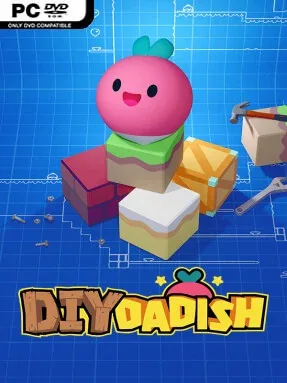
Game Overview
A radish father takes center stage in a cheerful platformer that hands players the tools to build the adventure themselves. DIY Dadish keeps the series’ goofy humor, colorful food-themed enemies, and brisk side-scrolling action, but shifts the focus from a fixed campaign to an endlessly expandable collection of player-made stages. Its tone is light, silly, and accessible, with Dadish exchanging jokes with his children while dodging the sort of hazards that turn a harmless grocery aisle into a deathtrap. Whether a level is a carefully tuned obstacle course or an absolute mess is part of the appeal.
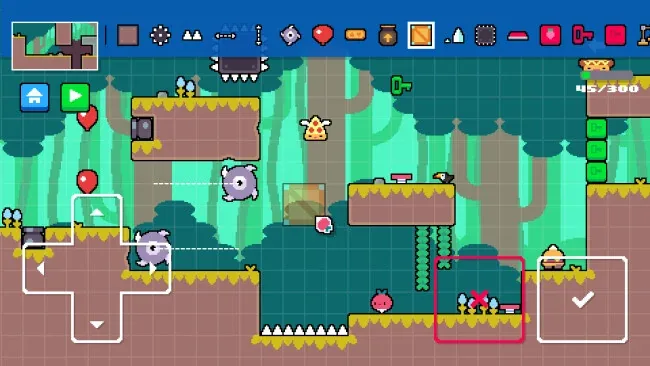
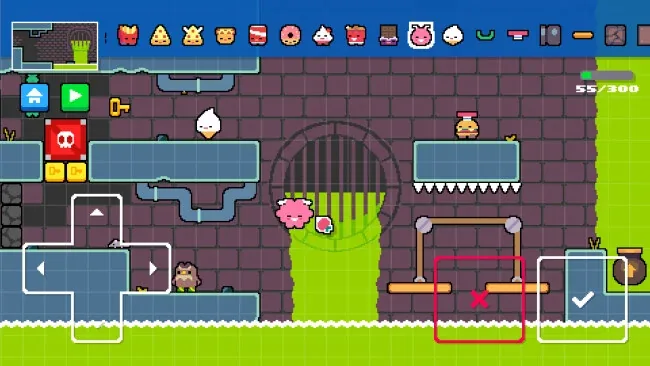
Players run, jump, avoid traps, and navigate compact action-platforming stages filled with spikes, moving saws, cannons, enemies, and explosive soda cans. The central loop revolves around creating levels in an approachable editor, testing them yourself, then sharing them for others to tackle. More than 100 placeable objects allow for straightforward beginner courses, precision platforming gauntlets, enemy-filled arenas, and joke levels designed purely to surprise friends. Fifteen visual themes help creators give stages their own identity, while 12 playable characters add a little variety to how the community’s creations look and feel.
What separates DIY Dadish from many creation-focused platformers is its deliberately simple approach: it aims to make level design understandable for younger players without stripping out the potential for clever setups. The familiar Dadish personality gives the editor more charm than a sterile toolbox, especially when creators write their own conversations between the long-suffering vegetable dad and his kids. Sharing means the available content can keep growing long after players understand the basics, although quality naturally varies wildly from level to level. Fans of Super Mario Maker-style creativity, cute indie platformers, and the earlier Dadish games should find plenty to enjoy, while newcomers get an unusually friendly entry point into designing and playing custom stages.
Screenshots
Installation
- Select the <strong>Download</strong> button at the top of this page to open UploadHaven.
- On UploadHaven, wait for any countdown, then select <strong>Free Download</strong>. Optional: UploadHaven Pro for faster downloads.
- When complete, extract the archive to a <strong>DIY Dadish</strong> folder using 7-Zip.
- Open the extracted folder and start the game normally.
- For errors, check <strong>Setup Guide & Troubleshooting</strong> below. Keep your security software enabled.
System Requirements
- OS *: Windows 7 or newer
- Processor: Intel Core i3 M380
- Memory: 2 GB RAM
- Graphics: Intel HD 4000
- DirectX: Version 10
- Storage: 1200 MB available space