
Game Overview
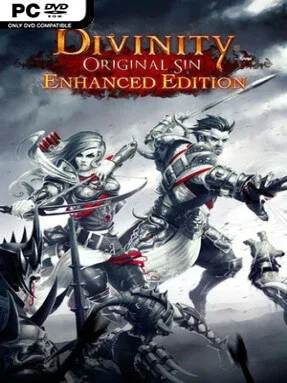
Rivellon rewards curiosity, cleverness, and the occasional disastrous decision with one of the most flexible party-based RPGs of its era. You control two Source Hunters whose investigation into a murder steadily uncovers forbidden magic, political rot, and a threat reaching far beyond one troubled town. The tone balances high-fantasy danger with playful humor, talking animals, absurd side quests, and party banter that can make even serious choices unexpectedly entertaining. Divinity: Original Sin – Enhanced Edition feels like a modern take on classic isometric adventures, built around player freedom rather than a tightly guided path.
Combat unfolds in deliberate turn-based battles where positioning, action points, terrain, and elemental effects matter as much as raw character stats. Oil slows enemies and ignites, rain creates puddles, electricity stuns wet targets, and poison clouds become weapons or hazards depending on how you manipulate them. Character building is classless, allowing a warrior to learn fire magic, a mage to pick locks, or either hero to become a summoner, crafter, thief, or support specialist as the party develops. Exploration encourages experimentation through hidden switches, environmental puzzles, containers full of loot, and quests with several possible outcomes, while solo players can manage both protagonists and friends can join through online or local split-screen co-op.
Its strongest feature is how consistently it lets systems collide: dialogue choices affect companion attitudes, skills open alternate routes, and a seemingly simple encounter can become a battlefield-wide chain reaction. The Enhanced Edition adds voiced dialogue, controller support, rebalanced encounters, extra content, and multiple difficulty settings ranging from story-focused Explorer to unforgiving Honour mode, where one failed run ends the campaign. Rivellon is dense rather than streamlined, so newcomers should expect to read, experiment, and occasionally fail before understanding its possibilities. Fans of Baldur’s Gate, Fallout’s reactive questing, or tactical games such as XCOM find a remarkably deep RPG here, while veterans gain a co-op sandbox that remains replayable long after the main mystery is solved.
Installation
- Click the green button below to be redirected to UploadHaven.
- Wait 15 seconds, then hit “Free Download.” (Free downloads may be slower — upgrade to UploadHaven Pro for faster speeds.)
- Once downloaded, right-click the .zip file and choose “Extract to Divinity: Original Sin - Enhanced Edition.” (You’ll need 7-Zip for this.)
- Open the extracted folder and run the game as administrator.
- Enjoy! 🎮 If you see missing DLL errors, check the <strong>_Redist</strong> folder inside and install what’s needed.
System Requirements
- OS *: Windows 7 SP1 64-bit or Windows 8.1 64-bit or Windows 10 64-bit
- Processor: Intel Core2 Duo E6600 or equivalent
- Memory: 2048 MB RAM
- Graphics: DirectX 11 Compatible GPU
- DirectX: Version 11
- Storage: 10000 MB available space
Setup Guide & Troubleshooting
How do I fix missing DLL errors for Divinity: Original Sin – Enhanced Edition (GOG)?
After extracting Divinity: Original Sin – Enhanced Edition (GOG), navigate to the _Redist or _CommonRedist folder inside the game directory and install DirectX, Vcredist, and any other dependencies included.
What should I do if the downloaded file is corrupted?
The full archive is 9.79 GB — make sure your download completed fully before extracting. Use 7-Zip to extract the files. If you still see a "file corrupted" error, re-download and try again.
Why should I run the game as administrator?
Right-click the game executable and select "Run as Administrator" to avoid save file issues and permission errors. This is especially important on the first launch.
How do I update my GPU drivers for this game?
Divinity: Original Sin – Enhanced Edition (GOG) requires a DirectX 11 Compatible GPU or equivalent. Update your NVIDIA or AMD drivers to the latest version for the best performance.
The game won't launch — what should I try?
This game requires Version 11. Try running in compatibility mode, install the latest DirectX runtime, or install the All-in-One VC Redist Package.
My antivirus is blocking the game — is it safe?
Antivirus false positives are common with pre-installed games. Temporarily pause your antivirus during extraction to prevent it from quarantining game files. You can re-enable it after the extraction completes.