
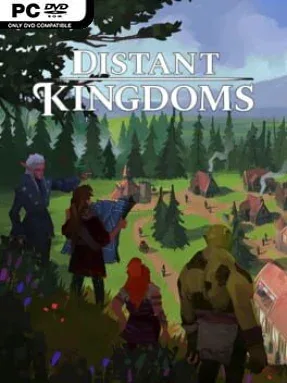
Game Overview
Four displaced fantasy peoples are given a fresh start in a land where fertile valleys, hostile wilderness, and ancient ruins all compete for attention. Distant Kingdoms combines the satisfying expansion of a city builder with a lighter adventure layer, asking players to turn scattered camps of Humans, Dwarves, Elves, and Orcs into a functioning new civilisation. Its tone stays colorful and approachable, but the world of Talam and Ineron is never entirely safe: monsters, magical threats, and dangerous expeditions keep growth from becoming a purely peaceful exercise.
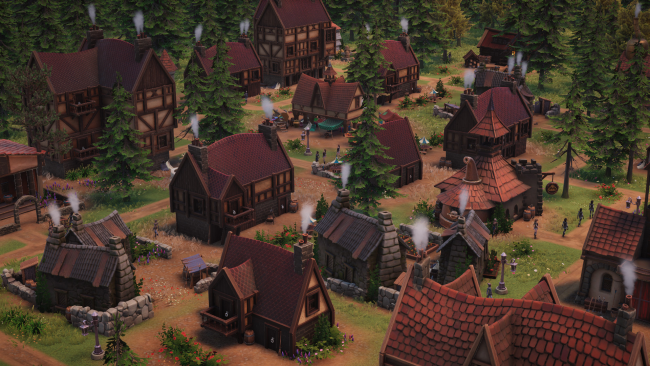
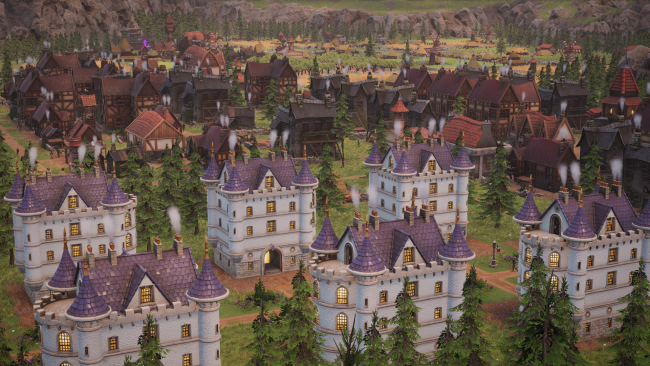
Settlement building revolves around laying out villages, linking production chains, and ensuring citizens have the homes, work, resources, and services needed to prosper. Each race contributes to the broader society, so planning districts and managing the needs of a mixed population becomes as important as simply placing more buildings. Research opens up new construction and economic possibilities, while magical conjuration offers another way to support an expanding realm. Beyond town borders, players uncover the map, send adventuring parties into unexplored areas, and make decisions through text-driven events that can shape an expedition’s outcome. Dungeons and roaming threats such as trolls, imps, wraiths, and dragons add pressure, requiring attention even when the economy appears stable.
What separates Distant Kingdoms from more traditional genre staples is its effort to make exploration feel connected to urban development rather than a detached side activity. The blend recalls the broad settlement planning of Banished or Anno, but adds fantasy races, quest choices, and party-based excursions that give the map more personality. Its clear presentation and gradual learning curve make it welcoming for city-building newcomers, while interconnected resources, technology, and population demands offer enough to occupy experienced planners. Players who enjoy building orderly towns but want occasional dungeon delves and narrative decisions alongside the spreadsheets are the best fit for Distant Kingdoms.
Installation
- Click the green button below to be redirected to UploadHaven.
- Wait 15 seconds, then hit “Free Download.” (Free downloads may be slower — upgrade to UploadHaven Pro for faster speeds.)
- Once downloaded, right-click the .zip file and choose “Extract to Distant Kingdoms.” (You’ll need 7-Zip for this.)
- Open the extracted folder and run the game as administrator.
- Enjoy! 🎮 If you see missing DLL errors, check the <strong>_Redist</strong> folder inside and install what’s needed.
System Requirements
- Requires a 64-bit processor and operating system
- OS: Windows 10 64-bit
- Processor: Quad-core
- Memory: 4 GB RAM
- Graphics: 3GB VRAM
- DirectX: Version 11
- Storage: 8 GB available space
- Sound Card: TBC
Setup Guide & Troubleshooting
How do I fix missing DLL errors for Distant Kingdoms (v6.0.0.12153)?
After extracting Distant Kingdoms (v6.0.0.12153), navigate to the _Redist or _CommonRedist folder inside the game directory and install DirectX, Vcredist, and any other dependencies included.
What should I do if the downloaded file is corrupted?
The full archive is 2.00 GB — make sure your download completed fully before extracting. Use 7-Zip to extract the files. If you still see a "file corrupted" error, re-download and try again.
Why should I run the game as administrator?
Right-click the game executable and select "Run as Administrator" to avoid save file issues and permission errors. This is especially important on the first launch.
How do I update my GPU drivers for this game?
Distant Kingdoms (v6.0.0.12153) requires a 3GB VRAM or equivalent. Update your NVIDIA or AMD drivers to the latest version for the best performance.
The game won't launch — what should I try?
This game requires Version 11. Try running in compatibility mode, install the latest DirectX runtime, or install the All-in-One VC Redist Package.
My antivirus is blocking the game — is it safe?
Antivirus false positives are common with pre-installed games. Temporarily pause your antivirus during extraction to prevent it from quarantining game files. You can re-enable it after the extraction completes.