
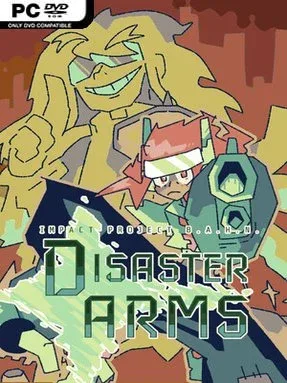
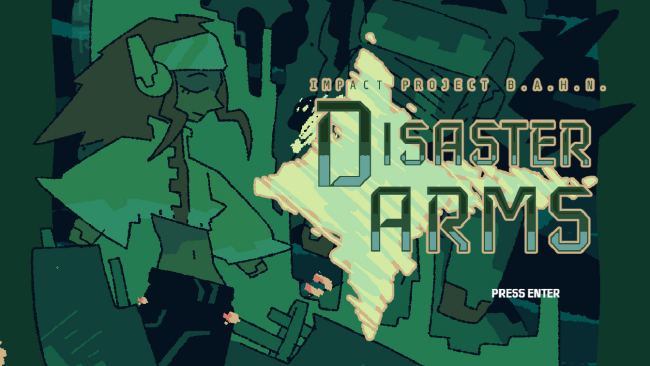
Disaster Arms – Impact Project B.A.H.N Cover Art

Disaster Arms – Impact Project B.A.H.N

INDIE 1.33 GB

Game Overview

Earth’s final hours become the backdrop for a fiercely focused action-platformer built around revenge, impossible odds, and screen-filling firepower. A lone fighter named Geverel storms KaiserCorps, a weapons conglomerate whose experiments sit at the center of an alien catastrophe. Disaster Arms – Impact Project B.A.H.N. carries the intensity of a lost 16-bit arcade classic, but its apocalyptic science-fiction tale unfolds through fractured, comic-book-styled scenes rather than a straightforward campaign. The mood is loud, grim, and gloriously excessive, with every encounter feeling like a last stand against something engineered to kill you.

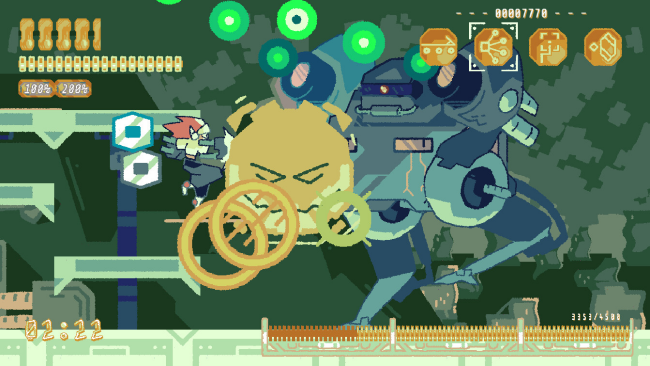
Combat revolves around precise strafing: Geverel can keep his guns trained on an enemy while moving freely to slip through projectile patterns. Four firearm types give fights different rhythms, while the Tatsujin Punch and Ignition Dash Explosion add close-range, high-impact options when a boss exposes an opening. Eight compact stages function as a punishing boss rush, packing roughly 30 duels against mutated machines, military elites, and fellow soldiers with personal stakes in the conflict. Learning attack patterns, targeting weak points, and choosing when to play aggressively form the central loop, with limited continues preserving the arcade tension and an unlimited-continue mode offering a more approachable route through the campaign.

What separates it from a standard run-and-gun is its blend of one-on-one action-game showdowns and bullet-hell design. Bosses demand movement discipline more than simple trigger holding, often turning the arena into a maze of shots while asking players to maintain aim under pressure. The hand-drawn sprite work, expressive multi-frame animation, and soundtrack created with authentic Mega Drive-era sound hardware give the entire experience a sharp retro identity without looking generic. Fans of Cuphead’s boss-focused structure, Contra’s weapon-driven action, and demanding shmups should find plenty to enjoy, while newcomers can use the forgiving continue option before attempting the intended one-sitting arcade challenge.

Installation

  1. Click the green button below to be redirected to UploadHaven.
  2. Wait 15 seconds, then hit “Free Download.” (Free downloads may be slower — upgrade to UploadHaven Pro for faster speeds.)
  3. Once downloaded, right-click the .zip file and choose “Extract to Disaster Arms - Impact Project B.A.H.N..” (You’ll need 7-Zip for this.)
  4. Open the extracted folder and run the game as administrator.
  5. Enjoy! 🎮 If you see missing DLL errors, check the <strong>_Redist</strong> folder inside and install what’s needed.

System Requirements

  • Requires a 64-bit processor and operating system
  • OS *: Windows 7 or later
  • Processor: Dual Core CPU, 2 GHz
  • Memory: 1 GB RAM
  • Graphics: 1 GB Video RAM
  • Storage: 240 MB available space

Setup Guide & Troubleshooting

How do I fix missing DLL errors for Disaster Arms – Impact Project B.A.H.N.?

After extracting Disaster Arms – Impact Project B.A.H.N., navigate to the _Redist or _CommonRedist folder inside the game directory and install DirectX, Vcredist, and any other dependencies included.

What should I do if the downloaded file is corrupted?

The full archive is 1.33 GB — make sure your download completed fully before extracting. Use 7-Zip to extract the files. If you still see a "file corrupted" error, re-download and try again.

Why should I run the game as administrator?

Right-click the game executable and select "Run as Administrator" to avoid save file issues and permission errors. This is especially important on the first launch.

How do I update my GPU drivers for this game?

Disaster Arms – Impact Project B.A.H.N. requires a 1 GB Video RAM or equivalent. Update your NVIDIA or AMD drivers to the latest version for the best performance.

The game won't launch — what should I try?

Try running in compatibility mode, install the latest DirectX runtime, or install the All-in-One VC Redist Package.

My antivirus is blocking the game — is it safe?

Antivirus false positives are common with pre-installed games. Temporarily pause your antivirus during extraction to prevent it from quarantining game files. You can re-enable it after the extraction completes.

Need more help? Browse our FAQ & Troubleshooting Guide for solutions to common issues.
Looking for something else? Explore all games on Steam Unlocked