
Game Overview
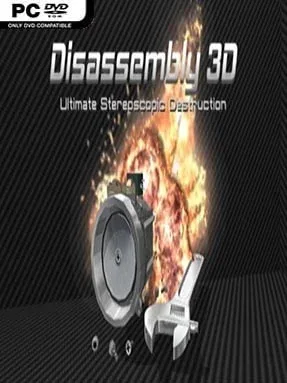
A coffee machine, passenger jet, submarine, tank, and ordinary household electronics all become hands-on mechanical toys in this physics-driven destruction sandbox. Disassembly 3D trades traditional objectives for the satisfying curiosity of seeing how objects are assembled, then deciding whether to carefully dismantle them or reduce them to wreckage. Its tone is playful rather than realistic or grim: one moment you are loosening bolts from a television, and the next you are planting C4 on it and watching the pieces scatter in slow motion. The range of scenarios gives the experience a toy-box appeal, moving from furniture and appliances to large vehicles and spectacular disasters.
Each object functions as a detailed interactive level built around touch-and-drag manipulation. You remove screws, nuts, panels, and internal components with tools or your bare hands, while loose parts react to gravity and collisions as they are pulled free, dropped, stacked, or thrown. Completing a proper disassembly opens up weapons mode, adding hammers, shotguns, rocket launchers, explosives, and mannequins to the same environments; experimentation becomes the main loop. Vehicles also provide short interactive diversions, letting you drive, fly, sail, dive, or operate machinery instead of merely taking it apart.
What separates it from standard physics sandboxes is the attention paid to individual construction: objects are modeled down to small fasteners, so destruction often reveals a believable sequence of components rather than a single scripted break animation. There are more than fifty subjects to inspect, with alternate dismantling approaches and destructive replays giving each one some longevity, though players looking for a campaign, story, or deep simulation progression may find it lightweight. Visual options support high-resolution displays and stereoscopic 3D viewing, while slow-motion explosions make its most chaotic moments easy to admire. Fans of Besiege-style experimentation, teardown videos, or simply poking at detailed virtual machines will get the most from it; newcomers can enjoy it immediately because curiosity matters more than technical skill.
Installation
- Click the green button below to be redirected to UploadHaven.
- Wait 15 seconds, then hit “Free Download.” (Free downloads may be slower — upgrade to UploadHaven Pro for faster speeds.)
- Once downloaded, right-click the .zip file and choose “Extract to Disassembly 3D.” (You’ll need 7-Zip for this.)
- Open the extracted folder and run the game as administrator.
- Enjoy! 🎮 If you see missing DLL errors, check the <strong>_Redist</strong> folder inside and install what’s needed.
System Requirements
- OS: Windows 7
- Processor: Core i5
- Memory: 1 GB RAM
- Graphics: Integrated Graphics
- DirectX: Version 9.0
- Storage: 3 GB available space
Setup Guide & Troubleshooting
How do I fix missing DLL errors for Disassembly 3D (v2.7.3)?
After extracting Disassembly 3D (v2.7.3), navigate to the _Redist or _CommonRedist folder inside the game directory and install DirectX, Vcredist, and any other dependencies included.
What should I do if the downloaded file is corrupted?
The full archive is 1.04 GB — make sure your download completed fully before extracting. Use 7-Zip to extract the files. If you still see a "file corrupted" error, re-download and try again.
Why should I run the game as administrator?
Right-click the game executable and select "Run as Administrator" to avoid save file issues and permission errors. This is especially important on the first launch.
How do I update my GPU drivers for this game?
Disassembly 3D (v2.7.3) requires a Integrated Graphics or equivalent. Update your NVIDIA or AMD drivers to the latest version for the best performance.
The game won't launch — what should I try?
This game requires Version 9.0. Try running in compatibility mode, install the latest DirectX runtime, or install the All-in-One VC Redist Package.
My antivirus is blocking the game — is it safe?
Antivirus false positives are common with pre-installed games. Temporarily pause your antivirus during extraction to prevent it from quarantining game files. You can re-enable it after the extraction completes.