
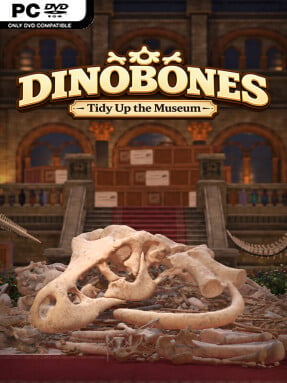
Game Overview
DinoBones: Tidy Up the Museum is a Simulation game for Windows. This tested release features 5.9.2 with an estimated download size of 1.45 GB. Pre-installed, DRM-free, verified clean, and ready to play offline with full gamepad support.
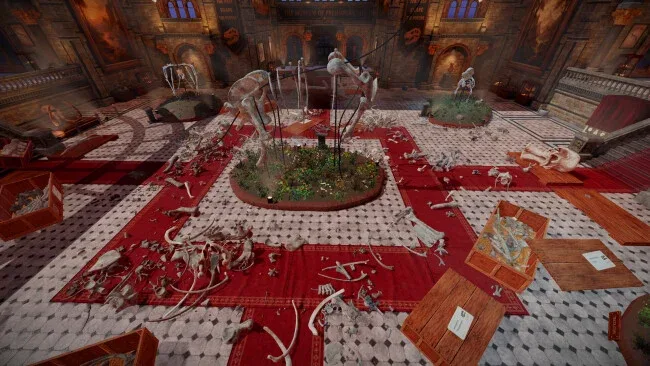
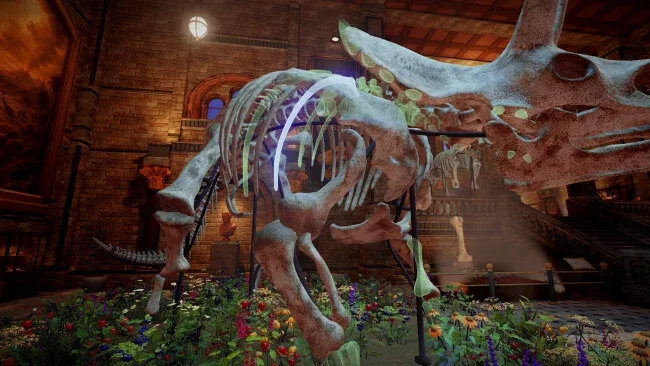
A toppled museum becomes a quiet, satisfying reconstruction project where every scattered fossil has a place. DinoBones: Tidy Up the Museum turns the aftermath of an unexplained mess into a hands-on paleontology puzzle: crates lie open, vertebrae clutter staircases, and nine dinosaur skeletons wait to be restored. Its tone is gentle and playful rather than stressful, with a curious cat keeping you company as you work through the empty halls. The appeal comes from bringing visual order to chaos, one carefully placed bone at a time.
Players pick up bones from floors, displays, and overturned containers, then inspect them to determine which creature they belong to. Every piece initially reads as unidentified, so progress depends on noticing practical details such as shape, surface wear, texture, color, and size before fitting it into the correct skeletal slot. Crates can be opened, tipped over, and even tossed around, allowing you to create a fresh pile of problems before sorting it all out again. There are no combat encounters, skill trees, or stat-based shortcuts; the real progression is learning to recognize anatomy faster and becoming more efficient at rebuilding each exhibit.
The strongest idea is how it turns observation into advancement without making the process feel like homework. Reassembling skeletons also activates museum events that leave behind toys, small rewards, and environmental surprises, gradually making the building feel less abandoned and more personal. Its tactile cleanup loop should appeal to fans of A Little to the Left, Unpacking, and other low-pressure organization games, though the dinosaur focus gives it a distinct educational flavor. Newcomers can enjoy it at their own pace, while completion-minded players and dinosaur enthusiasts get the extra satisfaction of mastering nine increasingly familiar skeletons.
Screenshots
Installation
- Select the <strong>Download</strong> button at the top of this page to open UploadHaven.
- On UploadHaven, wait for any countdown, then select <strong>Free Download</strong>. Optional: UploadHaven Pro for faster downloads.
- When complete, extract the archive to a <strong>DinoBones: Tidy Up the Museum</strong> folder using 7-Zip.
- Open the extracted folder and start the game normally.
- For errors, check <strong>Setup Guide & Troubleshooting</strong> below. Keep your security software enabled.
System Requirements
- OS: 64-bit Windows 10
- Processor: Intel Core i7-4790K / AMD Ryzen 5 1500X
- Memory: 8 GB RAM
- Graphics: NVIDIA GeForce GTX 980 Ti 6 GB / AMD Radeon RX 6500 XT
- DirectX: Version 11
- Storage: 4 GB available space
Setup Guide & Troubleshooting
Is DinoBones: Tidy Up the Museum (v5.9.2) safe to download?
Yes, files are tested and verified before publication.
What are the system requirements?
Compatible with Windows with required storage space.
Can I run this on Windows 11?
Yes, tested on 64-bit Windows 10 and Windows 11.