
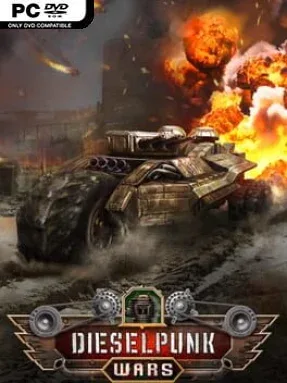
Dieselpunk Wars Cover Art

Dieselpunk Wars

INDIE 2.65 GB v1.1.2

Game Overview

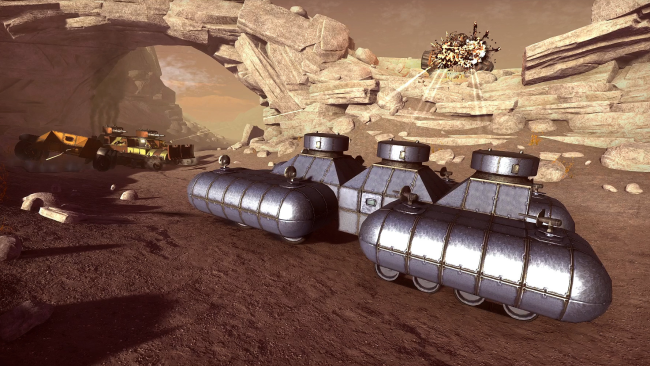
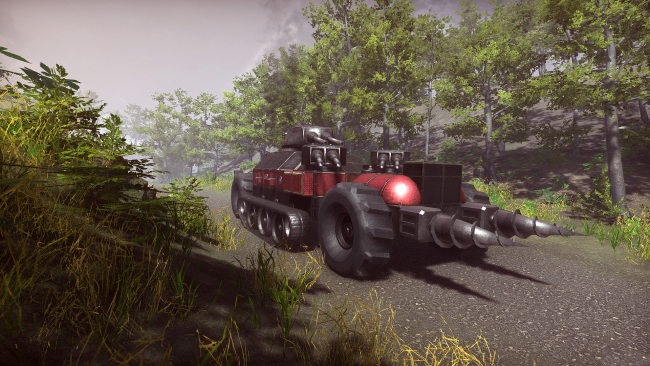
Steel-clad war machines rumble, float, and burn across a retro-industrial world where engineering skill matters as much as aim. Dieselpunk Wars is a vehicle-building combat sandbox that lets you assemble anything from armored landships and tanks to aircraft, transports, destroyers, and towering airships. Its tone lands somewhere between a toy-box construction game and a surprisingly punishing physics-driven battlefield, with every wild design forced to face the consequences of weight, drag, fire, and enemy shells. A campaign carries your improvised arsenal through deserts, mountains, swamps, and island conflicts, while arena and creative modes provide a more open-ended playground.

Building is the heart of the experience: players combine more than 300 components, selecting engines, wheels, guns, propulsion, armor plates, and structural pieces to suit a mission or a personal experiment. Designs are not merely cosmetic, since aerodynamic resistance affects handling, buoyancy determines whether naval creations stay afloat, and strained engines can ignite under pressure. Combat uses simulated ammunition with travel time, penetration, and ricochets, making angled plating and carefully placed vital components genuinely important; a well-aimed barrage can split a poorly designed vehicle apart. Missions unlock fresh parts and character abilities, encouraging constant redesign as opponents grow tougher and expose new tactical problems.

The standout feature is how convincingly a custom machine can fail. Flooding compartments, spreading flames, shattered armor, and structural breaks turn battles into spectacular mechanical disasters rather than simple health-bar contests. Custom battle tools let players pit their own creations against one another, while workshop integration makes it easier to share blueprints and test other builders’ bizarre inventions. Fans of Besiege, From the Depths, or the construction side of Scrap Mechanic should find plenty to enjoy, especially if they want more direct missions and military action. Newcomers can begin with practical vehicles and campaign blueprints, but patient tinkerers who enjoy refining every plate, engine, and cannon get the most from it.

Installation

  1. Click the green button below to be redirected to UploadHaven.
  2. Wait 15 seconds, then hit “Free Download.” (Free downloads may be slower — upgrade to UploadHaven Pro for faster speeds.)
  3. Once downloaded, right-click the .zip file and choose “Extract to Dieselpunk Wars.” (You’ll need 7-Zip for this.)
  4. Open the extracted folder and run the game as administrator.
  5. Enjoy! 🎮 If you see missing DLL errors, check the <strong>_Redist</strong> folder inside and install what’s needed.

System Requirements

  • Requires a 64-bit processor and operating system
  • OS: Windows 7, 8, 10
  • Processor: Intel Pentium G4560, AMD FX-6300
  • Memory: 4 GB RAM
  • Graphics: GeForce GTX 750ti, AMD Radeon R7 260X
  • DirectX: Version 11
  • Storage: 5 GB available space

Setup Guide & Troubleshooting

How do I fix missing DLL errors for Dieselpunk Wars (v1.1.2)?

After extracting Dieselpunk Wars (v1.1.2), navigate to the _Redist or _CommonRedist folder inside the game directory and install DirectX, Vcredist, and any other dependencies included.

What should I do if the downloaded file is corrupted?

The full archive is 2.65 GB — make sure your download completed fully before extracting. Use 7-Zip to extract the files. If you still see a "file corrupted" error, re-download and try again.

Why should I run the game as administrator?

Right-click the game executable and select "Run as Administrator" to avoid save file issues and permission errors. This is especially important on the first launch.

How do I update my GPU drivers for this game?

Dieselpunk Wars (v1.1.2) requires a GeForce GTX 750ti, AMD Radeon R7 260X or equivalent. Update your NVIDIA or AMD drivers to the latest version for the best performance.

The game won't launch — what should I try?

This game requires Version 11. Try running in compatibility mode, install the latest DirectX runtime, or install the All-in-One VC Redist Package.

My antivirus is blocking the game — is it safe?

Antivirus false positives are common with pre-installed games. Temporarily pause your antivirus during extraction to prevent it from quarantining game files. You can re-enable it after the extraction completes.

Need more help? Browse our FAQ & Troubleshooting Guide for solutions to common issues.
Looking for something else? Explore all games on Steam Unlocked