
Game Overview
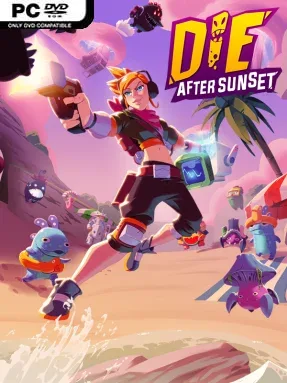
Earth’s last defense comes wrapped in a colorful, cartoonish roguelite shooter where alien invaders wear rubber-duck hats and become far deadlier once daylight fades. Set in 2120, Die After Sunset pits a lone resistance fighter against the Murkors, a bizarre extraterrestrial force that feeds on shadow and threatens to overwhelm the planet. Its tone balances frantic arcade gunplay with knowingly silly sci-fi humor, but the pressure is real: every run becomes a race to gather strength before sunset turns the battlefield against you.
Runs begin with a choice between April’s precision shooting, Rido’s heavy automatic firepower, or Hune’s more unusual experimental abilities, giving each attempt a distinct combat rhythm. You clear enemy-packed zones, complete shifting objectives, search chests, collect weapons and upgrades, and build a powerful temporary loadout for the boss waiting at each stage’s end. Positioning matters as much as aiming, since Murkors swell in size and power when they occupy darkness; keeping enemies exposed to sunlight can make an otherwise punishing fight manageable. Defeated foes drop Mucus, a persistent currency used to unlock permanent upgrades through progression trees, so failed runs still improve future chances.
The light-and-shadow mechanic gives the shooting a tactical wrinkle that separates it from standard arena roguelites: the environment itself can become either your best weapon or a major liability. Randomized starting areas, quests, loot, and item combinations encourage experimentation, whether you want mobility tools such as double jumps or stranger weapons built around elemental-style effects. Die After Sunset suits players who enjoy the escalating builds of Risk of Rain 2 or the repeatable structure of Hades, but prefer a third-person shooter with brighter visuals and a deliberately goofy alien-invasion premise. Newcomers can learn its immediate combat quickly, while veterans have plenty of reason to chase stronger builds and cleaner boss runs.
Installation
- Click the green button below to be redirected to UploadHaven.
- Wait 15 seconds, then hit “Free Download.” (Free downloads may be slower — upgrade to UploadHaven Pro for faster speeds.)
- Once downloaded, right-click the .zip file and choose “Extract to Die After Sunset.” (You’ll need 7-Zip for this.)
- Open the extracted folder and run the game as administrator.
- Enjoy! 🎮 If you see missing DLL errors, check the <strong>_Redist</strong> folder inside and install what’s needed.
System Requirements
- Requires a 64-bit processor and operating system
- OS: Windows 7 SP1+, Windows 8 and Windows 10
- Processor: Intel® Core™ i5-4460, 3.20GHz / AMD FX™-6300
- Memory: 8 GB RAM
- Graphics: Nvidia GTX 650-Ti / AMD Radeon HD 7790
- Storage: 3 GB available space
- Sound Card: DirectX compatible sound card
Setup Guide & Troubleshooting
How do I fix missing DLL errors for Die After Sunset (v1.0.3)?
After extracting Die After Sunset (v1.0.3), navigate to the _Redist or _CommonRedist folder inside the game directory and install DirectX, Vcredist, and any other dependencies included.
What should I do if the downloaded file is corrupted?
The full archive is 3.27 GB — make sure your download completed fully before extracting. Use 7-Zip to extract the files. If you still see a "file corrupted" error, re-download and try again.
Why should I run the game as administrator?
Right-click the game executable and select "Run as Administrator" to avoid save file issues and permission errors. This is especially important on the first launch.
How do I update my GPU drivers for this game?
Die After Sunset (v1.0.3) requires a Nvidia GTX 650-Ti / AMD Radeon HD 7790 or equivalent. Update your NVIDIA or AMD drivers to the latest version for the best performance.
The game won't launch — what should I try?
Try running in compatibility mode, install the latest DirectX runtime, or install the All-in-One VC Redist Package.
My antivirus is blocking the game — is it safe?
Antivirus false positives are common with pre-installed games. Temporarily pause your antivirus during extraction to prevent it from quarantining game files. You can re-enable it after the extraction completes.