

Game Overview
A high-fantasy roguelike built around dice rolls and deck construction, Dice Legends turns every battle into a calculated gamble. Its three playable heroes approach combat from sharply different angles: Arie the lion paladin relies on dependable six-sided dice for offense and protection, Kuro the crow demon summoner commands familiars with volatile d12 results, and Xin the toad assassin uses d8 rolls for poison, shadow tricks, and lethal critical bursts. The mood is colorful and tactical rather than grim, but the constant uncertainty of a roll keeps each encounter tense. Beneath its approachable presentation sits a game about adapting when the numbers refuse to cooperate.
Combat runs on a turn-based loop of drawing cards, rolling a personal pool of dice, and assigning those results to activate abilities. Cards can establish shields, weaken enemies, build damage-over-time effects, summon allies, or set up a devastating chain for later in the turn. Victories add new cards to the deck, while items and power-ups give players ways to bend luck, reroll poor outcomes, or make specific values far more valuable. Success depends less on blindly chasing the biggest attack and more on understanding when to spend dice, when to defend, and how to construct a deck that turns awkward rolls into useful resources.
What separates Dice Legends from the usual Slay the Spire-style formula is that dice are not merely random damage modifiers; they are the fuel that determines which cards can function at all. Hero-specific die sizes create distinct build problems and make switching characters feel more substantial than choosing a different starting deck. The search for a broken interaction—perhaps a summon engine, an armor-heavy paladin setup, or an assassin combo that snowballs poison into a finisher—gives repeated runs their appeal. Fans of Balatro's satisfying rule-bending, GWENT's tactical sequencing, and deckbuilders that reward experimentation should feel at home, while newcomers can learn its basics quickly before digging into its deeper probability management.
Screenshots
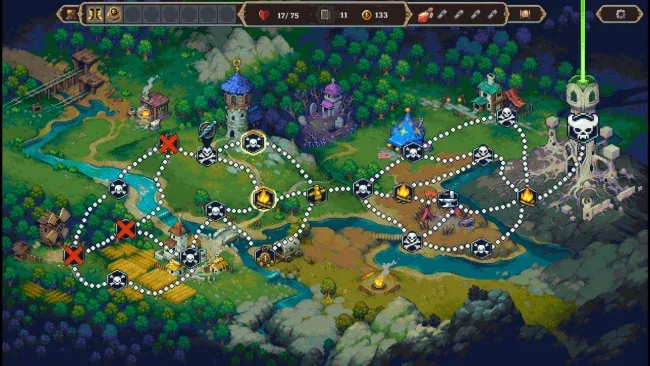
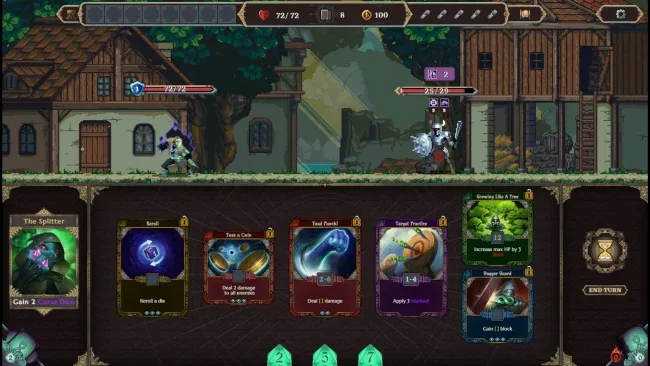
Installation
- Select the <strong>Download</strong> button at the top of this page to open UploadHaven.
- On UploadHaven, wait for any countdown, then select <strong>Free Download</strong>. Optional: UploadHaven Pro for faster downloads.
- When complete, extract the archive to a <strong>Dice Legends</strong> folder using 7-Zip.
- Open the extracted folder and start the game normally.
- For errors, check <strong>Setup Guide & Troubleshooting</strong> below. Keep your security software enabled.
System Requirements
- OS: Windows 10
- Processor: Intel Pentium CPU G860
- Memory: 1 GB RAM
- Graphics: NVIDIA GeForce 840M
- DirectX: Version 11
- Storage: 3 GB available space
Setup Guide & Troubleshooting
Is Dice Legends (v1.0.5) completely free?
Yes, Dice Legends (v1.0.5) is available as a free download for Windows. The package is 910.80 MB and is published under the SteamUnlocked label.
How do I install Dice Legends (v1.0.5)?
Click the download button to open UploadHaven, wait for any countdown, then select Free Download. Once the archive finishes downloading, extract it to a folder using 7-Zip and launch the game from the extracted directory.
What are the system requirements for Dice Legends (v1.0.5)?
The game requires Windows 10, an Intel Pentium CPU G860 processor, 1 GB RAM, an NVIDIA GeForce 840M graphics card, DirectX Version 11, and 3 GB of available storage space.
Do I need to run Dice Legends (v1.0.5) as administrator?
Usually no. Start the game normally from the extracted folder. Only grant administrator access if you encounter a permissions or save error and the game's documentation requires it.