
Game Overview
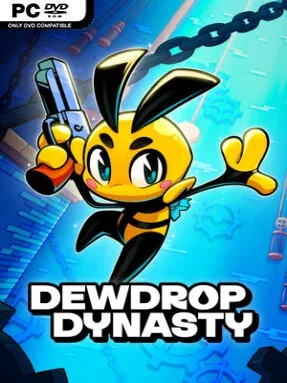
Gunfire does more than defeat monsters here: it becomes part of movement, turning jumps and shots into a quick, acrobatic rhythm. Dewdrop Dynasty is a lighthearted pixel-art Metroidvania set across a colorful land of unusual creatures, eccentric locals, and increasingly strange environments. Its mood stays playful even when the action gets demanding, mixing cartoonish humor with tense encounters and environmental mysteries. The result is an adventure built for players who enjoy poking into every suspicious tunnel and testing their reflexes against hostile rooms.
Exploration drives the campaign as you travel between connected biomes, uncovering shortcuts, hidden upgrades, puzzles, and areas that only become reachable with newly acquired tools. Combat revolves around mobile shooting and precise platforming, with gun-jumping encouraging players to stay aggressive rather than simply firing from safe ground. Boss battles raise the pressure by asking for pattern recognition, careful positioning, and smart use of the abilities and gear collected along the way. A map-marking system helps keep track of locked paths, discoveries, and points worth revisiting, which makes backtracking feel deliberate instead of frustrating.
Dewdrop Dynasty stands apart through its cheerful personality and willingness to reward curiosity with more than just power-ups. Tickets found during exploration can be spent at vending machines for novelty prizes, while ridiculous hats let players give their character a more personal, silly look. The expressive pixel art gives each region and enemy its own identity, and Peter Reid Jones’s soundtrack supports the energetic, slightly offbeat atmosphere without overpowering it. Fans of compact, action-focused Metroidvanias in the vein of Axiom Verge or Gato Roboto should find plenty to enjoy, while newcomers get useful navigation tools and a welcoming sense of humor beneath the challenge.
Installation
- Click the green button below to be redirected to UploadHaven.
- Wait 15 seconds, then hit “Free Download.” (Free downloads may be slower — upgrade to UploadHaven Pro for faster speeds.)
- Once downloaded, right-click the .zip file and choose “Extract to Dewdrop Dynasty.” (You’ll need 7-Zip for this.)
- Open the extracted folder and run the game as administrator.
- Enjoy! 🎮 If you see missing DLL errors, check the <strong>_Redist</strong> folder inside and install what’s needed.
System Requirements
- OS: Windows 10
- Processor: 2 Ghz
- Memory: 2 GB RAM
- Graphics: Intel HD Graphics 4000
- Storage: 200 MB available space
Setup Guide & Troubleshooting
How do I fix missing DLL errors for Dewdrop Dynasty (v1.0.4)?
After extracting Dewdrop Dynasty (v1.0.4), navigate to the _Redist or _CommonRedist folder inside the game directory and install DirectX, Vcredist, and any other dependencies included.
What should I do if the downloaded file is corrupted?
The full archive is 288.80 MB — make sure your download completed fully before extracting. Use 7-Zip to extract the files. If you still see a "file corrupted" error, re-download and try again.
Why should I run the game as administrator?
Right-click the game executable and select "Run as Administrator" to avoid save file issues and permission errors. This is especially important on the first launch.
How do I update my GPU drivers for this game?
Dewdrop Dynasty (v1.0.4) requires a Intel HD Graphics 4000 or equivalent. Update your NVIDIA or AMD drivers to the latest version for the best performance.
The game won't launch — what should I try?
Try running in compatibility mode, install the latest DirectX runtime, or install the All-in-One VC Redist Package.
My antivirus is blocking the game — is it safe?
Antivirus false positives are common with pre-installed games. Temporarily pause your antivirus during extraction to prevent it from quarantining game files. You can re-enable it after the extraction completes.