
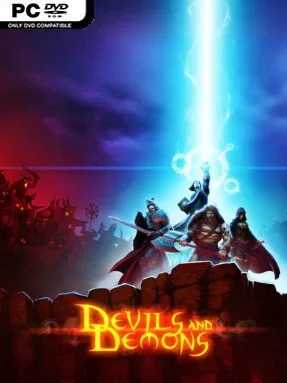
Game Overview
Desola is a battered high-fantasy realm where dragons once ruled, but a portal from the infernal depths turns its golden age into a war for survival. Devils & Demons plays as a dark, quest-driven tactical RPG, placing a small band of mortal champions between humanity and armies of demons, undead, necromancers, and fire-born warlords. The story follows the Order of the Light’s desperate campaign to close back the rising darkness, with a serious, old-school fantasy tone carried by voiced characters, illustrated scenes, and an orchestral score. Rather than presenting one isolated battlefield after another, it frames the conflict as a broad crusade across a world under siege.
Combat is turn-based and tactical, asking players to build a balanced party, position heroes carefully, and make smart use of class-specific attacks, spells, and abilities. Every encounter feeds the familiar RPG loop: win battles, collect gear, recruit new allies, improve the squad’s power, and take on increasingly dangerous quests. Hundreds of maps provide the structure for exploration, story events, enemy encounters, and loot hunts, while tougher foes such as dragons and necromancers demand more than simply overpowering them. The constant threat of large enemy groups gives party composition real weight, especially when choosing whether to prioritize damage, magic, resilience, or utility skills.
What stands out is its commitment to a substantial fantasy campaign rather than a lightweight tactics diversion. Detailed hand-drawn artwork and cutscenes give the adventure more character than its indie presentation initially suggests, while the range of heroes and abilities encourages experimentation between missions. Fans of classic turn-based RPGs in the vein of Heroes of Might and Magic’s battles or mobile-friendly tactical adventures will recognize the appeal, though the focus remains on a linear heroic campaign rather than open-ended strategy. It suits newcomers who want accessible fantasy combat and veterans who enjoy steadily refining a party through loot, recruitment, and demanding boss fights.
Installation
- Click the green button below to be redirected to UploadHaven.
- Wait 15 seconds, then hit “Free Download.” (Free downloads may be slower — upgrade to UploadHaven Pro for faster speeds.)
- Once downloaded, right-click the .zip file and choose “Extract to Devils & Demons.” (You’ll need 7-Zip for this.)
- Open the extracted folder and run the game as administrator.
- Enjoy! 🎮 If you see missing DLL errors, check the <strong>_Redist</strong> folder inside and install what’s needed.
System Requirements
- OS: Win7 or newer
- Processor: 2.0 GHz
- Memory: 512 MB RAM
- Graphics: DirectX 9.0c compatible
- DirectX: Version 9.0c
- Storage: 1 GB available space
- Sound Card: OpenAL-compatible
Setup Guide & Troubleshooting
How do I fix missing DLL errors for Devils & Demons (v2015.10.08)?
After extracting Devils & Demons (v2015.10.08), navigate to the _Redist or _CommonRedist folder inside the game directory and install DirectX, Vcredist, and any other dependencies included.
What should I do if the downloaded file is corrupted?
The full archive is 215.38 MB — make sure your download completed fully before extracting. Use 7-Zip to extract the files. If you still see a "file corrupted" error, re-download and try again.
Why should I run the game as administrator?
Right-click the game executable and select "Run as Administrator" to avoid save file issues and permission errors. This is especially important on the first launch.
How do I update my GPU drivers for this game?
Devils & Demons (v2015.10.08) requires a DirectX 9.0c compatible or equivalent. Update your NVIDIA or AMD drivers to the latest version for the best performance.
The game won't launch — what should I try?
This game requires Version 9.0c. Try running in compatibility mode, install the latest DirectX runtime, or install the All-in-One VC Redist Package.
My antivirus is blocking the game — is it safe?
Antivirus false positives are common with pre-installed games. Temporarily pause your antivirus during extraction to prevent it from quarantining game files. You can re-enable it after the extraction completes.