
Game Overview
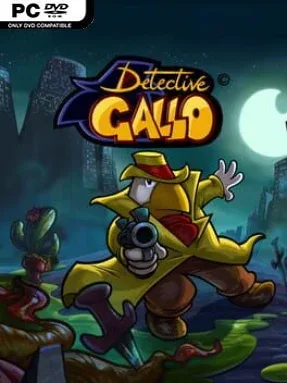
A murdered collection of exotic plants sounds like a joke, but the case quickly becomes the kind of strange, shadowy mystery only a hard-boiled rooster detective can untangle. Detective Gallo pairs classic comic-noir attitude with hand-drawn cartoon absurdity, casting players as a cynical private eye who accepts an enormous fee to investigate a wealthy client’s botanical tragedy. Its city is full of suspicious eccentrics, ridiculous situations, and clues hiding beneath the deadpan sarcasm. The mood lands somewhere between an old detective film and an animated Saturday-morning mystery, with plenty of dry humor cutting through the gloom.
Players guide Gallo through traditional point-and-click investigation: examine locations, collect useful objects, speak with witnesses, and combine evidence or inventory items to open the next lead. Conversations matter as much as object hunting, since the case depends on reading bizarre characters and pushing them for information. Puzzles test observation and patience rather than reflexes, and the adventure stays completely non-violent despite its murder-case framing. Progress comes from following the investigation across varied scenes, gradually revealing that the apparently small accident has wider and stranger implications.
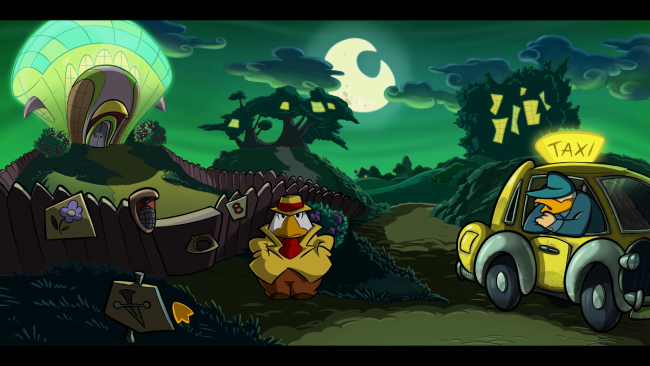
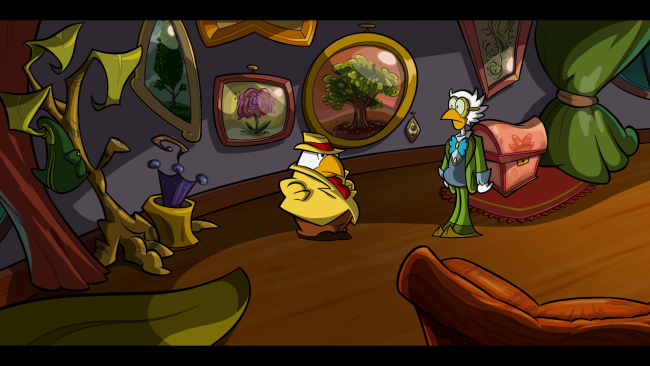
What separates Detective Gallo from many retro-inspired adventures is its fully illustrated, hand-animated presentation, which gives every character and backdrop the texture of a living cartoon. Gallo himself is an enjoyably unusual lead: a grouchy feathered investigator whose noir narration and constant irritation make even routine detective work entertaining. Fans of Monkey Island, Broken Sword, or other dialogue-heavy adventure games should appreciate the emphasis on eccentric personalities, item-based puzzles, and a deliberately old-school structure. It suits newcomers who enjoy humorous mysteries, while veterans looking for a compact, clever point-and-click with a distinctive visual identity will find plenty to investigate.
Installation
- Click the green button below to be redirected to UploadHaven.
- Wait 15 seconds, then hit “Free Download.” (Free downloads may be slower — upgrade to UploadHaven Pro for faster speeds.)
- Once downloaded, right-click the .zip file and choose “Extract to Detective Gallo.” (You’ll need 7-Zip for this.)
- Open the extracted folder and run the game as administrator.
- Enjoy! 🎮 If you see missing DLL errors, check the <strong>_Redist</strong> folder inside and install what’s needed.
System Requirements
- OS: Windows 7
- Processor: 2 GHz Dual Core CPU
- Memory: 2 GB RAM
- Graphics: ATI Radeon HD 3400 Series, Geforce 9400 Series with at least 512 MB VRAM
- DirectX: Version 9.0c
- Storage: 5 GB available space
- Sound Card: DirectX 9.0c compatible sound card with latest drivers
Setup Guide & Troubleshooting
How do I fix missing DLL errors for Detective Gallo (v1.21)?
After extracting Detective Gallo (v1.21), navigate to the _Redist or _CommonRedist folder inside the game directory and install DirectX, Vcredist, and any other dependencies included.
What should I do if the downloaded file is corrupted?
The full archive is 3.15 GB — make sure your download completed fully before extracting. Use 7-Zip to extract the files. If you still see a "file corrupted" error, re-download and try again.
Why should I run the game as administrator?
Right-click the game executable and select "Run as Administrator" to avoid save file issues and permission errors. This is especially important on the first launch.
How do I update my GPU drivers for this game?
Detective Gallo (v1.21) requires a ATI Radeon HD 3400 Series, Geforce 9400 Series with at least 512 MB VRAM or equivalent. Update your NVIDIA or AMD drivers to the latest version for the best performance.
The game won't launch — what should I try?
This game requires Version 9.0c. Try running in compatibility mode, install the latest DirectX runtime, or install the All-in-One VC Redist Package.
My antivirus is blocking the game — is it safe?
Antivirus false positives are common with pre-installed games. Temporarily pause your antivirus during extraction to prevent it from quarantining game files. You can re-enable it after the extraction completes.