
Game Overview
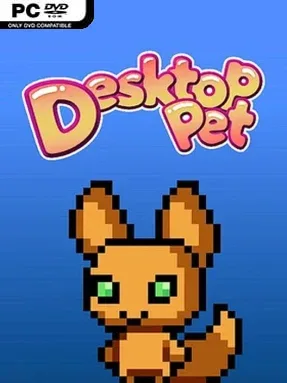
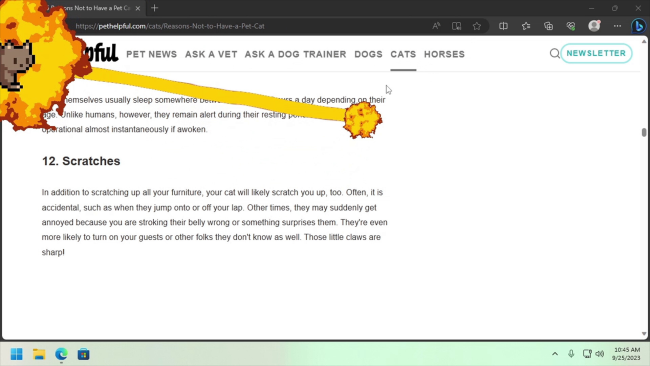
A handful of animated cats wandering across your desktop can make routine computer time feel less sterile, and Desktop Pet Project leans fully into that small-scale charm. Rather than building a traditional game world, it turns your screen into a shared space for mischievous companions that nap, roam, play, and occasionally demand attention. The mood is deliberately cozy and silly, though pets are not purely decorative: neglecting or manhandling them can prompt some pointed reminders. It is an idle desktop toy first, designed for people who enjoy having a little life and unpredictability running alongside their usual work or browsing.
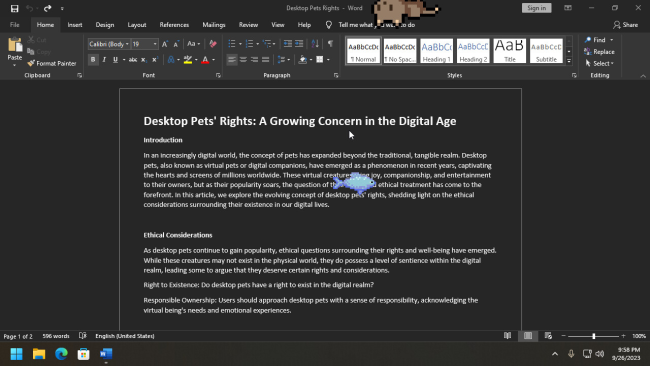
Players can keep up to four pets active at once, name them, and choose from several default cat variations with subtly different behavioral quirks. Care revolves around feeding them, letting them sleep undisturbed, and using treats to relocate them without simply dragging them across the screen. Small minigames provide moments of direct interaction, while roaming mice give the animals something to chase when you want the desktop to feel busier. Options let you disable behavior that becomes distracting, so the program can range from a lively interruption machine to a gentler background companion.
Its strongest feature is the flexibility beyond the starter cats. Existing downloadable Shimeji creations can be brought in through the import tool, while Workshop support opens the door to community-made characters and animations. Creative users also receive a pet editor for adjusting sprites and interactions before sharing their own creations, giving the project more longevity than a simple virtual-pet novelty. Desktop Pet Project suits fans of Shimeji, virtual pets, and playful customization far more than players seeking goals or challenge; think Tamagotchi-style care filtered through a desktop mascot app, with enough creator support to keep the cast fresh.
Installation
- Click the green button below to be redirected to UploadHaven.
- Wait 15 seconds, then hit “Free Download.” (Free downloads may be slower — upgrade to UploadHaven Pro for faster speeds.)
- Once downloaded, right-click the .zip file and choose “Extract to Desktop Pet Project.” (You’ll need 7-Zip for this.)
- Open the extracted folder and run the game as administrator.
- Enjoy! 🎮 If you see missing DLL errors, check the <strong>_Redist</strong> folder inside and install what’s needed.
System Requirements
- OS *: Windows 7
- Processor: 2.5Ghz
- Memory: 512 MB RAM
- Graphics: Support for Vulkan 1.2
Setup Guide & Troubleshooting
How do I fix missing DLL errors for Desktop Pet Project?
After extracting Desktop Pet Project, navigate to the _Redist or _CommonRedist folder inside the game directory and install DirectX, Vcredist, and any other dependencies included.
What should I do if the downloaded file is corrupted?
The full archive is 106.64 MB — make sure your download completed fully before extracting. Use 7-Zip to extract the files. If you still see a "file corrupted" error, re-download and try again.
Why should I run the game as administrator?
Right-click the game executable and select "Run as Administrator" to avoid save file issues and permission errors. This is especially important on the first launch.
How do I update my GPU drivers for this game?
Desktop Pet Project requires a Support for Vulkan 1.2 or equivalent. Update your NVIDIA or AMD drivers to the latest version for the best performance.
The game won't launch — what should I try?
Try running in compatibility mode, install the latest DirectX runtime, or install the All-in-One VC Redist Package.
My antivirus is blocking the game — is it safe?
Antivirus false positives are common with pre-installed games. Temporarily pause your antivirus during extraction to prevent it from quarantining game files. You can re-enable it after the extraction completes.