
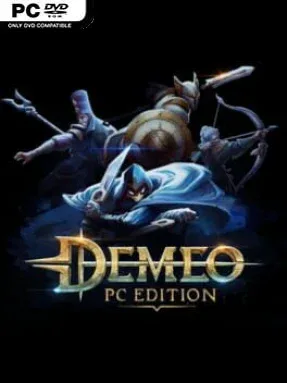
Game Overview
A cursed underworld, a crowded virtual table, and one badly timed turn can send an entire party back to the start. Demeo turns the ritual of tabletop dungeon crawling into a co-op tactical RPG, complete with painted miniatures, dice rolls, treasure chests, and desperate planning between friends. Its fantasy setting ranges from cozy villages and woodland paths to flooded crypts, rat-infested tunnels, and demon-haunted ruins, with every adventure carrying a playful but genuinely dangerous Dungeons & Dragons-style mood. Although it works on a standard screen, its VR presentation especially sells the feeling of leaning over a living game board with a group.
Players choose from distinct heroes such as the resilient Guardian, ranged Hunter, spell-slinging Sorcerer, stealthy Assassin, and support-focused Bard, then guide them through turn-based dungeon floors toward a final boss. Each character relies on a deck of ability cards, so positioning, line of sight, resource management, and clever use of consumables matter as much as raw damage. Enemies react aggressively, traps punish careless movement, and a single fallen teammate can turn a comfortable run into a rescue mission. Campaigns support one to four players with cross-platform co-op, while solo players can control multiple heroes and use the same tactical systems without needing a full party.
Its strongest feature is the social rhythm: players move figurines around the board, inspect enemy ranges, trade advice, and celebrate lucky rolls in a way few digital RPGs reproduce. Randomized layouts, card draws, enemy placements, and several themed adventures give repeated runs enough variety, though success still depends heavily on coordination rather than grinding. The simplified rules make it more approachable than a dense tabletop system, yet higher difficulties and party composition give experienced strategy fans plenty to master. Demeo suits friends who enjoy the cooperative tension of Gloomhaven or classic fantasy board games, and it remains one of the best choices for a relaxed game night that can suddenly become a tense survival puzzle.
Installation
- Click the green button below to be redirected to UploadHaven.
- Wait 15 seconds, then hit “Free Download.” (Free downloads may be slower — upgrade to UploadHaven Pro for faster speeds.)
- Once downloaded, right-click the .zip file and choose “Extract to Demeo.” (You’ll need 7-Zip for this.)
- Open the extracted folder and run the game as administrator.
- Enjoy! 🎮 If you see missing DLL errors, check the <strong>_Redist</strong> folder inside and install what’s needed.
System Requirements
- Requires a 64-bit processor and operating system
- OS: Windows 10
- Processor: Intel Core i5-3470,AMD Ryzen 3 1200, or above
- Memory: 8 GB RAM
- Graphics: NVIDIA GTX 760, Radeon R9 280, or above
- DirectX: Version 11
- Storage: 3 GB available space
Setup Guide & Troubleshooting
How do I fix missing DLL errors for Demeo (v1.39.296114)?
After extracting Demeo (v1.39.296114), navigate to the _Redist or _CommonRedist folder inside the game directory and install DirectX, Vcredist, and any other dependencies included.
What should I do if the downloaded file is corrupted?
The full archive is 3.49 GB — make sure your download completed fully before extracting. Use 7-Zip to extract the files. If you still see a "file corrupted" error, re-download and try again.
Why should I run the game as administrator?
Right-click the game executable and select "Run as Administrator" to avoid save file issues and permission errors. This is especially important on the first launch.
How do I update my GPU drivers for this game?
Demeo (v1.39.296114) requires a NVIDIA GTX 760, Radeon R9 280, or above or equivalent. Update your NVIDIA or AMD drivers to the latest version for the best performance.
The game won't launch — what should I try?
This game requires Version 11. Try running in compatibility mode, install the latest DirectX runtime, or install the All-in-One VC Redist Package.
My antivirus is blocking the game — is it safe?
Antivirus false positives are common with pre-installed games. Temporarily pause your antivirus during extraction to prevent it from quarantining game files. You can re-enable it after the extraction completes.