
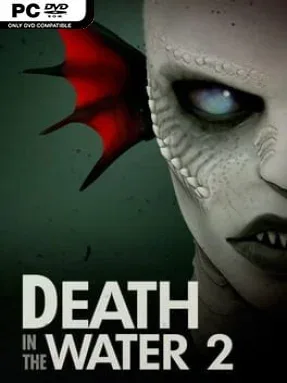
Game Overview
The ocean floor becomes a hunting ground in Death in the Water 2, a first-person survival shooter that trades dry-land firefights for murky reefs, wrecks, and the constant fear of something moving below. An ancient Kraken known as Death lurks behind every expedition, turning an otherwise beautiful underwater environment into a deeply hostile place. The tone shifts cleverly between quiet, uneasy sightseeing and panicked bursts of violence, making every dive feel like a countdown to disaster. It is less about being a heroic deep-sea explorer than surviving long enough to return to the surface.
Each run begins at a comparatively measured pace, allowing you to swim through open areas, search for treasure and collectibles, and locate the objective while marine life behaves with an unnerving degree of calm. That calm never lasts: the Kraken can seize control of nearby creatures at any moment, triggering a feeding frenzy of sharks and other aquatic threats aimed directly at you. Guns and upgrades give you the tools to fight back, but ammunition, positioning, and awareness matter when attacks arrive from every direction in three-dimensional space. Completing objectives lets you advance through increasingly dangerous dives, with later waves demanding faster reactions and more effective loadouts.
What makes the game work is its use of contrast. Passive wildlife and scenic ruins create suspense before the violence starts, while the sudden transformation of familiar creatures into a swarm gives the combat real shock value. The underwater setting also makes encounters feel different from standard arena shooters, since enemies can circle above, below, and behind you with little warning. Players who enjoy the escalating survival pressure of wave shooters, the creature tension of shark-horror games, or the isolated dread of underwater horror should find plenty to like here. Newcomers can enjoy its straightforward shooting, but genre veterans will get the most from learning how to read the environment before Death turns the sea against them.
Installation
- Click the green button below to be redirected to UploadHaven.
- Wait 15 seconds, then hit “Free Download.” (Free downloads may be slower — upgrade to UploadHaven Pro for faster speeds.)
- Once downloaded, right-click the .zip file and choose “Extract to Death in the Water 2.” (You’ll need 7-Zip for this.)
- Open the extracted folder and run the game as administrator.
- Enjoy! 🎮 If you see missing DLL errors, check the <strong>_Redist</strong> folder inside and install what’s needed.
System Requirements
- Requires a 64-bit processor and operating system
- OS: 64-bit Windows 7 / 64-Bit Windows 10
- Processor: Requires a 64-bit processor and operating system
- Memory: 8 GB RAM
- Graphics: GeForce GTX 670 / GeForce GTX 1050 / AMD Radeon HD 7870
- DirectX: Version 11
- Storage: 7 GB available space
- Sound Card: DirectX®-compatible
Setup Guide & Troubleshooting
How do I fix missing DLL errors for Death in the Water 2 (v1.1.15)?
After extracting Death in the Water 2 (v1.1.15), navigate to the _Redist or _CommonRedist folder inside the game directory and install DirectX, Vcredist, and any other dependencies included.
What should I do if the downloaded file is corrupted?
The full archive is 3.43 GB — make sure your download completed fully before extracting. Use 7-Zip to extract the files. If you still see a "file corrupted" error, re-download and try again.
Why should I run the game as administrator?
Right-click the game executable and select "Run as Administrator" to avoid save file issues and permission errors. This is especially important on the first launch.
How do I update my GPU drivers for this game?
Death in the Water 2 (v1.1.15) requires a GeForce GTX 670 / GeForce GTX 1050 / AMD Radeon HD 7870 or equivalent. Update your NVIDIA or AMD drivers to the latest version for the best performance.
The game won't launch — what should I try?
This game requires Version 11. Try running in compatibility mode, install the latest DirectX runtime, or install the All-in-One VC Redist Package.
My antivirus is blocking the game — is it safe?
Antivirus false positives are common with pre-installed games. Temporarily pause your antivirus during extraction to prevent it from quarantining game files. You can re-enable it after the extraction completes.