
Game Overview
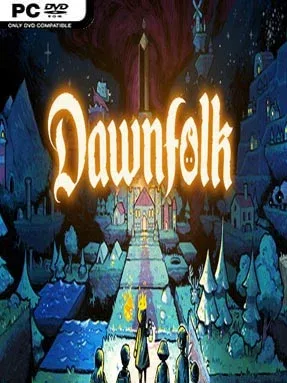
Darkness is not merely a backdrop here; it is a spreading threat that swallows land, settlements, and hope. Dawnfolk casts you as a wounded ruler returning to a fallen medieval-fantasy realm, armed with the aid of Lueur, a small mythical creature whose light can push back the shadows. The result is a darkly cute survival city-builder where every new patch of safe ground feels earned. Its low-resolution pixel art and compact presentation give the adventure an old-school charm, while the setting keeps the mood tense rather than cozy.
Building begins quickly, with a modest cluster of tents growing into a functioning city as you gather resources, develop land, and provide for settlers. Exploration sends you into dangerous territory beyond the light, where disasters, difficult decisions, and the ever-present darkness force you to consider whether expansion is worth the risk. Rather than relying only on long menus and spreadsheets, Dawnfolk ties key resource gains to short minigames, making your performance directly affect how well the settlement endures. Strong play brings better yields and more breathing room, while mistakes can leave your people vulnerable, so the game rewards both careful planning and quick hands.
What separates Dawnfolk from heavier kingdom-management games is its focus on immediate, approachable sessions without stripping away meaningful choices. A settlement can progress from humble beginnings to a substantial city in under an hour, making it well suited to gamepad, keyboard, and handheld play when you want strategy without committing to an enormous campaign. The blend of city building, survival pressure, exploration, and arcade-like challenges gives it a distinct rhythm that feels more active than a traditional builder. Players who enjoy the accessible settlement growth of Kingdoms and Castles but want darker stakes and more hands-on resource challenges should find plenty to like, while strategy newcomers get a welcoming route into the genre.
Installation
- Click the green button below to be redirected to UploadHaven.
- Wait 15 seconds, then hit “Free Download.” (Free downloads may be slower — upgrade to UploadHaven Pro for faster speeds.)
- Once downloaded, right-click the .zip file and choose “Extract to Dawnfolk.” (You’ll need 7-Zip for this.)
- Open the extracted folder and run the game as administrator.
- Enjoy! 🎮 If you see missing DLL errors, check the <strong>_Redist</strong> folder inside and install what’s needed.
System Requirements
- OS *: Windows 7
- Processor: 2+ Cores, 2+ GHz
- Memory: 8 GB RAM
- Graphics: 2 GB VRAM
- Storage: 2 GB available space
- Additional Notes: Support for OpenGL 3.3
Setup Guide & Troubleshooting
How do I fix missing DLL errors for Dawnfolk (v2026.06.11)?
After extracting Dawnfolk (v2026.06.11), navigate to the _Redist or _CommonRedist folder inside the game directory and install DirectX, Vcredist, and any other dependencies included.
What should I do if the downloaded file is corrupted?
The full archive is 300.70 MB — make sure your download completed fully before extracting. Use 7-Zip to extract the files. If you still see a "file corrupted" error, re-download and try again.
Why should I run the game as administrator?
Right-click the game executable and select "Run as Administrator" to avoid save file issues and permission errors. This is especially important on the first launch.
How do I update my GPU drivers for this game?
Dawnfolk (v2026.06.11) requires a 2 GB VRAM or equivalent. Update your NVIDIA or AMD drivers to the latest version for the best performance.
The game won't launch — what should I try?
Try running in compatibility mode, install the latest DirectX runtime, or install the All-in-One VC Redist Package.
My antivirus is blocking the game — is it safe?
Antivirus false positives are common with pre-installed games. Temporarily pause your antivirus during extraction to prevent it from quarantining game files. You can re-enable it after the extraction completes.