
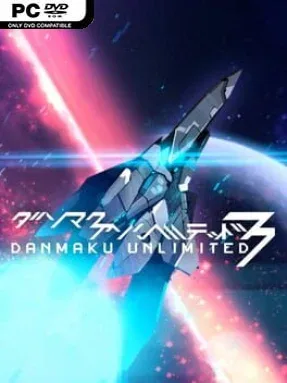
Game Overview
Neon barrages fill the screen, but survival depends on calm positioning rather than impossible reflexes. Danmaku Unlimited 3 is a vertically scrolling bullet-hell shooter built in the tradition of Japanese arcade classics, with sleek sci-fi visuals, pounding electronic music, and bosses that turn every encounter into a carefully choreographed storm of fire. The tone is intense and flashy, yet unusually welcoming for a genre often known for overwhelming newcomers within seconds. Every stage asks you to read patterns, find narrow safe routes, and enjoy the satisfaction of slipping through walls of projectiles by a pixel.
Your ship’s vulnerable point is only its tiny central core, so its visible sprite is larger than its actual hitbox suggests. That single design choice makes dense patterns easier to understand, while the grazing system rewards flying dangerously close to enemy fire: near misses build power, eventually letting you unleash a devastating rampage attack. Destroyed enemies also convert incoming shots into harmless spirit bullets that can be collected safely, creating a smart risk-and-reward loop where aggressive play improves both your score and firepower. Runs revolve around learning stage layouts, managing your charged abilities, and deciding when to play cautiously or push into the chaos for bigger rewards.
Rather than merely copying old arcade shooters, the game explains its essential ideas through play and gives its spectacular bullet patterns a clean visual clarity. Enemy fire looks elaborate without becoming unreadable, and the escalating boss fights demand practice while still making improvement feel tangible. Multiple difficulty settings make it a strong entry point for players raised on modern indie action games, while scoring systems, higher modes, and precision dodging give genre veterans plenty to master. Fans of Touhou-style shooters, Ikaruga, or the bullet-heavy moments in games like Enter the Gungeon find a focused, polished shoot ’em up that respects their time without softening its challenge.
Installation
- Click the green button below to be redirected to UploadHaven.
- Wait 15 seconds, then hit “Free Download.” (Free downloads may be slower — upgrade to UploadHaven Pro for faster speeds.)
- Once downloaded, right-click the .zip file and choose “Extract to Danmaku Unlimited 3.” (You’ll need 7-Zip for this.)
- Open the extracted folder and run the game as administrator.
- Enjoy! 🎮 If you see missing DLL errors, check the <strong>_Redist</strong> folder inside and install what’s needed.
System Requirements
- OS: XP, Vista, 7, 8, 10
- Processor: 2.0 Ghz
- Memory: 1 GB RAM
- Graphics: NVIDIA Geforce 9400M, AMD HD6310, Intel HD Graphics or better
- Storage: 500 MB available space
Setup Guide & Troubleshooting
How do I fix missing DLL errors for Danmaku Unlimited 3 (v1.0.9)?
After extracting Danmaku Unlimited 3 (v1.0.9), navigate to the _Redist or _CommonRedist folder inside the game directory and install DirectX, Vcredist, and any other dependencies included.
What should I do if the downloaded file is corrupted?
The full archive is 205.46 MB — make sure your download completed fully before extracting. Use 7-Zip to extract the files. If you still see a "file corrupted" error, re-download and try again.
Why should I run the game as administrator?
Right-click the game executable and select "Run as Administrator" to avoid save file issues and permission errors. This is especially important on the first launch.
How do I update my GPU drivers for this game?
Danmaku Unlimited 3 (v1.0.9) requires a NVIDIA Geforce 9400M, AMD HD6310, Intel HD Graphics or better or equivalent. Update your NVIDIA or AMD drivers to the latest version for the best performance.
The game won't launch — what should I try?
Try running in compatibility mode, install the latest DirectX runtime, or install the All-in-One VC Redist Package.
My antivirus is blocking the game — is it safe?
Antivirus false positives are common with pre-installed games. Temporarily pause your antivirus during extraction to prevent it from quarantining game files. You can re-enable it after the extraction completes.