
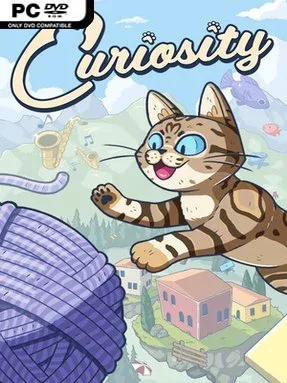
Curiosity Cover Art

Game Overview

A stranded cat claws its way through a hostile maze of ledges, traps, and seemingly impossible gaps in a precision-platforming adventure built around patience. Curiosity trades cozy feline charm for a tense climb home, where every narrow landing carries real weight and one bad jump can erase hard-won progress. Its labyrinthine stages feel deliberately unforgiving, asking players to read routes, control momentum, and keep their nerves when the next platform sits just out of reach. The mood is cute on the surface but ruthless in practice.

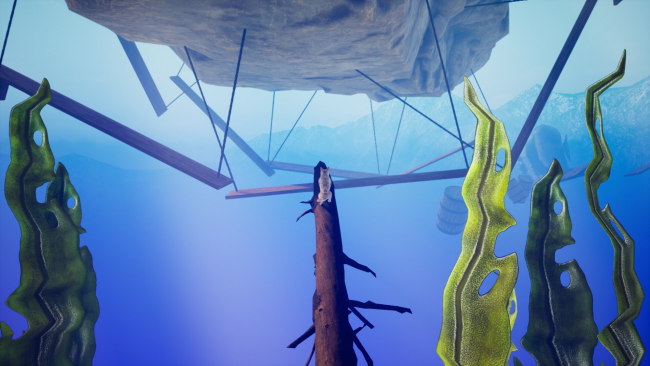
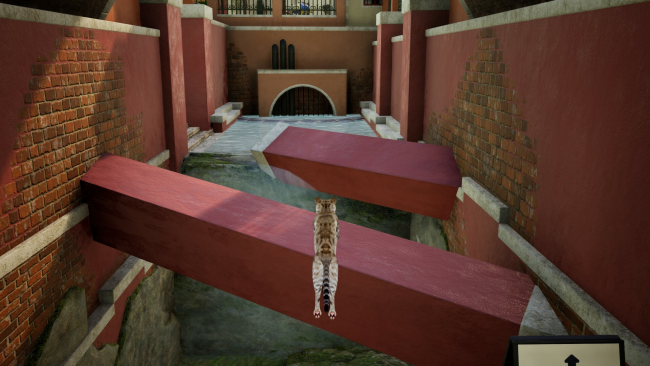
Movement is the entire challenge: you leap across hazards, climb upward through dense obstacle courses, and search for the path that leads farther into the maze. Success comes from carefully judging distance and timing rather than brute force, while repeated attempts gradually teach the safest routes through each dangerous section. Falls are not merely cosmetic setbacks, because the cat’s limited stock of nine lives gives failure a mounting consequence. Running out of lives can trigger unexpected results, adding a small survival-game edge to the familiar “try, fail, improve” platforming loop.

What makes Curiosity appealing is how directly it turns the old idea of cats having nine lives into a mechanical source of tension. The game focuses on clean, demanding traversal instead of combat, loot, or sprawling side content, making it best suited to players who enjoy mastering a difficult sequence one jump at a time. Its compact adventure format and punishing vertical obstacles evoke the persistence-driven appeal of games such as Getting Over It or Only Up!, though with a more traditional platformer structure and a feline protagonist. Platforming veterans looking for a stern reflex test should find the challenge satisfying, while newcomers should expect plenty of setbacks before reaching home.

Installation

  1. Click the green button below to be redirected to UploadHaven.
  2. Wait 15 seconds, then hit “Free Download.” (Free downloads may be slower — upgrade to UploadHaven Pro for faster speeds.)
  3. Once downloaded, right-click the .zip file and choose “Extract to Curiosity.” (You’ll need 7-Zip for this.)
  4. Open the extracted folder and run the game as administrator.
  5. Enjoy! 🎮 If you see missing DLL errors, check the <strong>_Redist</strong> folder inside and install what’s needed.

System Requirements

  • Requires a 64-bit processor and operating system
  • OS: Windows 10
  • Processor: Quad-core Intel or AMD, 2.5 GHz or faster
  • Memory: 8 GB RAM
  • Graphics: GeForce GTX 1080 or Equivalent
  • DirectX: Version 11
  • Storage: 10 GB available space

Setup Guide & Troubleshooting

How do I fix missing DLL errors for Curiosity?

After extracting Curiosity, navigate to the _Redist or _CommonRedist folder inside the game directory and install DirectX, Vcredist, and any other dependencies included.

What should I do if the downloaded file is corrupted?

The full archive is 7.08 GB — make sure your download completed fully before extracting. Use 7-Zip to extract the files. If you still see a "file corrupted" error, re-download and try again.

Why should I run the game as administrator?

Right-click the game executable and select "Run as Administrator" to avoid save file issues and permission errors. This is especially important on the first launch.

How do I update my GPU drivers for this game?

Curiosity requires a GeForce GTX 1080 or Equivalent or equivalent. Update your NVIDIA or AMD drivers to the latest version for the best performance.

The game won't launch — what should I try?

This game requires Version 11. Try running in compatibility mode, install the latest DirectX runtime, or install the All-in-One VC Redist Package.

My antivirus is blocking the game — is it safe?

Antivirus false positives are common with pre-installed games. Temporarily pause your antivirus during extraction to prevent it from quarantining game files. You can re-enable it after the extraction completes.

Need more help? Browse our FAQ & Troubleshooting Guide for solutions to common issues.
Looking for something else? Explore all games on Steam Unlocked