
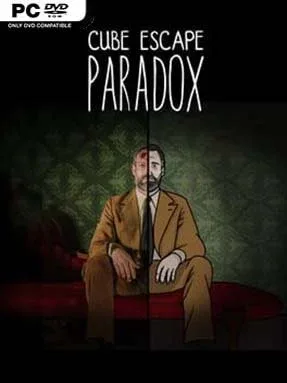

Cube Escape: Paradox (Incl. ALL DLC’s) Cover Art

Cube Escape: Paradox (Incl. ALL DLC’s)

INDIE 119.53 MB

Game Overview

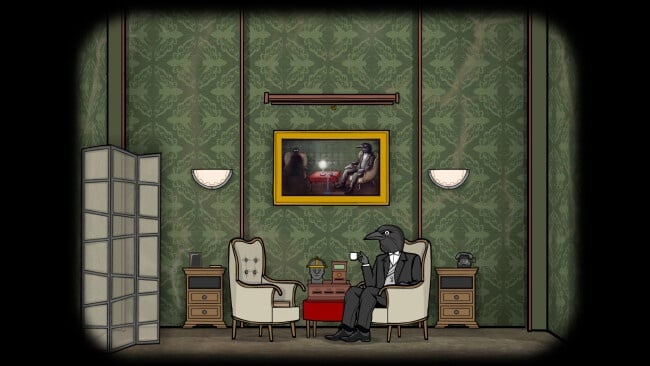
Detective Dale Vandermeer wakes in a claustrophobic room with no memory of how he arrives there, and every familiar object quickly becomes evidence in a far stranger case. Cube Escape: Paradox is a surreal point-and-click escape-room mystery set in Rusty Lake’s unsettling universe, where peeling wallpaper, antique devices, paintings, and television screens conceal layers of dread. Its tone sits somewhere between a psychological thriller and a dreamlike murder investigation, using quiet unease rather than cheap shocks. The premise steadily twists as Dale realizes that escaping the room also means confronting his own fractured past and a dangerous old adversary.

Play revolves around carefully examining each screen, collecting odd items, combining them in unexpected ways, and decoding clues hidden in the environment. Puzzles range from traditional locks, patterns, and number sequences to more abstract challenges involving perspective, memory, sound, and the series’ signature grotesque imagery. Solutions often require players to pay attention to tiny visual details and think laterally, so the game rewards note-taking and patience more than quick reflexes. The included chapters expand the case with tougher riddles, branching conclusions, and enough interconnected clues to make a second attempt worthwhile after the first ending.

What separates Paradox from a typical room-escape puzzler is its direct connection to Paradox – A Rusty Lake Short Film, which turns the story into an unusual game-and-film companion piece. Hand-painted artwork gives every room a tactile, slightly decayed character, while strong voice work and an ominous soundtrack make even menu interactions feel suspicious. Fans of Rusty Lake, The Room, and escape games built around cryptic storytelling will find plenty to unravel, while newcomers can still follow Dale’s immediate predicament without mastering the whole series lore. It is best for players who enjoy unsettling atmosphere, clever object puzzles, and narratives that leave room for interpretation.

Installation

  1. Click the green button below to be redirected to UploadHaven.
  2. Wait 15 seconds, then hit “Free Download.” (Free downloads may be slower — upgrade to UploadHaven Pro for faster speeds.)
  3. Once downloaded, right-click the .zip file and choose “Extract to Cube Escape: Paradox.” (You’ll need 7-Zip for this.)
  4. Open the extracted folder and run the game as administrator.
  5. Enjoy! 🎮 If you see missing DLL errors, check the <strong>_Redist</strong> folder inside and install what’s needed.

System Requirements

  • OS: Microsoft® Windows® XP/Vista/7,8, 10 or later
  • Processor: 1.8 Ghz Processor
  • Memory: 1 GB RAM
  • Graphics: Direct X 9.0c compatible video card
  • DirectX: Version 9.0c
  • Storage: 120 MB available space

Setup Guide & Troubleshooting

How do I fix missing DLL errors for Cube Escape: Paradox (Incl. ALL DLC’s)?

After extracting Cube Escape: Paradox (Incl. ALL DLC’s), navigate to the _Redist or _CommonRedist folder inside the game directory and install DirectX, Vcredist, and any other dependencies included.

What should I do if the downloaded file is corrupted?

The full archive is 119.53 MB — make sure your download completed fully before extracting. Use 7-Zip to extract the files. If you still see a "file corrupted" error, re-download and try again.

Why should I run the game as administrator?

Right-click the game executable and select "Run as Administrator" to avoid save file issues and permission errors. This is especially important on the first launch.

How do I update my GPU drivers for this game?

Cube Escape: Paradox (Incl. ALL DLC’s) requires a  Direct X 9.0c compatible video card or equivalent. Update your NVIDIA or AMD drivers to the latest version for the best performance.

The game won't launch — what should I try?

This game requires  Version 9.0c. Try running in compatibility mode, install the latest DirectX runtime, or install the All-in-One VC Redist Package.

My antivirus is blocking the game — is it safe?

Antivirus false positives are common with pre-installed games. Temporarily pause your antivirus during extraction to prevent it from quarantining game files. You can re-enable it after the extraction completes.

Need more help? Browse our FAQ & Troubleshooting Guide for solutions to common issues.
Looking for something else? Explore all games on Steam Unlocked