
Game Overview
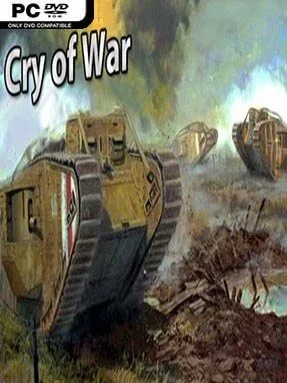
Mud, wire, and cratered no-man’s-land turn armored combat into a slow, brutal contest in Cry Of War. Set around the First World War’s Battle of the Somme, this indie tank combat game puts players inside the primitive steel machines that first tried to break the trench-war deadlock. Rather than presenting tanks as fast, unstoppable weapons, it leans into their lumbering movement, awkward sightlines, and vulnerable mechanical parts. The mood is deliberately heavy and historical, with battles built around the strange, experimental armor of the early twentieth century.
Players select a vehicle, drive across battered fields and trench systems, acquire targets, and attempt to destroy enemy armor before a well-placed shot disables their own machine. Combat uses a component-based damage model reminiscent of War Thunder: shells can damage crew positions, engines, tracks, guns, and other internal modules instead of simply draining a universal health bar. That makes ammunition choice, armor angles, range, and shot placement matter, especially when facing enemies that can still fight after losing mobility. Several vehicles use more than one turret, and players switch between weapon stations with function keys, adding extra management to already demanding tank duels. The included Panzer War DLC expands the overall package for players looking for more armored warfare content alongside the core World War I focus.
What makes Cry Of War unusual is its commitment to tanks that most military games treat as curiosities. Mark-series machines, the German A7V, France’s towering Char 2C, and even the unbuilt A7V-U blueprint tank give the roster a distinctive museum-piece appeal without reducing them to static historical exhibits. Their ungainly shapes and differing gun layouts create a very different rhythm from the sleek medium tanks common in World War II shooters. Players who enjoy the technical damage modeling of War Thunder but want a smaller-scale, more specialized single-theme experience should find plenty to appreciate here, while newcomers should expect a learning curve shaped by slow vehicles and deliberate gunnery.
Installation
- Click the green button below to be redirected to UploadHaven.
- Wait 15 seconds, then hit “Free Download.” (Free downloads may be slower — upgrade to UploadHaven Pro for faster speeds.)
- Once downloaded, right-click the .zip file and choose “Extract to Cry Of War.” (You’ll need 7-Zip for this.)
- Open the extracted folder and run the game as administrator.
- Enjoy! 🎮 If you see missing DLL errors, check the <strong>_Redist</strong> folder inside and install what’s needed.
System Requirements
- Requires a 64-bit processor and operating system
- OS: Windows 7 64Bit
- Processor: SSE2 instruction set support.
- Memory: 2 GB RAM
- Graphics: DX9 (shader model 3.0) or DX11 with feature level 9.3 capabilities
- DirectX: Version 9.0
- Storage: 2 GB available space
Setup Guide & Troubleshooting
How do I fix missing DLL errors for Cry Of War (Incl. Panzer War DLC)?
After extracting Cry Of War (Incl. Panzer War DLC), navigate to the _Redist or _CommonRedist folder inside the game directory and install DirectX, Vcredist, and any other dependencies included.
What should I do if the downloaded file is corrupted?
The full archive is 946.48 MB — make sure your download completed fully before extracting. Use 7-Zip to extract the files. If you still see a "file corrupted" error, re-download and try again.
Why should I run the game as administrator?
Right-click the game executable and select "Run as Administrator" to avoid save file issues and permission errors. This is especially important on the first launch.
How do I update my GPU drivers for this game?
Cry Of War (Incl. Panzer War DLC) requires a DX9 (shader model 3.0) or DX11 with feature level 9.3 capabilities or equivalent. Update your NVIDIA or AMD drivers to the latest version for the best performance.
The game won't launch — what should I try?
This game requires Version 9.0. Try running in compatibility mode, install the latest DirectX runtime, or install the All-in-One VC Redist Package.
My antivirus is blocking the game — is it safe?
Antivirus false positives are common with pre-installed games. Temporarily pause your antivirus during extraction to prevent it from quarantining game files. You can re-enable it after the extraction completes.