
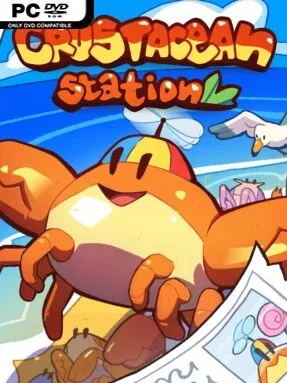
Game Overview
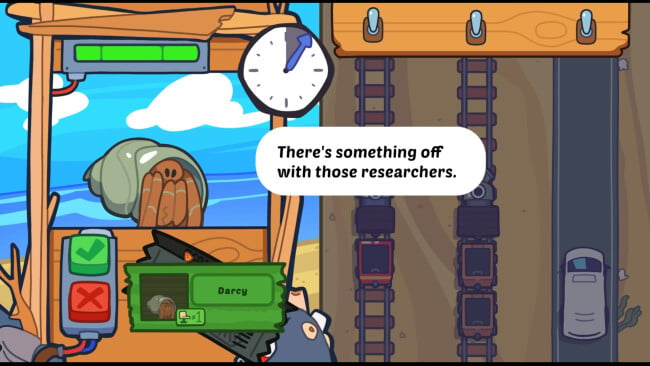
Behind the counter of a busy rail hub, every shift turns ordinary ticket checking into a surprisingly tense exercise in observation, judgment, and aquatic workplace survival. Crustacean Station! casts you as a kiosk operator working for a corporation that values efficiency, safety, and spotless performance reports above all else. Its cheerful crustacean-and-creature presentation masks a premise with real pressure: a single forged document, mismatched identity photo, or dangerous seating choice can put passengers at risk and threaten your job. The tone sits somewhere between workplace satire and a colorful puzzle game, with a growing sense that the station’s friendly routines are more complicated than they first appear.
Most of each day revolves around inspecting travelers before they board. You compare tickets against photo identification, catch expired or suspicious paperwork, and decide who is cleared to travel and who needs to be turned away. Approved passengers then need seats on trains or shuttles that match their travel documents, adding a spatial-management layer to the paperwork. Placement matters because not every creature makes a safe neighbor; hungry predators and potential prey create problems that cannot be solved by simply filling empty seats. Fast, accurate decisions protect your performance rating, while mistakes build toward the possibility of losing your position.
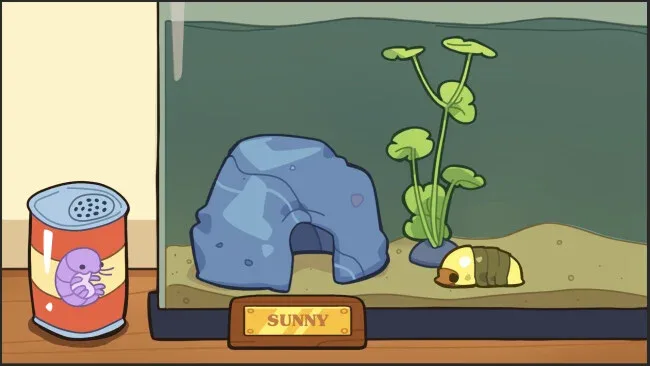
The strongest idea is how it combines the document scrutiny of Papers, Please with seating puzzles built around a playful ecosystem of animal characters. Rather than treating travelers as anonymous obstacles, the game gradually gives them personality through feedback, journal material, and newspaper snippets, encouraging players to notice the stories around the station. Its colorful art and absurd crustacean corporate setting keep the experience approachable even when the rules become demanding. Crustacean Station! suits players who enjoy short, score-driven puzzle shifts, deduction games, and management challenges where careful reading matters as much as quick thinking.
Screenshots
Installation
- Click the green button below to be redirected to UploadHaven.
- Wait 15 seconds, then hit “Free Download.” (Free downloads may be slower — upgrade to UploadHaven Pro for faster speeds.)
- Once downloaded, right-click the .zip file and choose “Extract to Crustacean Station!.” (You’ll need 7-Zip for this.)
- Open the extracted folder and run the game as administrator.
- Enjoy! 🎮 If you see missing DLL errors, check the <strong>_Redist</strong> folder inside and install what’s needed.
System Requirements
- Requires a 64-bit processor and operating system
- OS: Windows 10 (64-bit)
- Processor: Intel Core i3-2100 / AMD FX-4300
- Memory: 3 GB RAM
- Graphics: Intel HD Graphics 4000 or equivalent
- DirectX: Version 11
- Storage: 5 GB available space
- Sound Card: Any
Setup Guide & Troubleshooting
How do I fix missing DLL errors for Crustacean Station!?
After extracting Crustacean Station!, navigate to the _Redist or _CommonRedist folder inside the game directory and install DirectX, Vcredist, and any other dependencies included.
What should I do if the downloaded file is corrupted?
The full archive is 218.38 MB — make sure your download completed fully before extracting. Use 7-Zip to extract the files. If you still see a "file corrupted" error, re-download and try again.
Why should I run the game as administrator?
Right-click the game executable and select "Run as Administrator" to avoid save file issues and permission errors. This is especially important on the first launch.
How do I update my GPU drivers for this game?
Crustacean Station! requires a Intel HD Graphics 4000 or equivalent or equivalent. Update your NVIDIA or AMD drivers to the latest version for the best performance.
The game won't launch — what should I try?
This game requires Version 11. Try running in compatibility mode, install the latest DirectX runtime, or install the All-in-One VC Redist Package.
My antivirus is blocking the game — is it safe?
Antivirus false positives are common with pre-installed games. Temporarily pause your antivirus during extraction to prevent it from quarantining game files. You can re-enable it after the extraction completes.