
Game Overview
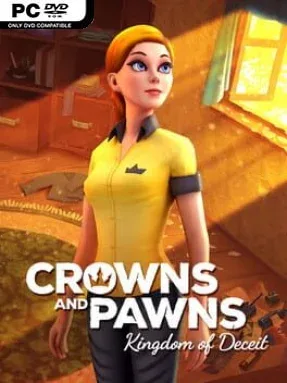
A disputed Lithuanian inheritance pulls Chicago native Milda into a conspiracy where medieval legends collide with present-day danger. Crowns And Pawns: Kingdom Of Deceit is a traditional point-and-click mystery with the globe-trotting intrigue of Broken Sword, trading monsters and combat for coded documents, suspicious strangers, and buried national history. Its tone balances cozy adventure-game charm with a steadily darker investigation involving Soviet-era secrets and the tale of a ruler denied his crown. Real European locations and references to the Grand Duchy of Lithuania give the story a welcome identity beyond the usual generic treasure hunt.
Players guide Milda through hand-painted scenes, examine hotspots, collect useful objects, and combine inventory items to overcome environmental puzzles. Conversations matter as well, with dialogue choices and careful questioning helping uncover leads while the world responds to how Milda handles certain situations. Progress depends on observation and lateral thinking rather than reflexes, although some solutions ask players to connect clues across several locations in classic genre fashion. An unusual wardrobe mechanic lets Milda change outfits, sometimes simply for style but also to influence particular puzzle solutions, while fully voiced dialogue keeps the investigation moving.
The strongest feature is its willingness to build an adventure around overlooked Baltic history and mythology rather than using Europe as anonymous scenery. Detailed 2D art receives subtle modern visual flourishes, and Daniel Pharos’s score adds atmosphere without drowning out the characters or clues. Crowns And Pawns favors narrative, exploration, and puzzle logic over high stakes action, so players expecting a fast thriller may find its measured pace familiar rather than revolutionary. Fans of Syberia, Monkey Island, and especially Broken Sword should feel at home, while newcomers get an approachable, story-led introduction to the point-and-click format.
Installation
- Click the green button below to be redirected to UploadHaven.
- Wait 15 seconds, then hit “Free Download.” (Free downloads may be slower — upgrade to UploadHaven Pro for faster speeds.)
- Once downloaded, right-click the .zip file and choose “Extract to Crowns And Pawns: Kingdom Of Deceit.” (You’ll need 7-Zip for this.)
- Open the extracted folder and run the game as administrator.
- Enjoy! 🎮 If you see missing DLL errors, check the <strong>_Redist</strong> folder inside and install what’s needed.
System Requirements
- Requires a 64-bit processor and operating system
- OS: Windows 7 or later
- Processor: at least 1.6 GHz
- Memory: 4 GB RAM
- Graphics: with DX10 (shader model 4.0) capabilities
- Storage: 4 GB available space
Setup Guide & Troubleshooting
How do I fix missing DLL errors for Crowns And Pawns: Kingdom Of Deceit?
After extracting Crowns And Pawns: Kingdom Of Deceit, navigate to the _Redist or _CommonRedist folder inside the game directory and install DirectX, Vcredist, and any other dependencies included.
What should I do if the downloaded file is corrupted?
The full archive is 707.07 MB — make sure your download completed fully before extracting. Use 7-Zip to extract the files. If you still see a "file corrupted" error, re-download and try again.
Why should I run the game as administrator?
Right-click the game executable and select "Run as Administrator" to avoid save file issues and permission errors. This is especially important on the first launch.
How do I update my GPU drivers for this game?
Crowns And Pawns: Kingdom Of Deceit requires a with DX10 (shader model 4.0) capabilities or equivalent. Update your NVIDIA or AMD drivers to the latest version for the best performance.
The game won't launch — what should I try?
Try running in compatibility mode, install the latest DirectX runtime, or install the All-in-One VC Redist Package.
My antivirus is blocking the game — is it safe?
Antivirus false positives are common with pre-installed games. Temporarily pause your antivirus during extraction to prevent it from quarantining game files. You can re-enable it after the extraction completes.