
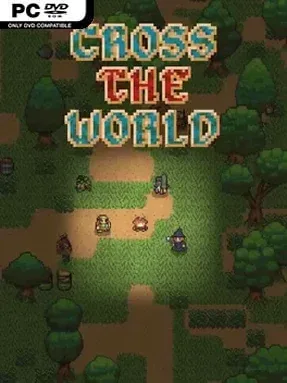
Game Overview
A fantasy continent keeps moving even when you are nowhere near it, giving Cross The World an unusually convincing sense of place for an indie survival RPG. Weather rolls across the map, daylight fades, animals roam, crops ripen, and unattended fruit eventually spoils rather than waiting patiently for a player to return. Its tone sits between a classic party-based role-playing adventure and a harsher sandbox survival game, where a pleasant expedition can become a fight against cold, darkness, hunger, or a poorly timed encounter. The hand-built world is enormous, stretching across surface regions and layered underground spaces without relying on endlessly shuffled procedural terrain.
Adventuring means assembling a party, choosing from three races and 28 classes, then gathering materials, making equipment, cooking meals, gaining combat experience, and developing active and passive abilities. Characters use class-specific gear and upgrades, while enchantments and resource management add weight to long-term progression. Up to eight players can share a multiplayer world, with parties holding four characters at once; the ability to switch instantly between characters across great distances makes managing a wider operation far less tedious than it sounds. Classic mode raises the stakes with permanent death and unexplored-map restrictions, while Casual mode offers a gentler route for players more interested in building, exploration, and experimentation.
What separates Cross The World from many open-world RPGs is its commitment to simulation: distant places do not simply freeze when you leave, so seasons, ecosystems, and conditions continue changing without you. That persistence makes planning matter, whether you are harvesting before winter, preparing for a storm, or returning to a settlement after a long underground expedition. An included map editor and formal mod support also give creative players room to build scenarios and reshape the experience in solo or shared sessions. Fans of Terraria, Project Zomboid, and old-school party RPGs should find plenty to like, especially if they value systemic worlds over tightly scripted quests.
Installation
- Click the green button below to be redirected to UploadHaven.
- Wait 15 seconds, then hit “Free Download.” (Free downloads may be slower — upgrade to UploadHaven Pro for faster speeds.)
- Once downloaded, right-click the .zip file and choose “Extract to Cross The World.” (You’ll need 7-Zip for this.)
- Open the extracted folder and run the game as administrator.
- Enjoy! 🎮 If you see missing DLL errors, check the <strong>_Redist</strong> folder inside and install what’s needed.
System Requirements
- Requires a 64-bit processor and operating system
- OS: Windows 10
- Processor: Intel Core i5-2400/AMD FX-8320
- Memory: 8 GB RAM
- Graphics: 1920 x 1080 FHD required to draw pixel arts at native scale
- DirectX: Version 10
- Storage: 1 GB available space
Setup Guide & Troubleshooting
How do I fix missing DLL errors for Cross The World (v0.7.1)?
After extracting Cross The World (v0.7.1), navigate to the _Redist or _CommonRedist folder inside the game directory and install DirectX, Vcredist, and any other dependencies included.
What should I do if the downloaded file is corrupted?
The full archive is 183.25 MB — make sure your download completed fully before extracting. Use 7-Zip to extract the files. If you still see a "file corrupted" error, re-download and try again.
Why should I run the game as administrator?
Right-click the game executable and select "Run as Administrator" to avoid save file issues and permission errors. This is especially important on the first launch.
How do I update my GPU drivers for this game?
Cross The World (v0.7.1) requires a 1920 x 1080 FHD required to draw pixel arts at native scale or equivalent. Update your NVIDIA or AMD drivers to the latest version for the best performance.
The game won't launch — what should I try?
This game requires Version 10. Try running in compatibility mode, install the latest DirectX runtime, or install the All-in-One VC Redist Package.
My antivirus is blocking the game — is it safe?
Antivirus false positives are common with pre-installed games. Temporarily pause your antivirus during extraction to prevent it from quarantining game files. You can re-enable it after the extraction completes.