
Game Overview
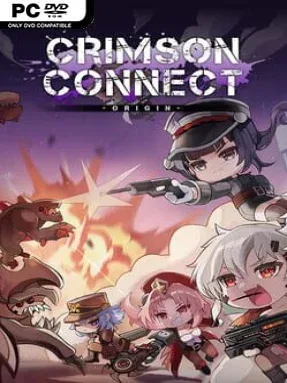
A ruined Earth teeters on the edge of collapse as Larva, a volatile purple ore born from a catastrophic disaster, spreads chaos across what remains of civilization. Crimson Connect Origin casts you as a Collector, a mercenary working for the cybernetics organization tasked with controlling the resource and containing the monsters drawn to it. The tone is bleak but energetic: desperate garrisons stand against escalating mutant assaults, while small squads fight to hold ground in a world where organized society is failing. Its indie strategy focus lies in turning limited defenses and a few powerful specialists into a force capable of surviving overwhelming pressure.
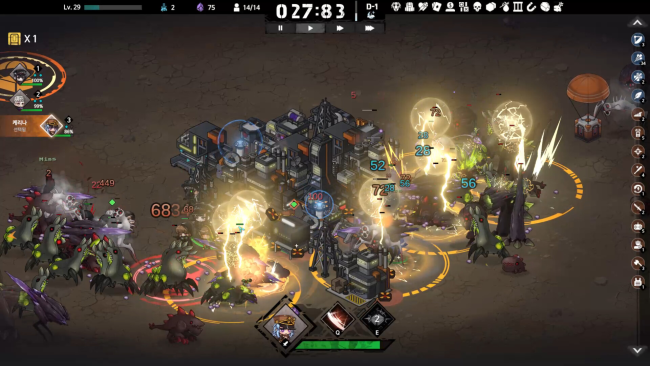
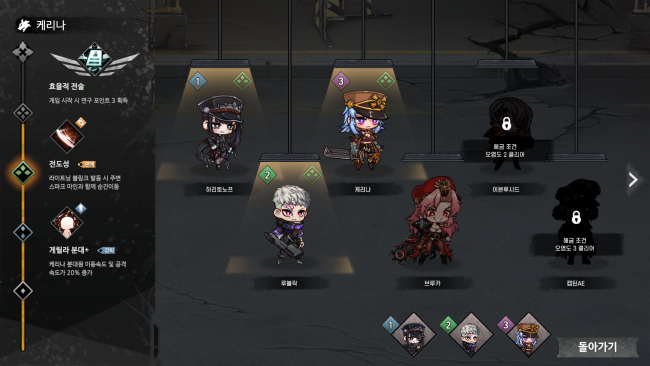
Combat revolves around three heroes who lead their own soldiers against waves of hostile creatures attacking the garrison. Fast, precise micromanagement can make a hero feel like a battlefield carry, but deliberate positioning, defensive construction, and structure effects offer a steadier route to victory. Each hero has a broad pool of 50 skills, encouraging players to pursue particular upgrade chains rather than simply choosing obvious stat boosts. Complete the right combinations and a relatively ordinary commander can become a devastating specialist, while repeated runs and battles gradually make the overall fight more manageable.
Base growth matters as much as direct combat, since Larva-related resources, military options, towers, items, and other structures determine how long the garrison can endure. Construction choices appear intentionally permanent and limited, so every purchase carries weight instead of becoming disposable filler during a match. That design gives the game a more committed, build-focused feel than a standard wave-defense title, rewarding players who experiment until they find a reliable synergy between heroes, troops, and fortifications. Players who enjoy the hero management of Warcraft III, the defensive planning of tower-defense games, and the build experimentation of roguelite strategy games should find plenty to work with, especially if they prefer systems that reward practice over instant mastery.
Installation
- Click the green button below to be redirected to UploadHaven.
- Wait 15 seconds, then hit “Free Download.” (Free downloads may be slower — upgrade to UploadHaven Pro for faster speeds.)
- Once downloaded, right-click the .zip file and choose “Extract to Crimson Connect Origin.” (You’ll need 7-Zip for this.)
- Open the extracted folder and run the game as administrator.
- Enjoy! 🎮 If you see missing DLL errors, check the <strong>_Redist</strong> folder inside and install what’s needed.
System Requirements
- Requires a 64-bit processor and operating system
- OS: windows 10 +
- Processor: 2.5Ghz or better
- Memory: 4 GB RAM
- Graphics: GTX 900 +
- DirectX: Version 8.1
- Storage: 2 GB available space
Setup Guide & Troubleshooting
How do I fix missing DLL errors for Crimson Connect Origin (v0.1.2a)?
After extracting Crimson Connect Origin (v0.1.2a), navigate to the _Redist or _CommonRedist folder inside the game directory and install DirectX, Vcredist, and any other dependencies included.
What should I do if the downloaded file is corrupted?
The full archive is 508.64 MB — make sure your download completed fully before extracting. Use 7-Zip to extract the files. If you still see a "file corrupted" error, re-download and try again.
Why should I run the game as administrator?
Right-click the game executable and select "Run as Administrator" to avoid save file issues and permission errors. This is especially important on the first launch.
How do I update my GPU drivers for this game?
Crimson Connect Origin (v0.1.2a) requires a GTX 900 + or equivalent. Update your NVIDIA or AMD drivers to the latest version for the best performance.
The game won't launch — what should I try?
This game requires Version 8.1. Try running in compatibility mode, install the latest DirectX runtime, or install the All-in-One VC Redist Package.
My antivirus is blocking the game — is it safe?
Antivirus false positives are common with pre-installed games. Temporarily pause your antivirus during extraction to prevent it from quarantining game files. You can re-enable it after the extraction completes.