
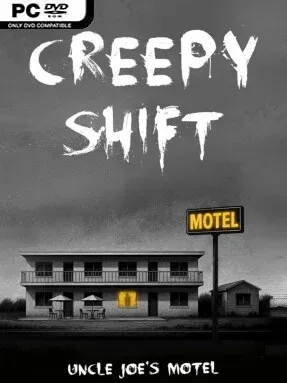
Game Overview
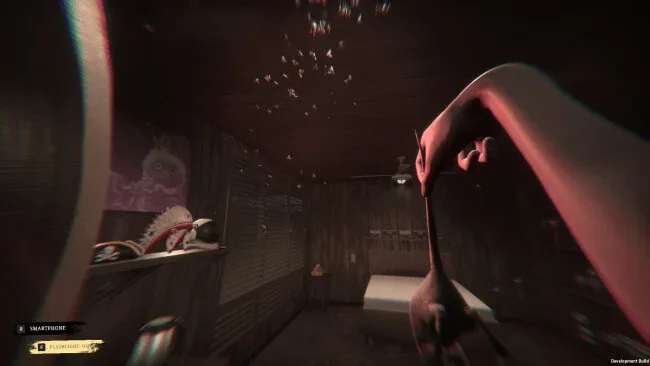
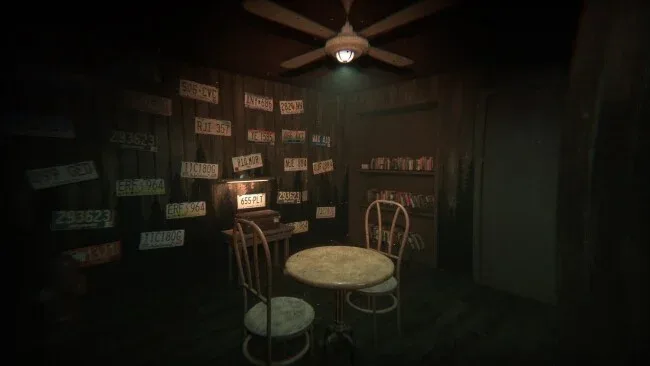
A tired motel on the wrong side of town becomes the setting for a first-person horror story built around the most ordinary job imaginable. Creepy Shift: Uncle Joe’s Motel puts you in the shoes of a worker whose nightly routine involves changing sheets, hauling rubbish, vacuuming rooms, and dealing with the strange leftovers guests abandon behind. What begins as low-paid hospitality work gradually takes on a noir edge, as discarded objects and unsettling details hint at lives, crimes, and dangers best left unknown. The mood is deliberately grimy and uneasy rather than action-heavy, turning each room into a potential clue—or a potential mistake.
Most of the play revolves around completing room-service tasks while keeping an eye on your money, supplies, and immediate safety. You move through the motel in first person, inspect objects, clean and maintain rooms, and piece together environmental clues that push the narrative forward. Puzzle solving grows naturally from the work itself: something out of place may need investigation, while a locked-off problem may require you to search, observe, and improvise rather than simply follow a marker. Survival elements add pressure to what might otherwise be a relaxing simulator, so efficiency matters when the motel’s more disturbing secrets begin to surface.
Its strongest idea is the collision between repetitive service work and noir-flavored mystery. Rather than sending you into a mansion full of obvious monsters, it finds tension in stained carpets, anonymous belongings, closed doors, and the uncomfortable sense that guests are watching more than they should. The setting has the grounded, working-class dread of indie games such as The Closing Shift, while its investigative bent makes it appealing to players who enjoy slower psychological horror and environmental storytelling. Anyone looking for constant combat may find the pace restrained, but players who like creepy routine, modest resource management, and stories assembled from clues should find plenty to investigate.
Screenshots
Installation
- Click the green button below to be redirected to UploadHaven.
- Wait 15 seconds, then hit “Free Download.” (Free downloads may be slower — upgrade to UploadHaven Pro for faster speeds.)
- Once downloaded, right-click the .zip file and choose “Extract to Creepy Shift: Uncle Joe’s Motel.” (You’ll need 7-Zip for this.)
- Open the extracted folder and run the game as administrator.
- Enjoy! 🎮 If you see missing DLL errors, check the <strong>_Redist</strong> folder inside and install what’s needed.
System Requirements
- OS: Windows 10
- Processor: i5-4590 equivalent or greater
- Memory: 8 GB RAM
- Graphics: GTX 970
- Storage: 8 GB available space
Setup Guide & Troubleshooting
How do I fix missing DLL errors for Creepy Shift: Uncle Joe’s Motel (v1.3.10)?
After extracting Creepy Shift: Uncle Joe’s Motel (v1.3.10), navigate to the _Redist or _CommonRedist folder inside the game directory and install DirectX, Vcredist, and any other dependencies included.
What should I do if the downloaded file is corrupted?
The full archive is 4.09 GB — make sure your download completed fully before extracting. Use 7-Zip to extract the files. If you still see a "file corrupted" error, re-download and try again.
Why should I run the game as administrator?
Right-click the game executable and select "Run as Administrator" to avoid save file issues and permission errors. This is especially important on the first launch.
How do I update my GPU drivers for this game?
Creepy Shift: Uncle Joe’s Motel (v1.3.10) requires a GTX 970 or equivalent. Update your NVIDIA or AMD drivers to the latest version for the best performance.
The game won't launch — what should I try?
Try running in compatibility mode, install the latest DirectX runtime, or install the All-in-One VC Redist Package.
My antivirus is blocking the game — is it safe?
Antivirus false positives are common with pre-installed games. Temporarily pause your antivirus during extraction to prevent it from quarantining game files. You can re-enable it after the extraction completes.