
Game Overview
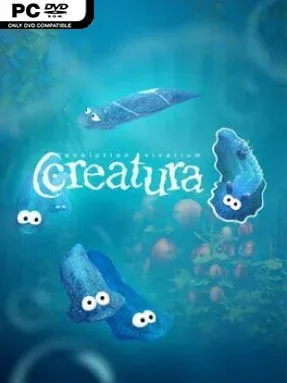
Life unfolds at a deliberately patient pace in Creatura, an indie vivarium simulator that treats every glass enclosure as both laboratory and miniature wilderness. You begin with humble aquatic organisms and algae, then guide populations across evolutionary eras until lush gardens support increasingly complex animal life. Its tone is calm, curious, and occasionally demanding rather than dramatic, asking you to understand ecological relationships instead of simply placing decorations. The result feels like a digital terrarium crossed with a genetics lesson and a careful management sandbox.
Each enclosure requires hands-on balancing of water, soil, temperature, plants, animals, and available resources, since an attractive habitat can still collapse if its inhabitants cannot coexist. Players breed specimens, encourage natural or artificial selection, and gradually shape traits through a detailed DNA editor built around recognizable genetics concepts. Researching flora and fauna opens more advanced editing options, while selling plant cuttings and trading unusual organisms funds new supplies and cosmetic additions. Structured educational scenarios provide goals and tutorials, but the open sandbox is where the main appeal lies: constructing a self-sustaining ecosystem, then observing the unexpected results over many in-game generations.
Creatura stands out because it makes evolution its central progression system rather than a superficial breeding minigame. The science-focused approach draws on Darwinian selection and Mendelian inheritance, while genetic engineering tools introduce the principles behind modern GMO and CRISPR-style techniques without turning the experience into a dry textbook. Its bonsai-like scale gives it a soothing, watchful quality, although players looking for fast action or constant rewards may find its slower pace frustrating. Fans of Spore’s creature experimentation, aquarium sims, and relaxed builder games should find plenty to enjoy, while newcomers benefit from the guided scenarios before tackling more ambitious custom biomes.
Installation
- Click the green button below to be redirected to UploadHaven.
- Wait 15 seconds, then hit “Free Download.” (Free downloads may be slower — upgrade to UploadHaven Pro for faster speeds.)
- Once downloaded, right-click the .zip file and choose “Extract to Creatura.” (You’ll need 7-Zip for this.)
- Open the extracted folder and run the game as administrator.
- Enjoy! 🎮 If you see missing DLL errors, check the <strong>_Redist</strong> folder inside and install what’s needed.
System Requirements
- Requires a 64-bit processor and operating system
- OS: 7/10
- Processor: Intel Core, AMD Phenom
- Memory: 4 GB RAM
- Graphics: DirectX 10 / OpenGL 4.3 compatible
- DirectX: Version 10
- Storage: 500 MB available space
Setup Guide & Troubleshooting
How do I fix missing DLL errors for Creatura (v1.1.4)?
After extracting Creatura (v1.1.4), navigate to the _Redist or _CommonRedist folder inside the game directory and install DirectX, Vcredist, and any other dependencies included.
What should I do if the downloaded file is corrupted?
The full archive is 653.50 MB — make sure your download completed fully before extracting. Use 7-Zip to extract the files. If you still see a "file corrupted" error, re-download and try again.
Why should I run the game as administrator?
Right-click the game executable and select "Run as Administrator" to avoid save file issues and permission errors. This is especially important on the first launch.
How do I update my GPU drivers for this game?
Creatura (v1.1.4) requires a DirectX 10 / OpenGL 4.3 compatible or equivalent. Update your NVIDIA or AMD drivers to the latest version for the best performance.
The game won't launch — what should I try?
This game requires Version 10. Try running in compatibility mode, install the latest DirectX runtime, or install the All-in-One VC Redist Package.
My antivirus is blocking the game — is it safe?
Antivirus false positives are common with pre-installed games. Temporarily pause your antivirus during extraction to prevent it from quarantining game files. You can re-enable it after the extraction completes.