
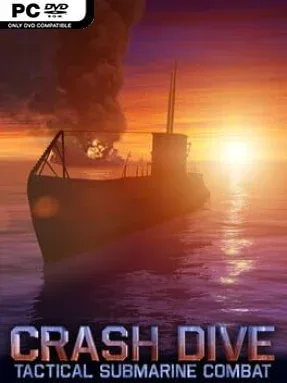
Game Overview
The Atlantic becomes a tense hunting ground where every contact on the horizon can mean a rich convoy, a screen of lethal escorts, or a long descent beneath the waves. Crash Dive puts you in command of a German U-boat during World War II, balancing the deliberate planning of a submarine sim with the immediacy of arcade naval combat. It captures the appeal of stalking merchant ships through periscope lenses, lining up a firing solution, and listening for the first signs that destroyers have noticed you. The mood is less about grand strategy and more about the pressure of surviving one dangerous engagement after another.
Patrols revolve around locating enemy formations, judging range and bearing, then choosing whether to attack silently with torpedoes or surface for an aggressive deck-gun strike. Daylight, darkness, visibility, and enemy positioning all influence the right approach: a nighttime surface assault can be fast and profitable, while a submerged attack gives escorts less chance to react. Once depth charges start falling, evasion becomes a fight of nerve and resource management, using decoys, careful movement, and depth to slip away. Damage matters beyond a simple health bar, as hits to specific systems can impair the boat’s ability to fight, maneuver, or remain hidden, while repairs keep a battered patrol alive. Quick encounters suit short sessions, whereas War Patrols ask you to build a record by pursuing larger and more valuable targets.
Crash Dive stands out through its accessible command model; it delivers torpedo tactics and cat-and-mouse stealth without demanding the exhaustive procedures of hardcore simulators such as Silent Hunter. Randomly generated encounters prevent convoy attacks from becoming predictable, and four difficulty levels let players decide how punishing the sea should be. Tutorials ease newcomers into periscope attacks, depth control, and escort evasion, while leaderboards give experienced captains a reason to chase cleaner, higher-scoring runs. Anyone who enjoys the naval tension of World of Warships but wants a slower, more solitary tactical challenge finds plenty to like here, especially if they prefer smart positioning over frantic reflexes.
Installation
- Click the green button below to be redirected to UploadHaven.
- Wait 15 seconds, then hit “Free Download.” (Free downloads may be slower — upgrade to UploadHaven Pro for faster speeds.)
- Once downloaded, right-click the .zip file and choose “Extract to Crash Dive.” (You’ll need 7-Zip for this.)
- Open the extracted folder and run the game as administrator.
- Enjoy! 🎮 If you see missing DLL errors, check the <strong>_Redist</strong> folder inside and install what’s needed.
System Requirements
- OS: XP
- Processor: Intel Atom
- Memory: 1 GB RAM
- DirectX: Version 9.0c
- Storage: 220 MB available space
Setup Guide & Troubleshooting
How do I fix missing DLL errors for Crash Dive (v1.7.42)?
After extracting Crash Dive (v1.7.42), navigate to the _Redist or _CommonRedist folder inside the game directory and install DirectX, Vcredist, and any other dependencies included.
What should I do if the downloaded file is corrupted?
The full archive is 146.99 MB — make sure your download completed fully before extracting. Use 7-Zip to extract the files. If you still see a "file corrupted" error, re-download and try again.
Why should I run the game as administrator?
Right-click the game executable and select "Run as Administrator" to avoid save file issues and permission errors. This is especially important on the first launch.
How do I update my GPU drivers for this game?
Update your NVIDIA or AMD drivers to the latest version for the best performance and compatibility.
The game won't launch — what should I try?
This game requires Version 9.0c. Try running in compatibility mode, install the latest DirectX runtime, or install the All-in-One VC Redist Package.
My antivirus is blocking the game — is it safe?
Antivirus false positives are common with pre-installed games. Temporarily pause your antivirus during extraction to prevent it from quarantining game files. You can re-enable it after the extraction completes.