
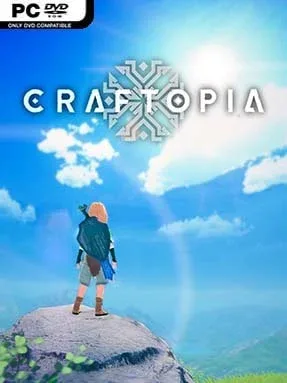
Craftopia Cover Art

Craftopia

INDIE 12.18 GB

Game Overview

A colourful, chaotic island sandbox blends survival crafting with action-RPG dungeon runs and a surprising amount of factory tinkering. Craftopia drops players into a broad fantasy world where chopping a tree for a shelter can quickly lead to hunting a boss, casting spells, or wiring up an automated mining line. Its tone is lighter and more playful than most survival games, even when hunger, hostile creatures, and dangerous ruins put pressure on your plans. The appeal comes from how freely it lets you jump between familiar systems rather than committing to only one genre.

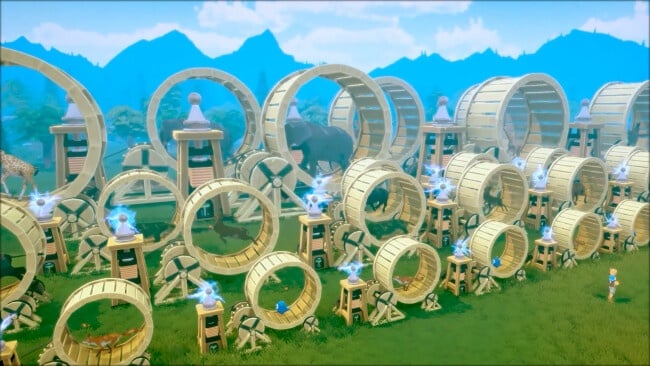
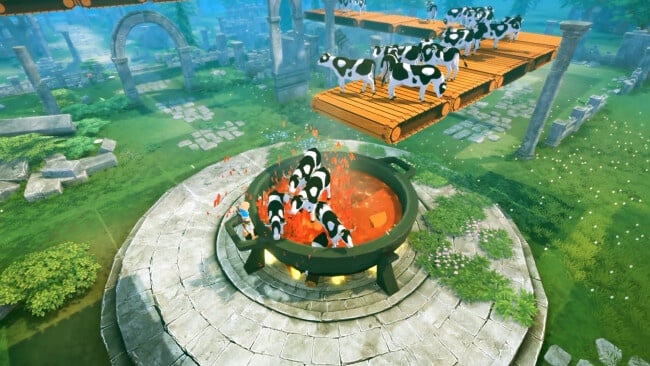
Early hours revolve around gathering wood, stone, food, and ore, then using those materials to craft tools, weapons, workstations, buildings, and better equipment. Combat plays like a fast, approachable action RPG, with melee weapons, bows, magic, dodges, enemy drops, and dungeons that reward stronger builds. As your technology unlocks expand, basic hand-gathering gives way to farms, conveyors, generators, machines, and production chains that keep resources flowing while you pursue larger goals. Online multiplayer lets a group divide responsibilities between exploration, construction, hunting, and automation, although the sandbox format also works well for players who prefer to build and progress alone.

What makes Craftopia memorable is its cheerful willingness to throw systems from Minecraft, ARK, Diablo, farming sims, and automation games into one eccentric package. You can capture animals, raise crops, glide across the landscape, tackle bosses, raid dungeons, and turn a simple base into a resource-processing operation without leaving the same world. That abundance can feel rough-edged and unfocused compared with more polished specialists, but it also creates plenty of room for experimentation and replayable self-made objectives. Players who enjoy Valheim’s survival loop, Minecraft’s freedom, or Satisfactory-style production will find a lot to play with, while newcomers should arrive ready to learn several interconnected systems at once.

Installation

  1. Click the green button below to be redirected to UploadHaven.
  2. Wait 15 seconds, then hit “Free Download.” (Free downloads may be slower — upgrade to UploadHaven Pro for faster speeds.)
  3. Once downloaded, right-click the .zip file and choose “Extract to Craftopia.” (You’ll need 7-Zip for this.)
  4. Open the extracted folder and run the game as administrator.
  5. Enjoy! 🎮 If you see missing DLL errors, check the <strong>_Redist</strong> folder inside and install what’s needed.

System Requirements

  • Requires a 64-bit processor and operating system
  • OS: Windows 7 SP1 or later
  • Processor: 2.0 GHz Dual Core or similar
  • Memory: 8 GB RAM
  • Graphics: VRAM 2GB
  • DirectX: Version 11
  • Storage: 10 GB available space

Setup Guide & Troubleshooting

How do I fix missing DLL errors for Craftopia (v20260107)?

After extracting Craftopia (v20260107), navigate to the _Redist or _CommonRedist folder inside the game directory and install DirectX, Vcredist, and any other dependencies included.

What should I do if the downloaded file is corrupted?

The full archive is 12.18 GB — make sure your download completed fully before extracting. Use 7-Zip to extract the files. If you still see a "file corrupted" error, re-download and try again.

Why should I run the game as administrator?

Right-click the game executable and select "Run as Administrator" to avoid save file issues and permission errors. This is especially important on the first launch.

How do I update my GPU drivers for this game?

Craftopia (v20260107) requires a  VRAM 2GB or equivalent. Update your NVIDIA or AMD drivers to the latest version for the best performance.

The game won't launch — what should I try?

This game requires  Version 11. Try running in compatibility mode, install the latest DirectX runtime, or install the All-in-One VC Redist Package.

My antivirus is blocking the game — is it safe?

Antivirus false positives are common with pre-installed games. Temporarily pause your antivirus during extraction to prevent it from quarantining game files. You can re-enable it after the extraction completes.

Need more help? Browse our FAQ & Troubleshooting Guide for solutions to common issues.
Looking for something else? Explore all games on Steam Unlocked