
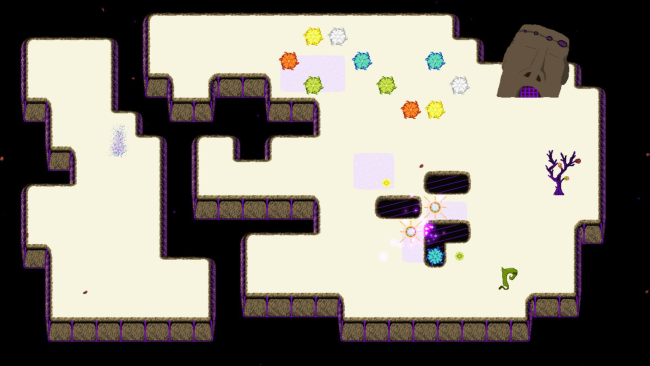
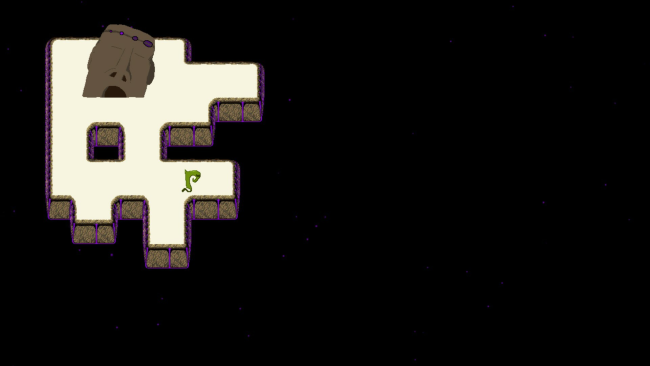
COSMIC HOLES Cover Art

COSMIC HOLES

INDIE 262.21 MB v2023.03.17

Game Overview

A quiet stretch of outer space becomes a surprisingly demanding logic lab where colored elemental orbs obey ancient Chinese cosmological relationships. COSMIC HOLES trades twitch reflexes for observation, timing, and deduction, asking players to understand how Water, Wood, Fire, Earth, and Metal affect one another before a puzzle locks into place. Its presentation is calm and cosmic, yet the solutions can feel wonderfully volatile as opposing forces accelerate, weaken, or disrupt the mechanisms around them. A small green protagonist and a light narrative thread give the abstract puzzle boards a little personality without distracting from the central brainwork.

Each stage revolves around reading the elemental interactions and using them to guide rotating pieces toward the required outcome. Water strengthens Wood, for example, while also suppressing Fire, so the speed and behavior of each element change depending on what shares the board. Success comes from learning four governing rules, predicting the chain reaction they create, and arranging the available elements in the correct order. Hundreds of puzzles provide a gradual climb from introductory scenarios to multi-part problems that require careful experimentation, with the later environments actively pushing back rather than waiting passively for a solution.

What makes COSMIC HOLES stand out is its decision to build a puzzle language around the productive and destructive cycles associated with the five elements, rather than relying on familiar block-pushing or match-three rules. The result feels closer to a compact systems puzzle than a conventional casual game: every move has consequences, and apparent contradictions often hide the intended answer. Its clean, colorful space aesthetic keeps failures from feeling punishing, while the tougher boards reward players who enjoy testing theories and spotting subtle relationships. Fans of abstract logic games such as The Witness, LYNE, or Zachtronics-style challenges should appreciate its layered rules, although its gentler pace also makes it approachable for newcomers willing to consult the in-game guide.

Installation

  1. Click the green button below to be redirected to UploadHaven.
  2. Wait 15 seconds, then hit “Free Download.” (Free downloads may be slower — upgrade to UploadHaven Pro for faster speeds.)
  3. Once downloaded, right-click the .zip file and choose “Extract to COSMIC HOLES.” (You’ll need 7-Zip for this.)
  4. Open the extracted folder and run the game as administrator.
  5. Enjoy! 🎮 If you see missing DLL errors, check the <strong>_Redist</strong> folder inside and install what’s needed.

System Requirements

  • OS: Windows 8.1/10
  • Processor: 2 GHz
  • Memory: 4 GB RAM
  • DirectX: Version 9.0
  • Storage: 1 GB available space
  • Additional Notes: 1280×720 or better Display

Setup Guide & Troubleshooting

How do I fix missing DLL errors for COSMIC HOLES (v2023.03.17)?

After extracting COSMIC HOLES (v2023.03.17), navigate to the _Redist or _CommonRedist folder inside the game directory and install DirectX, Vcredist, and any other dependencies included.

What should I do if the downloaded file is corrupted?

The full archive is 262.21 MB — make sure your download completed fully before extracting. Use 7-Zip to extract the files. If you still see a "file corrupted" error, re-download and try again.

Why should I run the game as administrator?

Right-click the game executable and select "Run as Administrator" to avoid save file issues and permission errors. This is especially important on the first launch.

How do I update my GPU drivers for this game?

Update your NVIDIA or AMD drivers to the latest version for the best performance and compatibility.

The game won't launch — what should I try?

This game requires Version 9.0. Try running in compatibility mode, install the latest DirectX runtime, or install the All-in-One VC Redist Package.

My antivirus is blocking the game — is it safe?

Antivirus false positives are common with pre-installed games. Temporarily pause your antivirus during extraction to prevent it from quarantining game files. You can re-enable it after the extraction completes.

Need more help? Browse our FAQ & Troubleshooting Guide for solutions to common issues.
Looking for something else? Explore all games on Steam Unlocked