
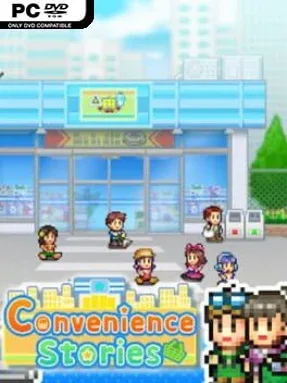
Game Overview
Convenience Stories turns the humble corner shop into a cheerful, surprisingly involved management challenge. Presented in Kairosoft’s familiar pixel-art style, it asks you to build a small neighborhood store into a nationwide retail force, one shelf of snacks and one satisfied customer at a time. The tone stays light and cozy, but there is real pressure in balancing a store that looks inviting with one that actually turns a profit. From magazines and candy to hot meals and drinks, every decision shapes the kind of shop you run.
Most of your time goes into arranging displays, choosing what to stock, and making sure shoppers can find the products they want. Customers have preferences and requests, so watching their habits helps you refine your layout and turn occasional visitors into reliable regulars. Expansion brings more responsibility: recruit employees, schedule them to keep the doors open longer, and negotiate with suppliers or partner companies for access to better merchandise. Competition also matters, as rival stores fight for territory and push you to improve your selection, service, and overall business strategy.
What stands out is how much personality it finds in ordinary retail work. Product placement is not merely cosmetic; creating useful combinations of goods and services can encourage spending and make each store layout feel like a small puzzle. The gradual climb from a modest local shop to a larger franchise gives the game a satisfying sense of progression without demanding the intense micromanagement of heavier business simulators. Fans of Game Dev Story, Mega Mall Story, or other approachable Kairosoft management games should feel immediately at home, while newcomers get a relaxed introduction to the genre.
Installation
- Click the green button below to be redirected to UploadHaven.
- Wait 15 seconds, then hit “Free Download.” (Free downloads may be slower — upgrade to UploadHaven Pro for faster speeds.)
- Once downloaded, right-click the .zip file and choose “Extract to Convenience Stories.” (You’ll need 7-Zip for this.)
- Open the extracted folder and run the game as administrator.
- Enjoy! 🎮 If you see missing DLL errors, check the <strong>_Redist</strong> folder inside and install what’s needed.
System Requirements
- Requires a 64-bit processor and operating system
- OS: Windows 10 64bit
- Processor: Intel Atom® x7-Z8750
- Memory: 1 GB RAM
- DirectX: Version 10
- Storage: 250 MB available space
Setup Guide & Troubleshooting
How do I fix missing DLL errors for Convenience Stories (v1.25)?
After extracting Convenience Stories (v1.25), navigate to the _Redist or _CommonRedist folder inside the game directory and install DirectX, Vcredist, and any other dependencies included.
What should I do if the downloaded file is corrupted?
The full archive is 86.62 MB — make sure your download completed fully before extracting. Use 7-Zip to extract the files. If you still see a "file corrupted" error, re-download and try again.
Why should I run the game as administrator?
Right-click the game executable and select "Run as Administrator" to avoid save file issues and permission errors. This is especially important on the first launch.
How do I update my GPU drivers for this game?
Update your NVIDIA or AMD drivers to the latest version for the best performance and compatibility.
The game won't launch — what should I try?
This game requires Version 10. Try running in compatibility mode, install the latest DirectX runtime, or install the All-in-One VC Redist Package.
My antivirus is blocking the game — is it safe?
Antivirus false positives are common with pre-installed games. Temporarily pause your antivirus during extraction to prevent it from quarantining game files. You can re-enable it after the extraction completes.