
Game Overview
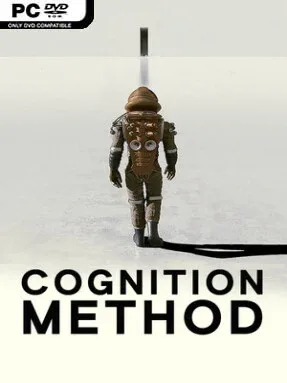
An abandoned orbital facility becomes the stage for a slow-burning science-fiction mystery built around grief, isolation, and ideas humanity may not be equipped to understand. Set in 2085 after Earth’s destruction, Cognition Method follows Martian Academy astronaut William Mortwood as he investigates a station that abruptly falls silent following the arrival of an inexplicable object. His mission carries a painful personal stake: his son is one of the missing crew members. The tone favors the unnerving stillness and philosophical dread of classic space cinema over action-heavy survival horror, creating a lonely journey where every new corridor feels slightly wrong.
Play unfolds from a first-person perspective as William searches the station, examines environmental clues, and gradually pushes deeper into the Artifact at its center. Puzzles revolve around altering gravitational orientation, reinterpreting spatial layouts, and finding routes through architecture that refuses to behave according to normal physical rules. Progress depends less on reflexes than observation and willingness to reconsider what counts as a floor, wall, exit, or even a coherent room. Audio logs, written fragments, and abandoned traces of the expedition provide narrative context while also encouraging players to assemble their own understanding of the disaster and William’s unstable memories.
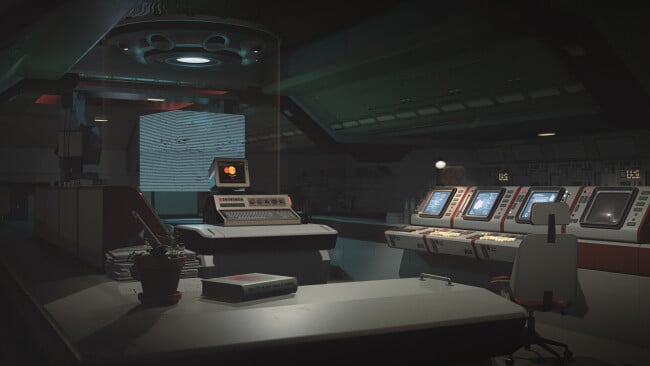
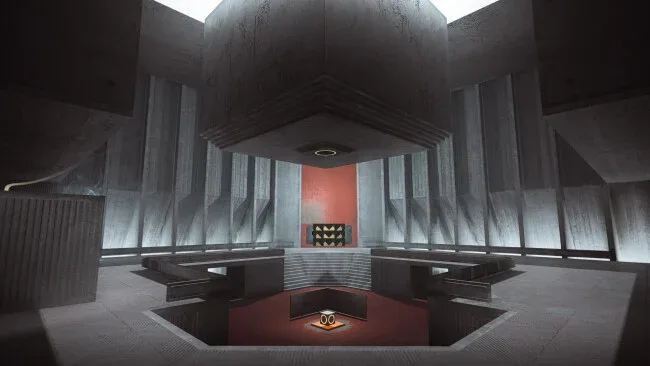
The contrast between the human-built station and the Artifact gives the adventure much of its identity: one space feels colorful, lived-in, and recognizably functional, while the other is stark, geometric, and deliberately alien. Rather than relying on monsters or combat, Cognition Method makes disorientation its primary threat, using impossible spaces to create tension and curiosity at the same time. Its approach should appeal to players who enjoy the environmental storytelling of Tacoma or Observation alongside the reality-bending puzzle design associated with Portal and Antichamber, though the mood is considerably more solemn than either. Puzzle veterans looking for abstract spatial challenges are the clearest audience, but newcomers with patience for deliberate exploration and cryptic narrative clues can also find a compelling, intimate mystery here.
Screenshots
Installation
- Click the green button below to be redirected to UploadHaven.
- Wait 15 seconds, then hit “Free Download.” (Free downloads may be slower — upgrade to UploadHaven Pro for faster speeds.)
- Once downloaded, right-click the .zip file and choose “Extract to Cognition Method.” (You’ll need 7-Zip for this.)
- Open the extracted folder and run the game as administrator.
- Enjoy! 🎮 If you see missing DLL errors, check the <strong>_Redist</strong> folder inside and install what’s needed.
System Requirements
- OS: Windows 10 64-bit
- Processor: Intel Core i5-4460 / AMD Ryzen 3 1200
- Memory: 8 GB RAM
- Graphics: nVidia GeForce 1060 GTX / AMD Radeon RX 580
- Storage: 20 GB available space
Setup Guide & Troubleshooting
How do I fix missing DLL errors for Cognition Method (v1.6)?
After extracting Cognition Method (v1.6), navigate to the _Redist or _CommonRedist folder inside the game directory and install DirectX, Vcredist, and any other dependencies included.
What should I do if the downloaded file is corrupted?
The full archive is 7.80 GB — make sure your download completed fully before extracting. Use 7-Zip to extract the files. If you still see a "file corrupted" error, re-download and try again.
Why should I run the game as administrator?
Right-click the game executable and select "Run as Administrator" to avoid save file issues and permission errors. This is especially important on the first launch.
How do I update my GPU drivers for this game?
Cognition Method (v1.6) requires a nVidia GeForce 1060 GTX / AMD Radeon RX 580 or equivalent. Update your NVIDIA or AMD drivers to the latest version for the best performance.
The game won't launch — what should I try?
Try running in compatibility mode, install the latest DirectX runtime, or install the All-in-One VC Redist Package.
My antivirus is blocking the game — is it safe?
Antivirus false positives are common with pre-installed games. Temporarily pause your antivirus during extraction to prevent it from quarantining game files. You can re-enable it after the extraction completes.