
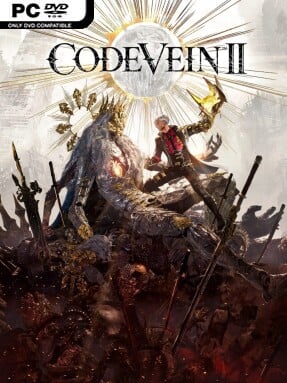
Game Overview
A ruined future hangs on a hunter’s ability to rewrite the past. CODE VEIN II returns to a world where humans live beside Revenants, but the arrival of the Luna Rapacis turns many of the blood-dependent survivors into feral Horrors and pushes civilization toward collapse. Playing as a Revenant hunter, you travel with Lou, a mysterious companion who can manipulate time, moving between devastated present-day regions and earlier eras where critical lives and events can still be changed. The mood is tragic, stylish, and dramatic, with personal bonds and lost history carrying as much weight as the monsters blocking the road.
Combat centers on close-range duels against aggressive enemies whose attacks demand attention, positioning, and well-timed responses. Draining blood from opponents fuels a flexible skill arsenal, letting you turn successful offense into stronger attacks, useful abilities, and survival options during longer encounters. A new build system allows weapons and powers to be mixed more freely, encouraging players to shape a fighter around heavy melee pressure, agile evasions, ranged options, or specialized skill combinations. Progress also depends on choosing capable partner characters, who either fight at your side or augment your abilities while contributing their own relationships and story threads.
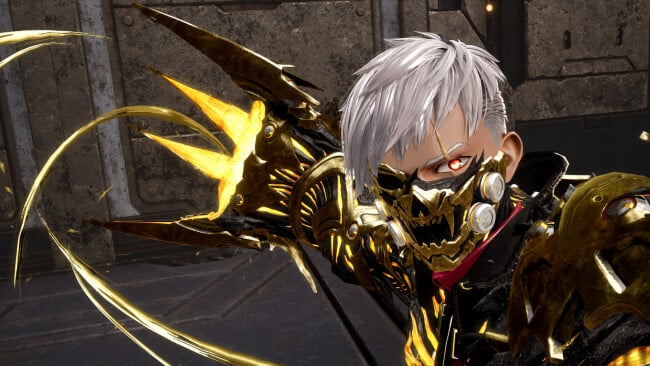
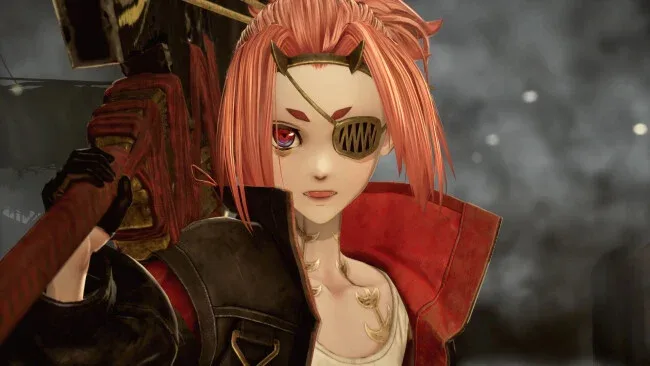
Time travel gives the adventure a stronger narrative hook than a straightforward post-apocalyptic crawl, since decisions in the past alter the fates of Revenants and reveal why the world reaches its breaking point. The series’ anime-gothic visual identity remains central: ruined landscapes, elaborate character designs, oversized weapons, and emotional melodrama make every boss encounter feel like part of a larger catastrophe. Fans of action RPGs in the Soulslike vein, especially players who enjoy companion-driven combat and extensive character builds, should find plenty to dig into. Newcomers may appreciate the ally support and customization, while veterans can focus on mastering enemy patterns and refining powerful blood-based setups.
Screenshots
Installation
- Click the green button below to be redirected to UploadHaven.
- Wait 15 seconds, then hit “Free Download.” (Free downloads may be slower — upgrade to UploadHaven Pro for faster speeds.)
- Once downloaded, right-click the .zip file and choose “Extract to CODE VEIN II.” (You’ll need 7-Zip for this.)
- Open the extracted folder and run the game as administrator.
- Enjoy! 🎮 If you see missing DLL errors, check the <strong>_Redist</strong> folder inside and install what’s needed.
System Requirements
- Requires a 64-bit processor and operating system
- OS: Windows 11
- Processor: Intel Core i5-9600K /AMD Ryzen 5 3600
- Memory: 16 GB RAM
- Graphics: Nvidia GeForce GTX 1660 Super / AMD Radeon RX 5700 / Intel Arc B570
- DirectX: Version 12
- Storage: 70 GB available space
- Additional Notes: Estimated performance: 1080p/30fps with graphics settings at “Low”.
Setup Guide & Troubleshooting
How do I fix missing DLL errors for CODE VEIN II?
After extracting CODE VEIN II, navigate to the _Redist or _CommonRedist folder inside the game directory and install DirectX, Vcredist, and any other dependencies included.
What should I do if the downloaded file is corrupted?
The full archive is 73.46 GB — make sure your download completed fully before extracting. Use 7-Zip to extract the files. If you still see a "file corrupted" error, re-download and try again.
Why should I run the game as administrator?
Right-click the game executable and select "Run as Administrator" to avoid save file issues and permission errors. This is especially important on the first launch.
How do I update my GPU drivers for this game?
CODE VEIN II requires a Nvidia GeForce GTX 1660 Super / AMD Radeon RX 5700 / Intel Arc B570 or equivalent. Update your NVIDIA or AMD drivers to the latest version for the best performance.
The game won't launch — what should I try?
This game requires Version 12. Try running in compatibility mode, install the latest DirectX runtime, or install the All-in-One VC Redist Package.
My antivirus is blocking the game — is it safe?
Antivirus false positives are common with pre-installed games. Temporarily pause your antivirus during extraction to prevent it from quarantining game files. You can re-enable it after the extraction completes.