
Game Overview
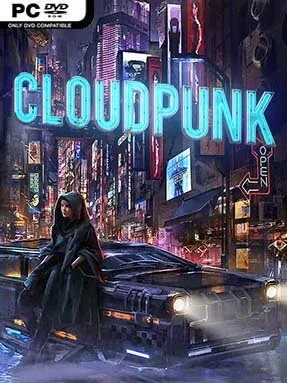
A rain-soaked voxel metropolis stretches endlessly above and below Rania’s battered delivery vehicle, turning one night shift into a neon-noir road story. Cloudpunk places you in Nivalis, a towering cyberpunk city where corporate power, artificial intelligence, poverty, and personal ambition collide on every level. The mood is melancholic rather than action-heavy, with quiet conversations, glowing skylines, and the constant hum of traffic giving the city its identity.
Rania works for a semi-legal courier firm, accepting risky jobs that send her through crowded sky lanes, industrial depths, luxury districts, and forgotten streets beneath the city. Piloting her HOVA is the main attraction: you navigate vertical routes, manage fuel, park at delivery points, and occasionally leave the vehicle to investigate apartments, shops, and back alleys on foot. Missions revolve around transporting packages and passengers while speaking to clients, friends, androids, and strangers whose problems reveal different sides of Nivalis. Dialogue decisions shape individual outcomes and Rania’s relationships, though the focus remains on narrative consequences rather than difficult combat or mechanical punishment.
Nivalis is what makes Cloudpunk memorable; its chunky voxel architecture still conveys immense scale, from dirty lower districts to cloud-level penthouses and corporate towers. Every detour can uncover another small human story, and the game’s best moments come from listening to its sharply observed citizens rather than rushing toward a destination. Fans of Blade Runner, The Fifth Element, or the reflective side of Cyberpunk 2077 will find plenty to enjoy, especially if they prefer atmosphere, driving, and character-driven science fiction over shooting.
Installation
- Click the green button below to be redirected to UploadHaven.
- Wait 15 seconds, then hit “Free Download.” (Free downloads may be slower — upgrade to UploadHaven Pro for faster speeds.)
- Once downloaded, right-click the .zip file and choose “Extract to Cloudpunk.” (You’ll need 7-Zip for this.)
- Open the extracted folder and run the game as administrator.
- Enjoy! 🎮 If you see missing DLL errors, check the <strong>_Redist</strong> folder inside and install what’s needed.
System Requirements
- Requires a 64-bit processor and operating system
- OS: Windows 7/10 (64 bit)
- Processor: AMD / Intel CPU (AMD FX-4300 or Intel i3-4130 or newer)
- Memory: 8 GB RAM
- Graphics: AMD / NVIDIA dedicated graphics card, with at least 2GB of dedicated VRAM and Shader Model 5.1 support (AMD R9 285 and NVIDIA GeForce GTX 760 or newer)
- DirectX: Version 11
- Storage: 7 GB available space
- Sound Card: Integrated or dedicated DirectX 9 compatible soundcard
- Additional Notes: Controller or keyboard + mouse. This game fully supports GeForce Now. If your PC does not meet the minimum requirements, you can link your Steam library and play it there. It works really well, even on low-end PCs, Mac or Android devices.
Setup Guide & Troubleshooting
How do I fix missing DLL errors for Cloudpunk (v2022.02.21 & ALL DLC)?
After extracting Cloudpunk (v2022.02.21 & ALL DLC), navigate to the _Redist or _CommonRedist folder inside the game directory and install DirectX, Vcredist, and any other dependencies included.
What should I do if the downloaded file is corrupted?
The full archive is 8.48 GB — make sure your download completed fully before extracting. Use 7-Zip to extract the files. If you still see a "file corrupted" error, re-download and try again.
Why should I run the game as administrator?
Right-click the game executable and select "Run as Administrator" to avoid save file issues and permission errors. This is especially important on the first launch.
How do I update my GPU drivers for this game?
Cloudpunk (v2022.02.21 & ALL DLC) requires a AMD / NVIDIA dedicated graphics card, with at least 2GB of dedicated VRAM and Shader Model 5.1 support (AMD R9 285 and NVIDIA GeForce GTX 760 or newer) or equivalent. Update your NVIDIA or AMD drivers to the latest version for the best performance.
The game won't launch — what should I try?
This game requires Version 11. Try running in compatibility mode, install the latest DirectX runtime, or install the All-in-One VC Redist Package.
My antivirus is blocking the game — is it safe?
Antivirus false positives are common with pre-installed games. Temporarily pause your antivirus during extraction to prevent it from quarantining game files. You can re-enable it after the extraction completes.