

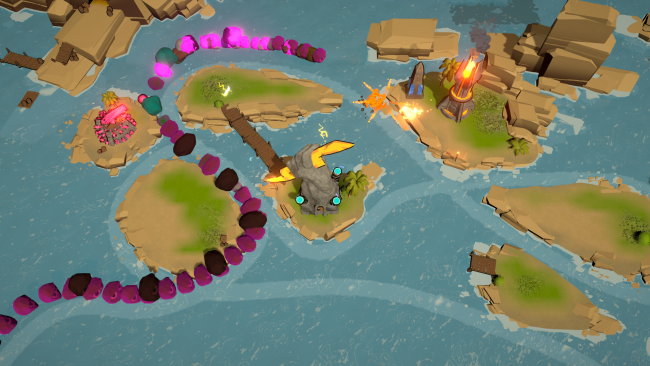
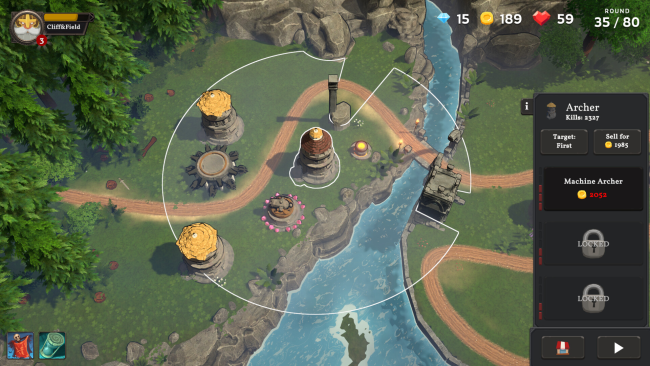
Cliff & Field Tower Defense Cover Art

Cliff & Field Tower Defense

INDIE 586.28 MB v1.0.14

Game Overview

A hidden portal turns an ordinary town’s outskirts into the gateway to Cirin, a fantasy realm desperate for a defender. Cliff & Field Tower Defense frames its familiar lane-defense action around a larger campaign, casting you as a near-mythic ruler tasked with holding a fragile new kingdom against relentless monster attacks. The mood is urgent and colorful rather than grim, with swarms of enemies, escalating firepower, and an atmosphere built around surviving one more overwhelming wave. Time manipulation also gives failure a purposeful place, letting you reset attempts without making every loss feel like a dead end.

Combat centers on choosing tower placements, developing their specialties, and responding to enemy forces that do not always behave the same way twice. Six tower types each support a wide range of upgrades, so a basic defensive line can evolve into a tightly focused build based on damage bursts, critical hits, resource drops, or complementary effects. Runs incorporate random elements and adaptive hordes, demanding that you adjust rather than rely on one memorized solution for every map. Progress carries forward through permanent unlocks, while optional challenges and the ability to disable those upgrades give experienced strategy players room to test cleaner, harsher builds.

Its strongest idea is the balance between roguelite-style repetition and traditional tower-defense planning. Hundreds of potential tower combinations create plenty of space to experiment, and the rewind premise neatly supports replaying stages to refine a strategy instead of merely grinding them. Permanent progression makes the campaign approachable for players who enjoy the genre’s tactical puzzle but lack the patience for punishing difficulty spikes, while harder settings preserve the tension for veterans. Fans of Kingdom Rush, Bloons TD, or compact indie defense games should find a fast, replayable take on the formula here, especially if they enjoy gradually turning a losing battlefield into an engineered kill zone.

Installation

  1. Click the green button below to be redirected to UploadHaven.
  2. Wait 15 seconds, then hit “Free Download.” (Free downloads may be slower — upgrade to UploadHaven Pro for faster speeds.)
  3. Once downloaded, right-click the .zip file and choose “Extract to Cliff & Field Tower Defense.” (You’ll need 7-Zip for this.)
  4. Open the extracted folder and run the game as administrator.
  5. Enjoy! 🎮 If you see missing DLL errors, check the <strong>_Redist</strong> folder inside and install what’s needed.

System Requirements

  • Requires a 64-bit processor and operating system
  • OS: Windows 10 (64-bit)
  • Processor: 1.5Ghz or better (x86-64)
  • Memory: 4096 MB RAM
  • Graphics: OpenGL 2.0 compatible, ATI, Nvidia or Intel HD
  • Storage: 1300 MB available space
  • Sound Card: Windows compatible sound card

Setup Guide & Troubleshooting

How do I fix missing DLL errors for Cliff & Field Tower Defense (v1.0.14)?

After extracting Cliff & Field Tower Defense (v1.0.14), navigate to the _Redist or _CommonRedist folder inside the game directory and install DirectX, Vcredist, and any other dependencies included.

What should I do if the downloaded file is corrupted?

The full archive is 586.28 MB — make sure your download completed fully before extracting. Use 7-Zip to extract the files. If you still see a "file corrupted" error, re-download and try again.

Why should I run the game as administrator?

Right-click the game executable and select "Run as Administrator" to avoid save file issues and permission errors. This is especially important on the first launch.

How do I update my GPU drivers for this game?

Cliff & Field Tower Defense (v1.0.14) requires a OpenGL 2.0 compatible, ATI, Nvidia or Intel HD or equivalent. Update your NVIDIA or AMD drivers to the latest version for the best performance.

The game won't launch — what should I try?

Try running in compatibility mode, install the latest DirectX runtime, or install the All-in-One VC Redist Package.

My antivirus is blocking the game — is it safe?

Antivirus false positives are common with pre-installed games. Temporarily pause your antivirus during extraction to prevent it from quarantining game files. You can re-enable it after the extraction completes.

Need more help? Browse our FAQ & Troubleshooting Guide for solutions to common issues.
Looking for something else? Explore all games on Steam Unlocked