
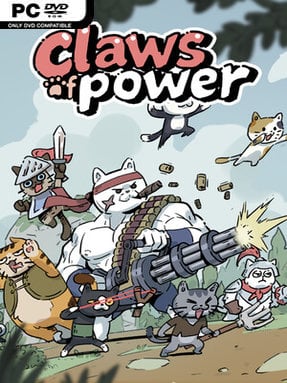
Game Overview
Feline gang warfare gets a bright, approachable spin in Claws Of Power, a casual real-time card battler about taking control of a hard-fought neighborhood. Circumstances place you in charge of a turf, and the job is to recruit a capable crew of cats before pushing through increasingly stubborn enemy positions. Its cute character art and playful premise keep the mood light, even when rival strongholds and intimidating lords demand serious preparation. Rather than leaning on a dense story, the game focuses on the satisfying rise from scrappy local boss to the dominant cat on the map.
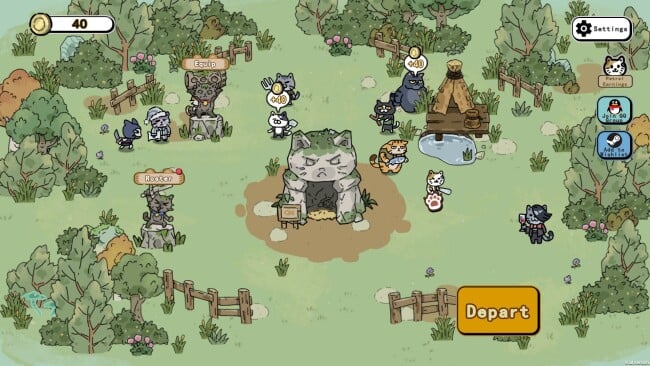
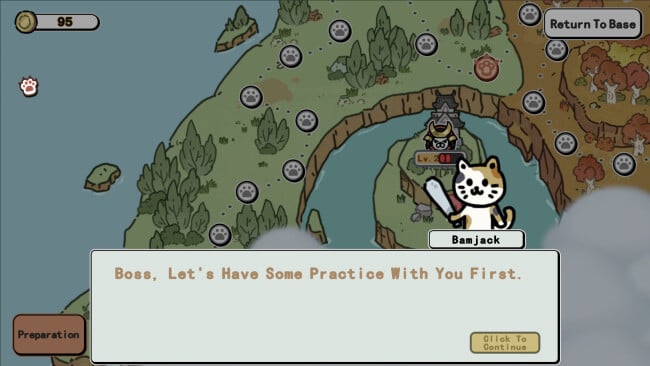
Battles center on building a paw-squad whose members bring distinct skills to the fight, then spending dried fish to call them in when the pressure rises. Resource management matters both during and between encounters: dried fish pays for summons, while an upgraded factory improves its output and helps keep your options open. Your headquarters can also be reinforced for greater survivability, creating a simple but important base-building layer around the real-time action. Equipment combinations, socketed gems, and purchasable battle skills let you tune individual cats toward different roles, rewarding players who experiment instead of relying on one fixed lineup.
What makes Claws Of Power appealing is how it packages familiar mobile-style progression systems into a focused, charming cat-themed strategy loop. Conquering strongholds provides a steady sense of forward momentum, while Lord Challenges act as tougher tests for squads that are properly leveled and equipped. The game is more about smart upgrades, team synergy, and timely deployments than twitch-heavy combat, making it easy to pick up without feeling entirely mindless. Fans of light card battlers and base-upgrade games will find plenty to enjoy, especially if they like the collection-driven appeal of assembling unusual characters with complementary abilities.
Screenshots
Installation
- Click the green button below to be redirected to UploadHaven.
- Wait 15 seconds, then hit “Free Download.” (Free downloads may be slower — upgrade to UploadHaven Pro for faster speeds.)
- Once downloaded, right-click the .zip file and choose “Extract to Claws Of Power.” (You’ll need 7-Zip for this.)
- Open the extracted folder and run the game as administrator.
- Enjoy! 🎮 If you see missing DLL errors, check the <strong>_Redist</strong> folder inside and install what’s needed.
System Requirements
- OS *: Windows 7 SP1+ (64-bit)
- Processor: Intel Core 2 Duo E8400 或 AMD Athlon 64 X2 6000+
- Memory: 4 GB RAM
- Graphics: Intel HD Graphics 4000 or equivalent AMD/NVIDIA dedicated graphics card (supporting OpenGL 3.2+)
- DirectX: Version 11
- Storage: 500 MB available space
- Sound Card: Any DirectX-compatible sound card
Setup Guide & Troubleshooting
How do I fix missing DLL errors for Claws Of Power?
After extracting Claws Of Power, navigate to the _Redist or _CommonRedist folder inside the game directory and install DirectX, Vcredist, and any other dependencies included.
What should I do if the downloaded file is corrupted?
The full archive is 222.25 MB — make sure your download completed fully before extracting. Use 7-Zip to extract the files. If you still see a "file corrupted" error, re-download and try again.
Why should I run the game as administrator?
Right-click the game executable and select "Run as Administrator" to avoid save file issues and permission errors. This is especially important on the first launch.
How do I update my GPU drivers for this game?
Claws Of Power requires a Intel HD Graphics 4000 or equivalent AMD/NVIDIA dedicated graphics card (supporting OpenGL 3.2+) or equivalent. Update your NVIDIA or AMD drivers to the latest version for the best performance.
The game won't launch — what should I try?
This game requires Version 11. Try running in compatibility mode, install the latest DirectX runtime, or install the All-in-One VC Redist Package.
My antivirus is blocking the game — is it safe?
Antivirus false positives are common with pre-installed games. Temporarily pause your antivirus during extraction to prevent it from quarantining game files. You can re-enable it after the extraction completes.