
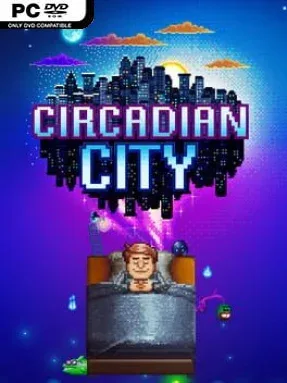
Game Overview
A strange double life sits at the center of Circadian City, an indie simulation game where a person’s ordinary routine feeds directly into a surreal dream realm. Days are spent navigating work, hobbies, money problems, and the awkward process of meeting people whose interests actually match your own. Nights shift the mood toward the imaginative and unpredictable, turning the relationships and possessions built in waking life into resources for dream adventures. Its Early Access foundations show in the rougher edges, but the central idea gives the game a personality far beyond a standard life sim.
Most of the daytime loop revolves around planning limited hours, earning cash, managing needs, improving personal skills, and choosing activities that shape your character’s identity. Socializing is more selective than simply raising a relationship bar: shared interests matter, so building a meaningful circle requires learning who people are and developing compatible traits. Friends, objects, and experiences collected during the day unlock cards, equipment, or other options for the Dreamworld, where you face randomized encounters and turn-based, deck-building-style challenges. Success in one half of life improves possibilities in the other, encouraging players to balance practical goals with social investment rather than grinding one system alone.
That two-world structure is Circadian City’s strongest feature, making everyday choices feel more consequential than they do in many management sims. The Dreamworld is not merely a minigame bolted onto a dating or career simulator; it acts as a creative reflection of your habits, friendships, and priorities. Its offbeat presentation and experimental mix of social sim, light adventure, and roguelike card mechanics suit players who enjoy discovering interconnected systems at their own pace. Fans of The Sims’ personal routines, Persona’s social links, and deck-building roguelikes such as Slay the Spire should find plenty to like, especially if they are comfortable with an indie project still evolving through Early Access.
Installation
- Click the green button below to be redirected to UploadHaven.
- Wait 15 seconds, then hit “Free Download.” (Free downloads may be slower — upgrade to UploadHaven Pro for faster speeds.)
- Once downloaded, right-click the .zip file and choose “Extract to Circadian City.” (You’ll need 7-Zip for this.)
- Open the extracted folder and run the game as administrator.
- Enjoy! 🎮 If you see missing DLL errors, check the <strong>_Redist</strong> folder inside and install what’s needed.
System Requirements
- OS: Wındows 7 or newer
- Processor: 2 Ghz
- Memory: 2 GB RAM
- Graphics: 1 GB VRAM
- Storage: 1200 MB available space
Setup Guide & Troubleshooting
How do I fix missing DLL errors for Circadian City (v0.6.210312.1)?
After extracting Circadian City (v0.6.210312.1), navigate to the _Redist or _CommonRedist folder inside the game directory and install DirectX, Vcredist, and any other dependencies included.
What should I do if the downloaded file is corrupted?
The full archive is 291.03 MB — make sure your download completed fully before extracting. Use 7-Zip to extract the files. If you still see a "file corrupted" error, re-download and try again.
Why should I run the game as administrator?
Right-click the game executable and select "Run as Administrator" to avoid save file issues and permission errors. This is especially important on the first launch.
How do I update my GPU drivers for this game?
Circadian City (v0.6.210312.1) requires a 1 GB VRAM or equivalent. Update your NVIDIA or AMD drivers to the latest version for the best performance.
The game won't launch — what should I try?
Try running in compatibility mode, install the latest DirectX runtime, or install the All-in-One VC Redist Package.
My antivirus is blocking the game — is it safe?
Antivirus false positives are common with pre-installed games. Temporarily pause your antivirus during extraction to prevent it from quarantining game files. You can re-enable it after the extraction completes.