
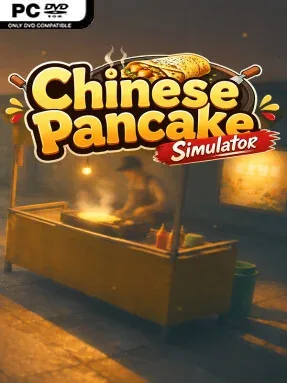
Game Overview
A modest stall beneath a concrete overpass becomes the center of a surprisingly hands-on street-food hustle. Chinese Pancake Simulator is a first-person cooking and small-business game built around the daily rhythm of stocking up, opening for customers, and turning simple ingredients into hot, customized pancakes. Its atmosphere is more cozy and workmanlike than frantic, focusing on the satisfying routine of keeping a compact food stand running. Success comes from paying attention to every stage of the job, from the market run to the final exchange of cash.
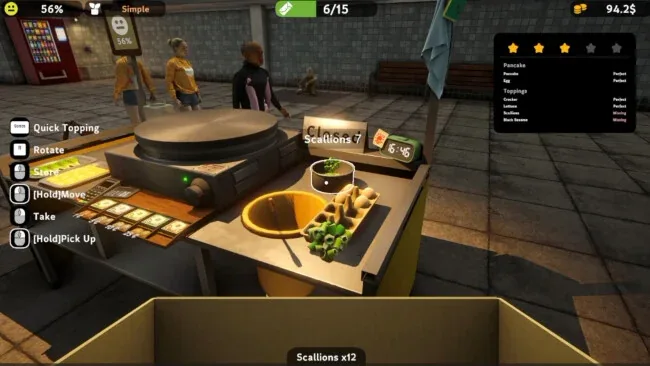
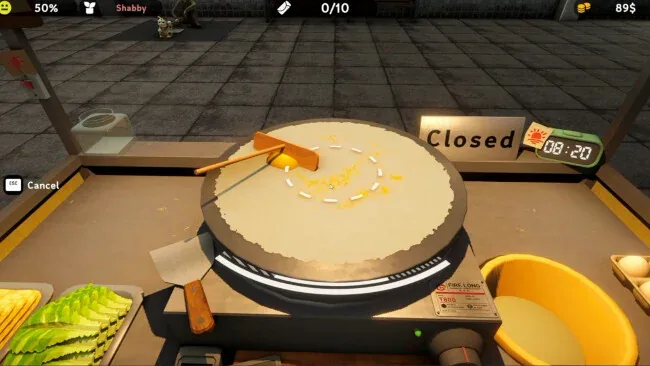
Each shift begins with buying essentials such as batter, eggs, vegetables, and meat, then arranging the stall so its tools are within easy reach. Orders require players to spread batter, crack eggs, add the requested fillings, cook everything properly, and serve the finished food without keeping customers waiting. Handling payment and returning the correct change adds another layer of pressure, while cleaning grills and work surfaces between business hours prevents the stand from becoming a mess. Earnings unlock licenses, broader ingredient options, improved cooking equipment, and decorations that make the workspace more useful as well as more personal.
The appeal lies in its close-up treatment of a very specific food business rather than an oversized restaurant empire. You are not juggling staff schedules or building a chain; the focus stays on the tactile work of preparing food and gradually improving one humble operation. A mysterious vendor also offers unusual items outside the normal market, giving progression a little extra unpredictability. Players who enjoy the food preparation of Cooking Simulator but prefer gentler management systems and a grounded street-stall setting are likely to find plenty to enjoy, while newcomers can pick it up without needing to master complicated business spreadsheets.
Screenshots
Installation
- Select the <strong>Download</strong> button at the top of this page to open UploadHaven.
- On UploadHaven, wait for any countdown, then select <strong>Free Download</strong>. Optional: UploadHaven Pro for faster downloads.
- When complete, extract the archive to a <strong>Chinese Pancake Simulator</strong> folder using 7-Zip.
- Open the extracted folder and start the game normally.
- For errors, check <strong>Setup Guide & Troubleshooting</strong> below. Keep your security software enabled.
System Requirements
- OS *: Windows 7
- Processor: Intel i3 | AMD FX-6300
- Graphics: Nvidia GTX 760 | AMD Radeon 7950
- Storage: 5 GB available space
Setup Guide & Troubleshooting
Is Chinese Pancake Simulator (Latest Full Build) free to download on Steam Unlocked?
Yes, Chinese Pancake Simulator (Latest Full Build) is available as a full-version direct download on Steam Unlocked with verified mirror links and complete release files.
How do I install Chinese Pancake Simulator without errors?
Download the complete archive from the mirror links, extract using 7-Zip or WinRAR into a path without special characters, install any required runtime redistributables, and launch the main executable.
Does this release of Chinese Pancake Simulator include the latest updates?
This listing provides build Latest Full Build of Chinese Pancake Simulator, tested for offline play and compatibility with modern operating systems and emulators.
What should I do if Chinese Pancake Simulator crashes on startup?
Verify that your GPU drivers and Visual C++ / DirectX runtimes are updated, run the executable as administrator, and ensure your antivirus did not block any extracted game files.