
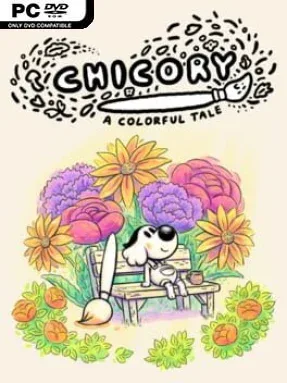
Chicory: A Colorful Tale Cover Art

Chicory: A Colorful Tale

ADVENTURE 1.21 GB v1.0.0.58

Game Overview

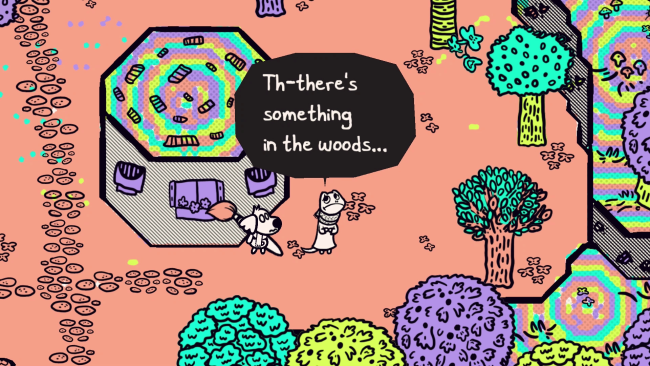
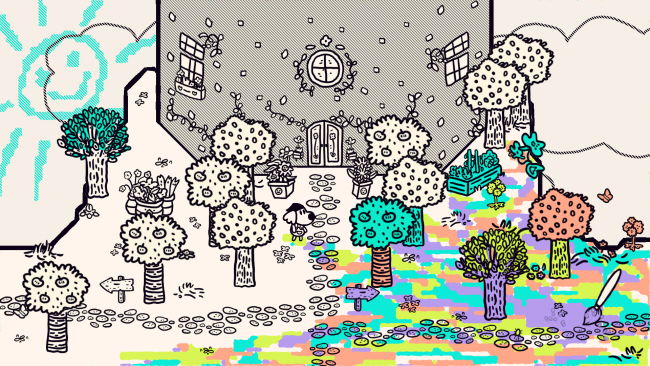
A black-and-white province becomes a surprisingly emotional canvas in this inventive top-down adventure. After the celebrated Brush bearer Chicory vanishes, color drains from the land, leaving her anxious janitor and biggest admirer to inherit the tool she once wielded. Painting is not merely decoration here: every scribble restores personality to towns, forests, caves, and their animal inhabitants. The result feels playful on the surface but carries a thoughtful, occasionally heavy story about creativity, expectation, self-doubt, and finding value in your own work.

You guide the customizable protagonist through Picnic Province, freely coloring nearly every surface with a responsive brush. Paint reveals paths, alters objects, powers environmental devices, and solves visual puzzles, while new techniques gradually open areas that were unreachable earlier. Side activities give the journey its lived-in charm, from helping neighbors with their problems to delivering mail, taking photographs, attending art classes, collecting outfits, and decorating your home. Local co-op lets a second player join in with another brush, turning both exploration and idle doodling into a shared activity rather than a strictly solitary quest.

Its greatest strength is how naturally drawing becomes a language for interaction. The hand-drawn world recalls classic Zelda-style overhead adventures, but its progression is built around artistic tools rather than swords, loot, or combat mastery; curiosity and imagination matter far more than reflexes. More than a hundred memorable animal characters, excellent sound work, and Lena Raine’s expressive score give even small detours warmth, while the ability to repaint the world ensures players leave a personal visual mark. Chicory: A Colorful Tale suits newcomers looking for an approachable adventure, creative players who enjoy making a space their own, and veterans who want a heartfelt alternative to combat-driven exploration games.

Installation

  1. Click the green button below to be redirected to UploadHaven.
  2. Wait 15 seconds, then hit “Free Download.” (Free downloads may be slower — upgrade to UploadHaven Pro for faster speeds.)
  3. Once downloaded, right-click the .zip file and choose “Extract to Chicory: A Colorful Tale.” (You’ll need 7-Zip for this.)
  4. Open the extracted folder and run the game as administrator.
  5. Enjoy! 🎮 If you see missing DLL errors, check the <strong>_Redist</strong> folder inside and install what’s needed.

System Requirements

  • OS: 7+
  • Processor: Toaster or better
  • Memory: 1 GB RAM
  • Graphics: Pretty good
  • DirectX: Version 9.0
  • Storage: 2 GB available space
  • Sound Card: Absolutely, yes
  • Additional Notes: This game is heckin’ good

Setup Guide & Troubleshooting

How do I fix missing DLL errors for Chicory: A Colorful Tale (v1.0.0.58)?

After extracting Chicory: A Colorful Tale (v1.0.0.58), navigate to the _Redist or _CommonRedist folder inside the game directory and install DirectX, Vcredist, and any other dependencies included.

What should I do if the downloaded file is corrupted?

The full archive is 1.21 GB — make sure your download completed fully before extracting. Use 7-Zip to extract the files. If you still see a "file corrupted" error, re-download and try again.

Why should I run the game as administrator?

Right-click the game executable and select "Run as Administrator" to avoid save file issues and permission errors. This is especially important on the first launch.

How do I update my GPU drivers for this game?

Chicory: A Colorful Tale (v1.0.0.58) requires a Pretty good or equivalent. Update your NVIDIA or AMD drivers to the latest version for the best performance.

The game won't launch — what should I try?

This game requires Version 9.0. Try running in compatibility mode, install the latest DirectX runtime, or install the All-in-One VC Redist Package.

My antivirus is blocking the game — is it safe?

Antivirus false positives are common with pre-installed games. Temporarily pause your antivirus during extraction to prevent it from quarantining game files. You can re-enable it after the extraction completes.

Need more help? Browse our FAQ & Troubleshooting Guide for solutions to common issues.
Looking for something else? Explore all games on Steam Unlocked