
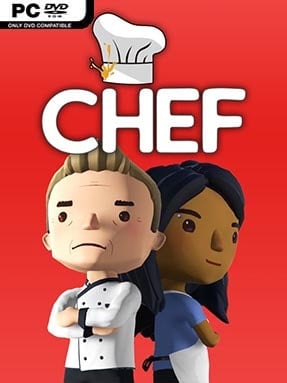
Game Overview
Running a restaurant here means far more than placing tables and watching cash roll in. Chef: A Restaurant Tycoon Game begins with a modest venue, thin funds, and a chef whose reputation has yet to be earned, then lets you shape that uncertain start into anything from a neighborhood bistro to a celebrated culinary destination. Its tone is approachable but demanding: creativity matters, yet bad staffing, awkward layouts, and a confused menu can quickly undermine even the most attractive dining room. Rather than forcing one route to success, it treats cuisine, decor, service, and business strategy as connected decisions.
The central loop revolves around planning a restaurant, developing dishes, serving customers, and reinvesting the profits into a more ambitious operation. You choose locations, organize the floor plan, employ staff, establish policies, and adjust menus to suit the identity you want to build. A detailed recipe system lets you combine ingredients and cooking skills into original plates, with diners judging qualities such as flavor and aroma instead of simply accepting preset menu items. Your created chef grows through six skill branches containing over a hundred unlockable abilities, allowing focused builds around particular culinary strengths, management perks, or broader versatility.
Customization gives the management simulation much of its personality, with extensive options for surfaces, furniture, equipment, colors, and decorative details. A steak-heavy grill, seafood specialist, vegan cafe, spice-focused restaurant, or experimental fusion kitchen can all function differently because customer reactions reflect what you serve. Dynamic events and smaller narrative developments make each rise through the industry feel less scripted, while the sandbox structure encourages fresh runs with new concepts and business priorities. Fans of the creative freedom in The Sims’ build mode mixed with the economic pressure of Restaurant Empire-style tycoons find plenty to enjoy, especially if they prefer designing their own culinary story over following a fixed campaign.
Installation
- Click the green button below to be redirected to UploadHaven.
- Wait 15 seconds, then hit “Free Download.” (Free downloads may be slower — upgrade to UploadHaven Pro for faster speeds.)
- Once downloaded, right-click the .zip file and choose “Extract to Chef: A Restaurant Tycoon Game.” (You’ll need 7-Zip for this.)
- Open the extracted folder and run the game as administrator.
- Enjoy! 🎮 If you see missing DLL errors, check the <strong>_Redist</strong> folder inside and install what’s needed.
System Requirements
- OS: Windows Vista SP1+ (64 bit)
- Processor: Intel Core 2 Duo @ 3.0GHz or AMD Athlon 64 X2 6400+ @ 3.2GHz
- Memory: 3000 MB RAM
- Graphics: NVIDIA GT 630, AMD Radeon HD6570, or equivalent
- DirectX: Version 9.0c
- Storage: 6500 MB available space
Setup Guide & Troubleshooting
How do I fix missing DLL errors for Chef: A Restaurant Tycoon Game (v1.6 & ALL DLC)?
After extracting Chef: A Restaurant Tycoon Game (v1.6 & ALL DLC), navigate to the _Redist or _CommonRedist folder inside the game directory and install DirectX, Vcredist, and any other dependencies included.
What should I do if the downloaded file is corrupted?
The full archive is 2.30 GB — make sure your download completed fully before extracting. Use 7-Zip to extract the files. If you still see a "file corrupted" error, re-download and try again.
Why should I run the game as administrator?
Right-click the game executable and select "Run as Administrator" to avoid save file issues and permission errors. This is especially important on the first launch.
How do I update my GPU drivers for this game?
Chef: A Restaurant Tycoon Game (v1.6 & ALL DLC) requires a NVIDIA GT 630, AMD Radeon HD6570, or equivalent or equivalent. Update your NVIDIA or AMD drivers to the latest version for the best performance.
The game won't launch — what should I try?
This game requires Version 9.0c. Try running in compatibility mode, install the latest DirectX runtime, or install the All-in-One VC Redist Package.
My antivirus is blocking the game — is it safe?
Antivirus false positives are common with pre-installed games. Temporarily pause your antivirus during extraction to prevent it from quarantining game files. You can re-enable it after the extraction completes.