
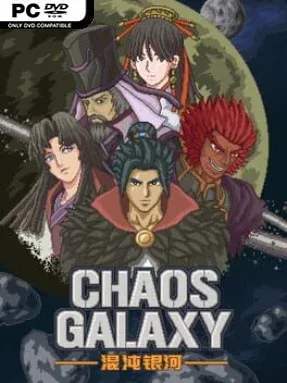
Game Overview
A thousand-year empire fractures under alien assault, civil war, and opportunists eager to claim the stars. Chaos Galaxy is a turn-based space strategy game with the colorful military drama and giant-machine spectacle of classic Japanese tactical RPGs, but its battlefield is a sprawling galaxy of rival powers. The tone is grand, melodramatic, and proudly pulpy: imperial loyalists, pirate bands, holy orders, corporate traders, assassins, and rogue machines all fight for incompatible visions of the future. Every campaign frames the conflict from a different political and personal angle, making conquest feel more like participating in an ongoing space opera than simply painting a map.
Players choose from 14 factions, including four major imperial fleets, then lead commanders and their forces across contested systems. The central loop revolves around selecting targets, deploying fleets, managing each faction’s strategic direction through its policy tree, and winning turn-based battles with mecha, capital ships, weapons, and character-specific abilities. More than 100 units give armies a broad range of roles, from mobile robotic fighters to heavy warships built to hold a line or bombard enemies from range. Commanders matter as much as hardware, since over 60 officers bring individual skills and story events that can reshape how a campaign develops. Victory is not merely military expansion; your chosen side can restore imperial authority, build a religious regime, pursue mercenary profit, or let artificial intelligence eradicate humanity.
Its strongest feature is the sheer asymmetry between factions. Rather than offering cosmetic reskins of one army, Chaos Galaxy gives its competing groups distinct lore, equipment, policies, and ambitions, encouraging repeated runs from radically different perspectives. The presentation favors detailed pixel-art units and an old-school, menu-driven strategy format, so it values planning and faction knowledge over cinematic flash. Fans of Super Robot Wars-style unit customization, Langrisser-like tactical decision-making, or compact grand-strategy campaigns should find plenty to enjoy. Newcomers can start with a familiar imperial force, while genre veterans will get the most from experimenting with stranger factions and uncovering the larger galactic crisis.
Installation
- Click the green button below to be redirected to UploadHaven.
- Wait 15 seconds, then hit “Free Download.” (Free downloads may be slower — upgrade to UploadHaven Pro for faster speeds.)
- Once downloaded, right-click the .zip file and choose “Extract to Chaos Galaxy.” (You’ll need 7-Zip for this.)
- Open the extracted folder and run the game as administrator.
- Enjoy! 🎮 If you see missing DLL errors, check the <strong>_Redist</strong> folder inside and install what’s needed.
System Requirements
- Requires a 64-bit processor and operating system
- OS: Windows XP, Windos Vista, or Windows 7 / 8 / 10
- Processor: Intel i5
- Memory: 4 GB RAM
- Graphics: Nvidia 450 GTS / Radeon HD 5750
- DirectX: Version 9.0
- Storage: 1 GB available space
Setup Guide & Troubleshooting
How do I fix missing DLL errors for Chaos Galaxy (v1.20)?
After extracting Chaos Galaxy (v1.20), navigate to the _Redist or _CommonRedist folder inside the game directory and install DirectX, Vcredist, and any other dependencies included.
What should I do if the downloaded file is corrupted?
The full archive is 186.75 MB — make sure your download completed fully before extracting. Use 7-Zip to extract the files. If you still see a "file corrupted" error, re-download and try again.
Why should I run the game as administrator?
Right-click the game executable and select "Run as Administrator" to avoid save file issues and permission errors. This is especially important on the first launch.
How do I update my GPU drivers for this game?
Chaos Galaxy (v1.20) requires a Nvidia 450 GTS / Radeon HD 5750 or equivalent. Update your NVIDIA or AMD drivers to the latest version for the best performance.
The game won't launch — what should I try?
This game requires Version 9.0. Try running in compatibility mode, install the latest DirectX runtime, or install the All-in-One VC Redist Package.
My antivirus is blocking the game — is it safe?
Antivirus false positives are common with pre-installed games. Temporarily pause your antivirus during extraction to prevent it from quarantining game files. You can re-enable it after the extraction completes.