
Game Overview
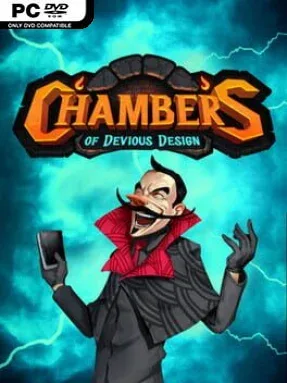
A villain’s headquarters becomes a tactical battlefield where every corridor, cannon, and explosive chamber matters. Chambers Of Devious Design is a competitive tile-placement strategy game built around constructing the most effective lair for an unseen evil mastermind. Rather than simply making a tidy base, players must consider how each room reacts to its neighbors, turning interior design into a contest of clever planning, sabotage, and opportunistic destruction. The mood is playful and cartoonishly villainous, but the decisions can become sharply competitive when opponents begin building close enough to threaten one another.
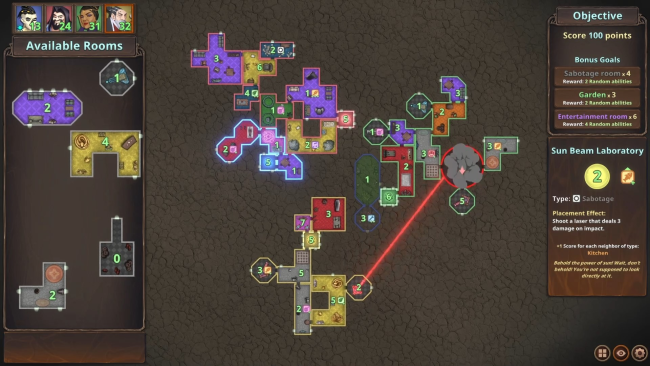
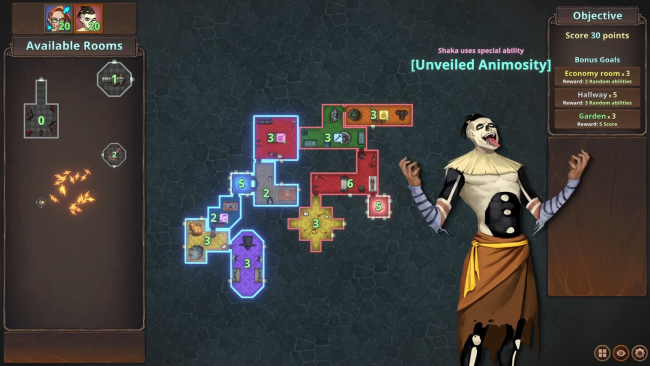
Matches revolve around placing new rooms into your expanding hideout while exploiting their adjacency effects and avoiding layouts that help rival architects. Certain chambers reward ideal positioning, while more aggressive options let you fire cannons, plant explosives, or otherwise disrupt an enemy’s control area. Passive bonuses and character-specific powers add another layer to the board, encouraging different approaches instead of one universally safe strategy. A campaign provides structured scenarios with changing objectives, while Custom Game settings let players adjust the rules and take the competition online against friends.
What makes the concept work is the tension between optimization and interference: a perfect room combination can be tempting, yet leaving it exposed may hand an opponent the chance to wreck it. Winning is not always about assembling the prettiest or biggest base, since some setups focus on eliminating rivals or surviving after their construction options disappear. Its compact, adversarial design recalls the spatial puzzle of games such as Carcassonne, filtered through the direct attacks and unpredictable swings of a light strategy battler. Players who enjoy board-game-like planning, mean-but-funny multiplayer clashes, and discovering strong room combinations find plenty to experiment with, while newcomers can grasp the basic placement idea quickly before digging into the deeper character and perk interactions.
Installation
- Click the green button below to be redirected to UploadHaven.
- Wait 15 seconds, then hit “Free Download.” (Free downloads may be slower — upgrade to UploadHaven Pro for faster speeds.)
- Once downloaded, right-click the .zip file and choose “Extract to Chambers Of Devious Design.” (You’ll need 7-Zip for this.)
- Open the extracted folder and run the game as administrator.
- Enjoy! 🎮 If you see missing DLL errors, check the <strong>_Redist</strong> folder inside and install what’s needed.
System Requirements
- OS: Windows XP/Vista/7/8/8.1/10
- Processor: 1 GHz
- Memory: 1 GB RAM
- Graphics: 256mb Video Memory, capable of OpenGL 2.0+ support
- Storage: 500 MB available space
Setup Guide & Troubleshooting
How do I fix missing DLL errors for Chambers Of Devious Design (v1.1)?
After extracting Chambers Of Devious Design (v1.1), navigate to the _Redist or _CommonRedist folder inside the game directory and install DirectX, Vcredist, and any other dependencies included.
What should I do if the downloaded file is corrupted?
The full archive is 253.05 MB — make sure your download completed fully before extracting. Use 7-Zip to extract the files. If you still see a "file corrupted" error, re-download and try again.
Why should I run the game as administrator?
Right-click the game executable and select "Run as Administrator" to avoid save file issues and permission errors. This is especially important on the first launch.
How do I update my GPU drivers for this game?
Chambers Of Devious Design (v1.1) requires a 256mb Video Memory, capable of OpenGL 2.0+ support or equivalent. Update your NVIDIA or AMD drivers to the latest version for the best performance.
The game won't launch — what should I try?
Try running in compatibility mode, install the latest DirectX runtime, or install the All-in-One VC Redist Package.
My antivirus is blocking the game — is it safe?
Antivirus false positives are common with pre-installed games. Temporarily pause your antivirus during extraction to prevent it from quarantining game files. You can re-enable it after the extraction completes.