
Game Overview
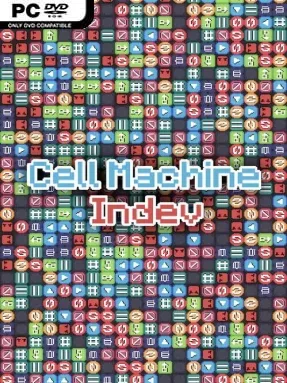
Tiny machines become elaborate weapons in this compact 2D puzzle sandbox, where every solution starts with a handful of cells and a blank section of grid. Cell Machine: Indev follows the mechanical cause-and-effect spirit of its predecessor’s modding scene, asking players to build contraptions that can wipe hostile cells from a board once the simulation begins. The mood is clean, cerebral, and quietly satisfying: there are no reflex-heavy fights to win, only the pleasure of watching a carefully arranged mechanism either work perfectly or fail in spectacular fashion. Its simple visual language makes the underlying logic easy to read even when your designs become wonderfully messy.
Puzzle Mode provides the structured campaign, with 30 included stages that restrict your placement area and available parts before challenging you to clear the enemy layout. Players drag cells onto the grid, link their functions through position and timing, then hit play to see whether pushers, movers, generators, and other specialized components create the intended chain reaction. Ten usable cell types give each board a surprising amount of tactical depth, since a small adjustment in orientation or order can completely change a machine’s behavior. Vault Mode loosens the restrictions by handing over the full grid and full toolkit, but its objectives demand more inventive solutions than the straightforward campaign puzzles.
What makes Indev especially appealing is that it treats level creation as part of the main package rather than an afterthought. Its improved editor supports custom challenges that can resemble official stages, while easy exporting and mod support encourage players to share, alter, and expand the experience. Compatibility with older Mystic Mod creations also means newcomers can access a substantial pool of community-built puzzles instead of exhausting the built-in levels and stopping there. Anyone who enjoys the experimentation of Opus Magnum, the automation logic of Factorio, or compact grid puzzlers will find plenty to chew on, though patient tinkerers get the most from its open-ended modes.
Installation
- Click the green button below to be redirected to UploadHaven.
- Wait 15 seconds, then hit “Free Download.” (Free downloads may be slower — upgrade to UploadHaven Pro for faster speeds.)
- Once downloaded, right-click the .zip file and choose “Extract to Cell Machine Indev.” (You’ll need 7-Zip for this.)
- Open the extracted folder and run the game as administrator.
- Enjoy! 🎮 If you see missing DLL errors, check the <strong>_Redist</strong> folder inside and install what’s needed.
System Requirements
- OS: WIndows 10/11
- Processor: 32 Bit/ 64 Bit
- Memory: 2 GB RAM
- Graphics: Requires GPU instancing
Setup Guide & Troubleshooting
How do I fix missing DLL errors for Cell Machine Indev (v9.2.1)?
After extracting Cell Machine Indev (v9.2.1), navigate to the _Redist or _CommonRedist folder inside the game directory and install DirectX, Vcredist, and any other dependencies included.
What should I do if the downloaded file is corrupted?
The full archive is 128.89 MB — make sure your download completed fully before extracting. Use 7-Zip to extract the files. If you still see a "file corrupted" error, re-download and try again.
Why should I run the game as administrator?
Right-click the game executable and select "Run as Administrator" to avoid save file issues and permission errors. This is especially important on the first launch.
How do I update my GPU drivers for this game?
Cell Machine Indev (v9.2.1) requires a Requires GPU instancing or equivalent. Update your NVIDIA or AMD drivers to the latest version for the best performance.
The game won't launch — what should I try?
Try running in compatibility mode, install the latest DirectX runtime, or install the All-in-One VC Redist Package.
My antivirus is blocking the game — is it safe?
Antivirus false positives are common with pre-installed games. Temporarily pause your antivirus during extraction to prevent it from quarantining game files. You can re-enable it after the extraction completes.