
Game Overview
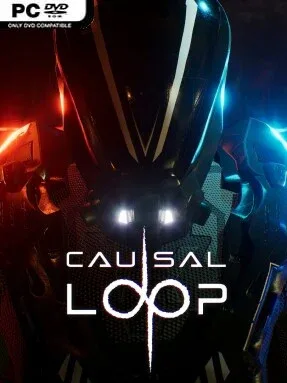
A ruined alien planet becomes a labyrinth of broken time in this narrative-driven puzzle adventure. Exo-archaeologist Bale lands on Tor Ulsat to study a vanished civilization alongside linguist Jen, only for an ancient Chronolith to tear their mission apart. Jen vanishes, communications fail, and Bale is left navigating deserted structures where moments from different eras bleed into one another. The mood is lonely and cerebral rather than action-heavy, with a mystery built around lost history, unstable reality, and the fear of being stranded beyond repair.
Progress centers on investigating each area, deciphering the Tor’s machinery, and solving environmental puzzles that demand careful planning. Its key idea is Echo Branching: Bale can create recordings of his own actions, then replay them as up to three autonomous past versions of himself. One echo might hold a switch, another might carry out a sequence elsewhere, while the present Bale uses the resulting opening to reach a new device or uncover a clue. Later challenges build on timing, positioning, and understanding how actions overlap across repeated attempts, giving the time-loop premise practical puzzle-solving weight instead of using it purely for storytelling.
Fifteen crafted chapters provide a steady sequence of ancient installations, hidden details, and revelations about what happened to the Tor and Jen. Fully voiced performances help sell the personal stakes, while accessibility options such as remappable controls, color-blind support, and settings intended to reduce motion discomfort make the experience more welcoming than many first-person-style puzzle adventures. Causal Loop stands out by treating temporal duplicates as hands-on tools rather than scripted story gimmicks, recalling the spatial logic of Portal and The Talos Principle while pursuing a more intimate sci-fi mystery. It suits players who enjoy deliberate, sometimes demanding puzzles and patient environmental storytelling, especially those who prefer unraveling a world’s secrets to fighting through it.
Installation
- Click the green button below to be redirected to UploadHaven.
- Wait 15 seconds, then hit “Free Download.” (Free downloads may be slower — upgrade to UploadHaven Pro for faster speeds.)
- Once downloaded, right-click the .zip file and choose “Extract to Causal Loop.” (You’ll need 7-Zip for this.)
- Open the extracted folder and run the game as administrator.
- Enjoy! 🎮 If you see missing DLL errors, check the <strong>_Redist</strong> folder inside and install what’s needed.
System Requirements
- Requires a 64-bit processor and operating system
- OS: Windows 10 (64-bit)
- Processor: Intel Core i7-7700K or AMD Ryzen 5 3600
- Graphics: NVIDIA GTX 1660 TI or AMD Radeon RX 590
- DirectX: Version 12
- Storage: 10 GB available space
- Sound Card: Integrated audio or onboard sound card
- Additional Notes: These system requirements are for playing Causal Loop at 1080p resolution with medium settings, aiming for a stable 60 FPS. For lower resolutions or less demanding graphical settings, the game may run smoothly on systems with slightly lower specs.
Setup Guide & Troubleshooting
How do I fix missing DLL errors for Causal Loop (v1.1.0)?
After extracting Causal Loop (v1.1.0), navigate to the _Redist or _CommonRedist folder inside the game directory and install DirectX, Vcredist, and any other dependencies included.
What should I do if the downloaded file is corrupted?
The full archive is 7.25 GB — make sure your download completed fully before extracting. Use 7-Zip to extract the files. If you still see a "file corrupted" error, re-download and try again.
Why should I run the game as administrator?
Right-click the game executable and select "Run as Administrator" to avoid save file issues and permission errors. This is especially important on the first launch.
How do I update my GPU drivers for this game?
Causal Loop (v1.1.0) requires a NVIDIA GTX 1660 TI or AMD Radeon RX 590 or equivalent. Update your NVIDIA or AMD drivers to the latest version for the best performance.
The game won't launch — what should I try?
This game requires Version 12. Try running in compatibility mode, install the latest DirectX runtime, or install the All-in-One VC Redist Package.
My antivirus is blocking the game — is it safe?
Antivirus false positives are common with pre-installed games. Temporarily pause your antivirus during extraction to prevent it from quarantining game files. You can re-enable it after the extraction completes.