
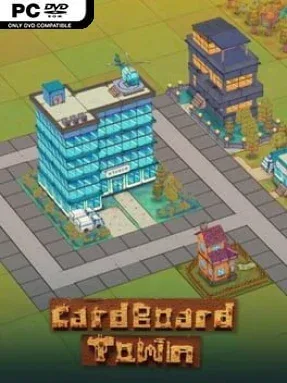
Game Overview
A city rises one card at a time in this compact roguelite builder, where neat planning constantly collides with bad luck, civic demands, and wonderfully unpredictable events. Cardboard Town turns urban development into a score-chasing tabletop puzzle: play the right structures, connect roads, manage resources, and keep a growing population content before the run falls apart. Its handmade cardboard presentation gives the game a charmingly playful surface, but the decisions beneath it can become surprisingly tense. Every session aims to produce a new layout, a new chain of problems, and another chance to push beyond a previous high score.
Players draw from a large selection of building and action cards, placing homes, services, roads, and other city pieces while adapting to the conditions on the board. Roads are more than decoration, since they support traffic and help make a settlement function as an actual connected town rather than a pile of isolated districts. Action cards offer ways to react to sudden complications or alter existing cards, while quests set goals that reward attention to citizens’ needs. Random festivals, upgrades, disasters, and resource changes prevent a reliable strategy from becoming automatic, so efficient cities require both long-term planning and the willingness to salvage a messy turn.
The strongest idea here is the combination of city-builder logic with deck-driven randomness: instead of patiently constructing one permanent metropolis, players learn to make the best possible town from an ever-changing hand. More than 100 building and action cards, alongside additional events, quests, and unlocks, give runs room to develop in different directions. Permanent unlocks add new cards, cosmetic options, resources, and events, creating a steady sense of discovery even after failure. Fans of compact roguelites such as Luck be a Landlord or card-based strategy games who want a lighter, more visual city-management spin should find plenty to enjoy, while genre newcomers can appreciate its clear, turn-focused format.
Installation
- Click the green button below to be redirected to UploadHaven.
- Wait 15 seconds, then hit “Free Download.” (Free downloads may be slower — upgrade to UploadHaven Pro for faster speeds.)
- Once downloaded, right-click the .zip file and choose “Extract to Cardboard Town.” (You’ll need 7-Zip for this.)
- Open the extracted folder and run the game as administrator.
- Enjoy! 🎮 If you see missing DLL errors, check the <strong>_Redist</strong> folder inside and install what’s needed.
System Requirements
- Requires a 64-bit processor and operating system
- OS: Windows 7
- Processor: Intel Pentium CPU G860
- Memory: 4 GB RAM
- Graphics: NVIDIA GeForce 840M
- DirectX: Version 8.0
- Storage: 1 GB available space
- Additional Notes: 64 Bit
Setup Guide & Troubleshooting
How do I fix missing DLL errors for Cardboard Town (v1.4.0)?
After extracting Cardboard Town (v1.4.0), navigate to the _Redist or _CommonRedist folder inside the game directory and install DirectX, Vcredist, and any other dependencies included.
What should I do if the downloaded file is corrupted?
The full archive is 433.91 MB — make sure your download completed fully before extracting. Use 7-Zip to extract the files. If you still see a "file corrupted" error, re-download and try again.
Why should I run the game as administrator?
Right-click the game executable and select "Run as Administrator" to avoid save file issues and permission errors. This is especially important on the first launch.
How do I update my GPU drivers for this game?
Cardboard Town (v1.4.0) requires a NVIDIA GeForce 840M or equivalent. Update your NVIDIA or AMD drivers to the latest version for the best performance.
The game won't launch — what should I try?
This game requires Version 8.0. Try running in compatibility mode, install the latest DirectX runtime, or install the All-in-One VC Redist Package.
My antivirus is blocking the game — is it safe?
Antivirus false positives are common with pre-installed games. Temporarily pause your antivirus during extraction to prevent it from quarantining game files. You can re-enable it after the extraction completes.